Written by Robin
Edited on
4 December 2024
·
16:49
Read on a tablet or e-reader?
You purchase an e-reader to read books digitally. But why would you buy a separate e-reader if you already have a tablet you can read e-books on? In this article, we'll compare the reading experience of an e-reader to that of a tablet.
In use
| E-reader | Tablet | |||
|---|---|---|---|---|
| Weight | 180 - 230g | Easy to hold | 280 - 710g | Heavier models unpractical |
| Inch size | 6 - 10 inches | Easy to take with you | 7 - 13 inches | Not always practical |
| Usage advice | Reading, audio books | Only books | Music, apps, games | Tablets are versatile |
E-reader or tablet?
- Kobo Libra Color
Don't have to charge often
Calm reading experience
Less sharp than an LCD screen
From
€ 251,90
- Samsung Galaxy Tab A9 Plus
Sharper image
Risk of strained eyes
Regularly charge the battery
From
€ 188,90


The screen

E-ink
An E-ink screen uses little energy, so you don't even have to charge the battery after a week. That's useful if you're on vacation. With an E-ink screen, the image doesn't change until you flip the page. This provides a calm reading experience that doesn't strain your eyes as quickly.

LCD
LCD screens are a lot sharper than E-ink screens. That's convenient if you mainly read books with a lot of images. This screen does use more battery power, so you'll have to charge the tablet regularly. In addition, an LCD screen refreshes about 50 times per second. Your eyes have to process this each time, so they'll get strained a lot faster.
Screen backlight

Easy on the eyes
There are e-readers that have an E-ink screen with screen backlight with a blue light filter. That way, your eyes won't get strained when you read in the dark. E-ink screens are also clearly readable in direct sunlight, unlike the reflecting screen of a tablet.
- Blue light filter
- Anti-glare

Bright screen
An LCD or OLED screen has backlight, which allows you to read in the dark. But the display does emit more light than an E-ink screen. If you read a book in bed before going to sleep, there's a chance it'll affect your sleep.
- Bright backlight
- No blue light filter
Speed
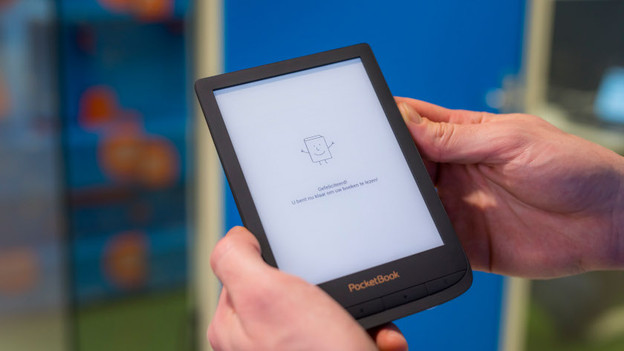
Less RAM
The RAM of an e-reader isn't very large. For example, when you're looking for a new book in the catalog, you'll notice it's slow. Especially in comparison to a tablet or smartphone. You won't be bothered by this while reading, it actually makes it more comfortable to read. The refresh rate of the screen is also lower, which is easy on your eyes.
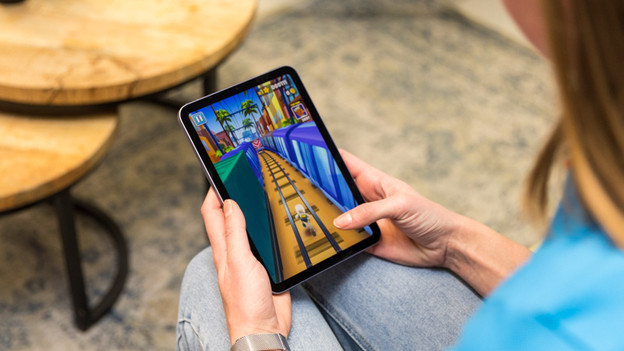
Fast processor
You can use a tablet for many different tasks. You can browse the internet or social media, but also play games on it. To be able to do this, you'll need a device that's fast enough. Most tablets have a processor with multiple cores. This allows you to multitask without problems.

Supported file formats
E-books are available in different file formats. Aside from PDF and EPUB, there are also lesser known file formats like MobiPocket. E-readers generally support the most file formats, but you'll have to download a separate app on your tablet for some formats.

User-friendliness
When you're reading an e-book and you take a break or open a different e-book, an e-reader remembers exactly at which page you stopped. Tablets don't automatically keep track of this, though there are apps that do this for you. In addition, there are e-readers with a waterproof coating, so you can continue to read at the edge of the pool or on your inflatable floatie without a worry. If you want to protect your tablet from water damage, you need a special cover.
Conclusion
The choice between a tablet and an e-reader depends on your own use. If you just want to read, I recommend doing this on an e-reader. It's easier on the eyes and you can read before you go to sleep thanks to the blue light filter. In addition, an e-reader has a longer battery life and you don't have to convert file formats. If you also use a lot of apps and often view photos and videos in addition to reading, a tablet is probably a better choice.
Article by Robin
E-reader Expert.