Written by Uhro
Edited on
21 March 2025
·
16:32
How do you mount a computer fan in your desktop?
You bought a new case fan or computer fan to better cool your desktop computer. Setting up such a fan isn't very difficult. In this article, I'll explain how to do this quickly and safely.

What do you need?
- Tools to open the computer case
- An antistatic wrist strap
- A desktop PC
- 1 or more case fans
- A cup of coffee
1. The basics
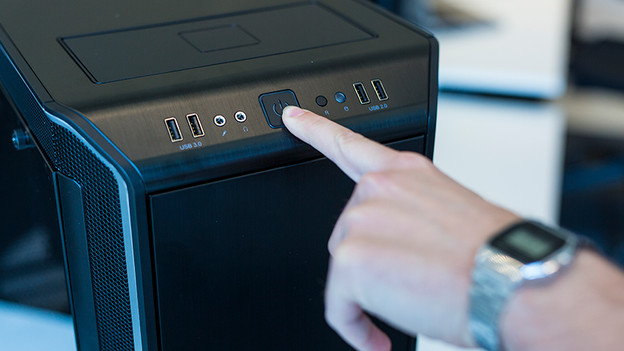
Switch off your computer completely, so don't switch it to standby. Next, remove all cables, starting with the power cable. Then turn on your computer one more time, so that all the power remaining in the power supply also disappears.

2. Avoid static shocks
If you're going to tinker with a computer, it's important that you're not statically charged. A static shock, no matter how small, can be disastrous for the components in your computer. I advise you to always wear an antistatic wrist strap. You can also ground yourself by regularly holding your hands against the radiator, but this is a bit more risky.

3. Open your computer
Place the casing of your computer on the table with the left side up. If necessary, use a towel to protect your case from scratches. Turn the back of the computer case towards you. There, you'll see 2 or 3 large screws. Unscrew them and slide away the side of your computer. You'll now see the motherboard and all the components of your PC.
4. Check where the computer fans should be placed
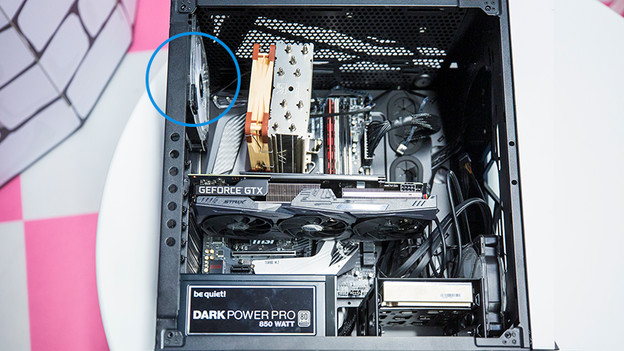
Where exactly you place computer fans depends on your computer case. In most cases, you can place 2 to 3 fans at the front of the casing (depending on the size) and for 1 to 2 at the back. Modern cases also have room for 1 or more fans at the top. Check the maximum fan size in the manual of your casing if you're unsure.
5. Set up the computer fan
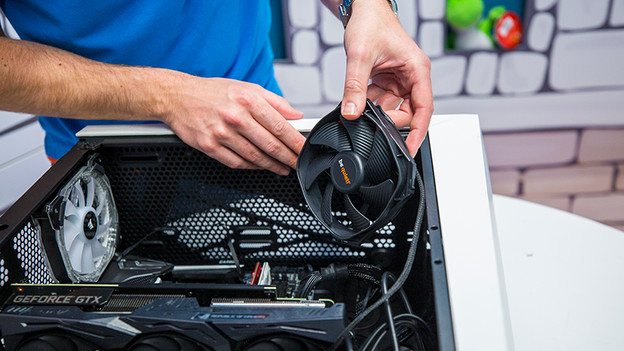
Setting up a case fan is pretty straightforward. Simply mount the fan in the right place in your computer case with the included screws. Make sure the fan is positioned correctly, so that it dissipates heat into the right direction and draws in fresh air.

6. Power up the case fan
Once you've screwed or clicked the fan onto the case, connect it to the motherboard. You can usually find the connection point for your case fan (sometimes also called a chassis fan) at the top right of your motherboard. Keep in mind that you can mount a fan that has a 3-pin connector to a motherboard that has a 4-pin connector, but not the other way around.

7. Use it
Slide the side panel back onto your computer case and connect it to AC power right away. If all went well, your computer boots in the usual way. You don't see the effect of a case fan right away, but you can tell if they're on. You can hear it running and if your fan has RGB lighting, you can also see it. After setup, the app of your motherboard should indicate that your components stay cooler.
Article by Uhro
Components Expert.