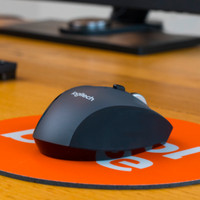
Microsoft Sculpt Comfort Mouse
Never available again
View alternatives in the sidebar
According to our mouse expert
The Microsoft Sculpt Comfort Mouse is optimized for use with the Windows operating system. The mouse has touch capabilities, so you can easily navigate through the Metro environment. A single tap of the blue bar takes you to the Windows start screen. Swipe up to easily scroll through all your open applications and swipe down to display all open apps and select one yourself. In addition, it's possible to scroll left, right, up, and down. The mouse works wirelessly via Bluetooth and has BlueTrack technology, making it suitable for almost any surface. The recess for your right thumb and the tilting wheel allow you to quickly scroll left, right, up, and down.
Connection type | Wireless | |
|---|---|---|
Mouse model | Standard | |
Left or right-handed | Right-handed | |
Ergonomic design | ||
Suitable for gaming | ||
Bluetooth | ||
Silent mouse | ||
Depth | 11,1 cm |
5 stars
63
4 stars
67
3 stars
11
2 stars
3
1 star
1
Connection options
Ergonomics
Accuracy
Size
Design
Although the mouse feels good in the hand and looks good in terms of design, I will never recommend it. The mouse works on Bluetooth and I thought this wouldn't be a problem but I've found it to be horribly annoying. First; the mouse cursor often stops functioning and remains stationary on the screen, secondly; the mouse cursor often falters and normal operation is no longer possible. Really a terrible mouse to work with concentrated (for example with Photoshop) a big turnoff this. The touchscreen button on the side with which you can switch between pages is also very annoying, if you unconsciously place your finger on the button with a swiping movement or remove it, the page immediately jumps, took the mouse to its last final destination this afternoon, the garbage can! Back to a wired mouse!
GJ
22 June 2018
Automatically translated from Dutch
A very good mouse, which is very accurate thanks to the bluetrack technology and works on an awful lot of surfaces. The batteries are placed in such a way that the mouse remains balanced, you notice this while moving and it feels premium. The mouse is built to maintain a good ergonomic posture, which can only be good. Indeed, it also works on Android, and actually connects almost immediately after switching on the mouse. There is also a battery saver function, which turns on automatically after a while of no use. The mouse will disconnect the bluetooth connection and as soon as it moves again, the connection will be restored. You will notice this delay of 1-2 seconds, but it is not disturbing.
Valerie Clemminck
15 November 2015
Automatically translated from Dutch
I've had the mouse for a month now and I really like it. Feels good in the hand and meets the needs. Even on an older laptop with bluetooth it works fine. Highly recommended.
Kevin
2 March 2015
Automatically translated from Dutch
Product number | 394149 |
|---|---|
Manufacturer code | H3S-00002 |
Brand | Microsoft |
Warranty | 2 years |
Processing of your defect | Carry-in warranty |
Mouse model | Standard | |
|---|---|---|
Input | Laser | |
Number of buttons | 3 | |
Ergonomic design | ||
Left or right-handed | Right-handed | |
Adjustable DPI | ||
Mouse controls | Buttons, Touch | |
Suitable for gaming | ||
Programmable buttons | ||
Lighting peripherals | ||
Silent mouse | ||
Mouse surface | Any surface |
Connection type | Wireless | |
|---|---|---|
Nano receiver | ||
Bluetooth | ||
Bluetooth version | 3.0 | |
Number of devices that can be paired | 1 |
Plug and Play | ||
|---|---|---|
Compatible with operating system | Windows |
Power supply type | Rechargeable battery | |
|---|---|---|
Rechargeable battery | ||
Battery level indicator |
Color | Black | |
|---|---|---|
Width | 6,9 cm | |
Height | 3,7 cm | |
Depth | 11,1 cm | |
Material | Plastic | |
Finish | Matte and glossy |