Never available again
View alternatives in the sidebar
View alternatives in the sidebar
With Coolblue Extended Warranty, you are protected against costs due to quality defects of your access point for the next 5 years. During the entire term, we will reimburse up to the original purchase price. You can easily add the Extended Warranty in your shopping cart.
€ 11,99
one-timeAdd your access point to your shopping cart. In the next step, you can add the Extended Warranty. You can exchange or return your purchase for free within 30 days.
Product number | 708659 | |
|---|---|---|
Manufacturer code | UAP-AC-PRO | |
Brand | Ubiquiti | |
Warranty | 2 years | |
Processing of your defect | Carry-in warranty |
Speed class | Mid-range | |
|---|---|---|
Number of access points | 1 | |
Quality of Service (QoS) | ||
Suitable for IPv6 | ||
Guest network | ||
Bridge option | ||
Repeater function | ||
IGMP Snooping | ||
Beamforming | ||
Seamless roaming | ||
Can be expanded with extra stations | ||
On/off switch | ||
Mounting possible | ||
Mounting surface | Ceiling, Wall |
Fastest WiFi standard | Wireless AC (WiFi 5) | |
|---|---|---|
WLAN security | 802.1X, WEP, WPA, WPA-PSK, WPA2, WPA2-PSK | |
Number of WiFi antennas | 3 | |
Frequency bands | Simultaneous dual-band | |
WiFi speed | AC1750 | |
5GHz band speed | 1300 Mbit/s | |
2.4GHz band speed | 450 Mbit/s | |
External antennas | ||
Signal transmission | Omnidirectional | |
Antenna connection type | Without connector | |
Replaceable WLAN antennas | ||
MAC address filter | ||
MIMO | ||
MU-MIMMO |
Ethernet speed | Gigabit Ethernet (1000Mbps) | |
|---|---|---|
Number of Ethernet ports | 2 | |
WAN ports | 0 | |
PoE support | ||
Type of PoE | 802.3af (PoE), 802.3at (PoE+) | |
Number of PoE ports | 2 |
Type of access point | Indoors | |
|---|---|---|
Material | Plastic | |
Height | 19,6 cm | |
Width | 19,6 cm | |
Depth | 3,5 cm | |
Weight | 350 g | |
Color | White |
anything for a smile
Type of access point | Indoors | |
|---|---|---|
Fastest WiFi standard | Wireless AC (WiFi 5) | |
Number of access points | 1 | |
Frequency bands | Simultaneous dual-band | |
Ethernet speed | Gigabit Ethernet (1000Mbps) | |
PoE support | ||
Mounting surface | Ceiling, Wall | |
5GHz band speed | 1300 Mbit/s |
According to our access point expert
Link multiple access points and manage them simultaneously from the cloud.
You can easily set up the access point with your smartphone or tablet in the app.
The access points are powered via the network cable and the required PoE adapter is included, so you don't need a socket.
To make use of the highest speed that this access point offers, the connected devices need to support 5GHz.
This access point doesn't included a network cable.
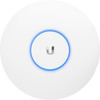
Create a wireless network in a large home or office with the Ubiquiti UniFi AP-AC-PRO-E access point. Link multiple stations to the same network and create 1 large network for multiple floors. Since the access points communicate with each other, your devices are always connected to the strongest station. This allows you to walk around the office while in a video call and it ensures your stream doesn't buffer when you move from the living room to the bedroom. Configure the WiFi points with the UniFi software. This allows you to manage all access points in your network simultaneously. For example, you can set up multiple separate wireless networks with different rights. This way, you can access your private files, but your guests can't.
5 stars
957
4 stars
509
3 stars
44
2 stars
21
1 star
7
Range
Installation ease
User friendliness
Speed
Design
After a long time fiddling with different Powerline products, wifi repeaters, network cables throughout the house, finally decided to purchase a Unifi AP and have absolutely no regrets! Only regret I have is that I didn't purchase this AP sooner. Man man man what a relief and enrichment.
Ok the Unifi APs require a controller, just like for example Cisco and Sophos require. The AP is in fact a dumb device and the controller controls the configuration of the AP and 'controlled' the WiFi network, this briefly explained.
Ubiquiti has really put a top product on the market with their Unifi APs. And no, I don't own any shares, stupid by the way, but that aside. Anyone who finally wants to have a super coverage and powerful WiFi network is failing not to go for Unifi.
The installation did not go completely smoothly as I expected after reading all the reviews, but partly because of that I also got things up and running quickly. Connected the AP to my POE switch, installed the controller tool on my laptop and hoppa through the wizard that at the end gives a huge error message and the installation cannot be completed. However, the specified configuration was transferred to the AP and after a number of skip actions in the wizard I was able to arrive at the controller login page. Ubiquiti should give this some attention.
Quickly set up 3 WiFi networks. 1 for my laptop, 1 for all phones/tablets/laptops of the rest of the family and 1 guest network. After that 2 User Groups were created and a maximum upload/download linked to those 2 groups. Just for convenience, those 2 groups together can now use no more than 20000KBPS up/down of my 100Mbit Fiber. The set limits are exactly enforced! Haven't heard anyone complain, least of all me. And yes I think this is a fair distribution ;-)
I hesitated about the placement for a while and have placed the AP in different locations to see how I can generate the most optimal coverage throughout the house. Ultimately opted for the 1st floor (living room) against the wall and not against the ceiling. This is simply the most logical place and that is what my measurements indicated. To measure is to know. Due to the composition of each house, type of materials, furniture placement, open staircase or not, etc etc, this will of course differ for each house.
Where I was normally regularly thrown out of conference calls due to faltering Wifi or a reset of my Powerline products, I have now been able to run conference calls with Video flawlessly throughout the house for a number of days without ever flying out of a call by 1 or other network reset! All my downloads over Wifi now also use the full available 100Mbit throughout the house that I pay for. Happy happy happy happy!
Because I don't want to run the controller on my laptop, there are a number of options. Do not use a controller at all, the AP now has the config in sight, is not an option for me because I want to see what the AP does and fiddle with the necessary settings. Mind you, even for the non-freubelaars this AP is a gem because of the quality and strength of the radios and their coverage. If you can't get through the wizard let someone with more knowledge do it and you can enjoy!
Another option is to use a NUC, a small Intel barebone PC that I already had under the TV. Installed the controller software on this, unfortunately with a single Unifi AP you can only have 1 active controller and that was my laptop. Ok no problem, forum indicates, just perform an adopt in the new controller and you can manage the AP, that's right, but then you will also lose your entire config. Oops and I didn't make a backup yet because I was having so much fun. Good config popped in and running again.
The disadvantage is that when adjusting a minimum setting on 1 of the WiFi networks, all radios are reset. Perhaps something can be done about this in a future update. But when it runs, it runs well!
Another option is to run the controller on your Synology NAS! Wooow went crazy when I read about this! I became less mad when it turned out that my non-Intel CPU of my DS216PLAY (yes from Coolblue how cool is that!) could cause the necessary issues because the developers hadn't really tested with this yet. Of course I tried everything, followed the steps well, installed Java, installed MongoDB and finally dared to click on the Unifi Controller 5. Unfortunately, things went wrong here. I'm still debugging but don't expect much. (synology.acmenet.ru)
What I expect a lot from is the fact that Ubiquiti recently apparently called Synology to discuss how they can get the controller on all NAS. See, that makes me even more happy!
Hope no one fell asleep reading my review, if you've made it this far I hope it's of some use to you. In any case, I am now a fan of Ubiquiti and their Unifi APÂs and highly recommend it despite the strange wizard that just won't close
Marco Oudshoorn
4 March 2017
Automatically translated from Nederlands
Finally something that provides good and stable WiFi in our home. Reach outside is still a bit disappointing, but that is mainly due to the roller shutters and firmly insulated cavity walls. Tonight I put a UTP to the terrace under my roof. Let's just add an AP to that. Ideal that this device is also suitable for outdoor use. I think that in order for everything to work optimally, you actually have to adapt your entire network to this brand. With managed switches etc.. I will certainly do with time, have already tried everything, powerlines extenders etc. but this product WORKS!
Before I ordered this device on Coolblue.nl I looked at the reviews of other customers and compared it with the other product reviews, glad I made the right choice! Ordered and received the next day, in the evening already WiFi coverage throughout the house! So to all the other people who have recommended this product: Thank you!
jvk_001
8 September 2016
Automatically translated from Nederlands
1 word: great. Used D-Link for years but never really satisfied. Now switched to Ubiquiti. If only I had done it sooner.. The difference in level with other brands is huge! As an IT consultant I now also work for a company that controls large parts of their network with Ubiquiti devices. The person responsible for this is also extremely satisfied with the brand.
Nico Van Belle
12 August 2016
Automatically translated from Nederlands