Written by Job
Edited on
31 December 2025
·
09:41
How do you choose a NAS?
With a NAS (Network Attached Storage), you can store photos, videos, and other files from your laptop, PC, or smartphone and transfer them to a wireless network storage. This allows you to open your files anywhere, as long as your device is connected to the same WiFi network as the NAS. In this article, we'll explain how to choose a NAS that suits you.
Choose a NAS
Before you buy a NAS, it's important to know what you'll use it for. Consider the number of hard drives the NAS needs to have, for which operating system you'll use it, and if multiple people will work with it at the same time. That's why we've listed the following questions for you:
- What type of NAS do you want?
- How many slots or drive bays do you need?
- Which hardware do you want?
- Which ports does the NAS need?
- Which functions do you want on your NAS?
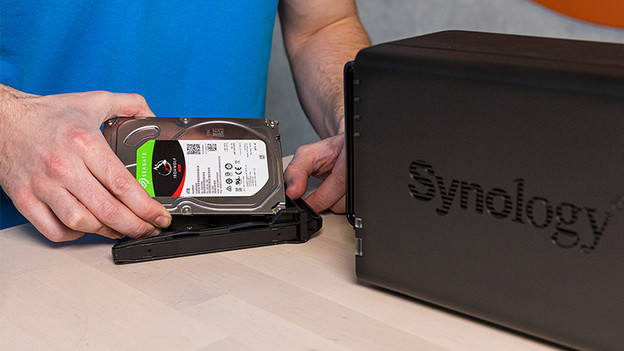
Which type of NAS do you want?
There are 3 types of NAS: vertical, rack mount, or portable. A vertical NAS looks like a small desktop and you can use it for working from home and for small business use. A rack mount NAS is suitable for making large backups and business data servers. They often have more space for multiple hard drives. Choose a portable NAS if you're looking for an external SSD and a NAS in one. You can take this hard drive anywhere thanks to the small size and you can easily connect it to your smartphone.

How many slots or drive bays do you need?
The slots you place an internal hard drive in are also known as drive bays. The more free slots you have, the more hard drives you can place in the NAS and the more storage space you have. If you choose a NAS with more than 1 slot, you can create a RAID setup. The hard drives will work together to make backups, for example. With RAID 1 you can store your files twice. That way, you don't lose anything when one of the hard drives breaks. In the article below, we'll explain more about RAID setups.
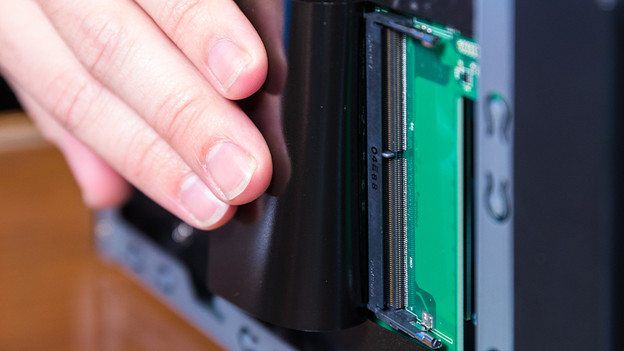
What kind of hardware do you want in the NAS?
Do you know how, where, and with how many people you want to use the NAS? If so, it's time to look at what hardware you need. The 2 most important things are the processor and RAM. The processor does calculations, and the RAM temporarily stores those calculations. The more powerful the processor and the more RAM, the faster the NAS works and the more work it can handle. Do you want a fast NAS? Choose a NAS with a high clock speed and DDR4 RAM. If you want to multitask, go for a NAS with at least a Quad-Core processor (4 cores) at at least 4GB RAM.
- Surveillance: Dual-Core or Quad-Core processor with 4GB RAM
- Small or medium-sized businesses: Dual-Core or Quad-Core and 4GB RAM
- Home use: Dual-Core and 2 or 4GB RAM

Which ports should your NAS have?
Though a NAS transmits and receives wirelessly, it does have to be connected to the network. That's why it's important to check which ports your NAS needs. It's useful if you have multiple Ethernet ports if you use more than 1 network. We've listed the ports below:
- Ethernet port: 1GbE, 2.5GbE, or 10GbE. The higher the number, the higher the transfer speed of the internet.
- USB port: for connecting external hard drives, USB flash drives, or other devices.
- HDMI port: for transferring images when you're not streaming wirelessly.
- SATA connection: you use these ports to connect SSDs and HDDs.

Which functions do you want your NAS to have?
In addition to streaming, managing, and storing files, the NAS has more useful functions. Such as DLNA support that allows you to stream media to other devices. Do you work with Apple devices often? Make sure your NAS supports Apple Time Machine, so you can also make backups of your Max files. With the IFTTT (If This, Then That) function, you can link actions to each other. For example, automatically send an email when someone places a file on the NAS.