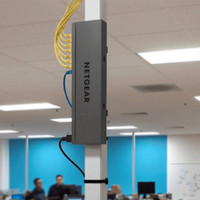
Netgear GS308T

Never available again
View alternatives in the sidebar
View alternatives in the sidebar
Number of Ethernet ports | 8 | |
|---|---|---|
Managed switch | ||
Ethernet speed | Gigabit Ethernet (1000Mbps) | |
PoE support | ||
Switching capacity | 16 Gbit/s | |
Quality of Service (QoS) | ||
Mounting possible |
According to our network switch expert
With the Netgear GS308T network switch, you provide your home or office with 7 extra network connections. You can configure this smart managed switch according to your own preferences. For example, you can set up different virtual networks. This way, you can shield a network drive from visitors. Thanks to Quality of Service, important network traffic is prioritized. That means you won't be distracted by stuttering streams or dropped phone calls.
5 stars
2
4 stars
3
3 stars
1
2 stars
0
1 star
0
Energy consumption
Speed
Installation & user friendliness
Options
Although it is postulated that these switches out of the box on factory settings won't hold anything back and so on factory settings would work if an unmanaged switch is not quite right. If connection cannot be established with some UTP LAN connected devices this may indicate that, for example, your NAS uses Jumbo Frames with MTUs greater than 1500. You can solve this by either setting everything back to default MTU 1500 or setting the switch MTU in set to the desired block size.
The Netgear smart switches are solidly built and bloody fast. The web manage interface looks nice and works well. You do need to brush up on your knowledge of TCP/IP networking. If you place several switches in one network, you must set each switch separately. That is less convenient than, for example, with Cisco switches that can be set up with one manager. This leads to fewer errors, but Cisco is also a bit more expensive. If you have a problem, please contact US support. Dutch support is OK for the simple ones challenges.
The wired Cat5e network that is housed in pipes is becoming too scarce. There are always coming more devices with a LAN connection in the house and the router of the ISP only has 4 LAN ports. With three switches I can use my wired network as a kind of backbone with different available LAN ports at three points in the house: the meter cupboard, the desk and the TV/Hifi cupboard.
You can switch this perfectly with unmanaged. I wanted to go managed because
not properly securing my network. Proximus is admin, I'm just a "dumb user". Managed switching allow me to secure at least my wired LAN.
Note: point to point connections will not get faster, but if you leave more than 2 data-hungry devices communicating between two switches, they can choose the best strategy to deploy two or more cables. This is only possible with managed switching.
I had an unmanaged D-Link switch. When I replaced it with the GS308T, I suddenly couldn't do a number of things anymore. No connection to the NAS. Certain "clicks" on websites stopped working. Wake up my NAS with WOL "magic packet" stopped working.
Dutch support dropped my problem after three attempts to help me. They didn't answer anymore.
Thanks to Coolblue's wonderful take-back policy, I was able to try something different. The Netgear GS108T is a more mature model, I thought, with fewer firmware glitches than the newer GS308T.
The GS108T worked better, but I still couldn't connect to my Synology NAS. This time I used US support. They also work when you are home after work in the evening. And they are more go-getter. On the third try they found the leak: MTU on my DS209 NAS I had Put on Jumbo Frames MTU 9000 8 years ago. To Stream Video to my Smart TV over 802.11n Wifi it works much better, less downtime. Forgotten after upgrading to DS213+, which neatly takes over. Later TV wired to Gigabit LAN. Jumbos are then no longer necessary... but yes... MTU set back to 1500 and everything worked perfectly and super fast. Faster than the D-Link unmanaged switch DGS-105.
Now I can continue and with an extra GS108T and the GS110TP I can build a network with which the exchange GS110TP powers the two satellites GS108T with PoE so that I can switch off the GS110TP switch can disable all switches.
Philippe D'Hooghe
4 March 2020
Automatically translated from Dutch
The description states that it has screw holes to mount it to the wall. However, this is not the case. How does CoolBlue advise how I mount it to the wall?
Jeroen Vissers
11 June 2021
Automatically translated from Dutch
Under specifications it says: "Mounting possible: The device has screw holes so that you can easily mount it on the wall." But that is not the case, there are no screw holes in it. So you can't hang it on the wall either. I already sent coolblue a message, but haven't had a response yet.
Jeroen Vissers
17 June 2021
Automatically translated from Dutch
Coolblue takes care of everything, from taking out an insurance to repairs
For almost all accidents
More coverage in case of damage than your standard warranty
No deductible
First, add your network switch to your shopping cart. On the next page, choose the Protection Plan below. You always have a 30-day return window and pay no deductible in case of damage.
2-year Protection Plan
€ 7,99
one-time3-year Protection Plan
€ 8,99
one-time
Product number | 854552 | |
|---|---|---|
Manufacturer code | GS308T-100PES | |
Brand | Netgear | |
Warranty | 2 years | |
Processing of your defect | Carry-in warranty |
Managed switch | ||
|---|---|---|
Smart managed | ||
Fully managed | ||
Number of Ethernet ports | 8 | |
Ethernet speed | Gigabit Ethernet (1000Mbps) | |
Switching capacity | 16 Gbit/s | |
SFP/GBIC ports | 0 | |
Quality of Service (QoS) | ||
LACP Link aggregation | ||
IGMP Snooping | ||
VLAN | ||
Maximum number of VLANs | 64 | |
Jumbo frame support | ||
Port mirroring | ||
Professional use | ||
Suitable for business use in | Small business network |
PoE support |
|---|
Fan present | ||
|---|---|---|
Mounting possible | ||
Suitable for 19-inch rack mount | ||
Weight | 0,56 kg | |
Color | Black | |
Height | 2,7 cm | |
Width | 15,8 cm | |
Depth | 10,5 cm | |
Material | Metal |