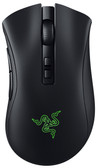
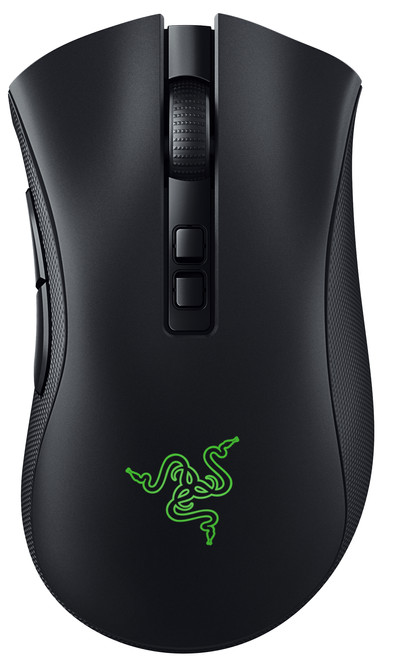
Razer DeathAdder V2 Pro Gaming Mouse
Never available again
View alternatives in the sidebar
According to our mouse expert
With the Razer DeathAdder V2 Pro Gaming Mouse, you arm yourself against the most competitive gamers. This version of the DeathAdder V2 is wireless, so you aren't bothered by cables on your desk any longer. You can connect it via the USB receiver or via Bluetooth. The mouse has infrared switches in the buttons that register your clicks sooner, so you can fire just a bit earlier than your opponents. In addition, you can assign an in-game function for 8 programmable buttons. This way, you have every action you need within reach. With a high DPI of up to 20,000, you adjust the sensitivity of the mouse to your wishes, from small and precise movements to long and sweeping low-sensitivity mouse movements. But sensitive or slow, the rubber grips on the sides give you the control you need to execute fast and precise movements. The mouse lights up in one of the 16.8 million available colors. The color of your computer case, for example. Or a different color every day.
Connection type | Wireless | |
Mouse model | Standard | |
Left or right-handed | Right-handed | |
Ergonomic design | ||
Suitable for gaming | ||
Bluetooth | ||
Silent mouse | ||
Depth | 12,7 cm |
5 stars
60
4 stars
9
3 stars
0
2 stars
0
1 star
1
Connection options
Ergonomics
Accuracy
Size
Design
The Razer DeathAdder is the only mouse that gets a place next to my keyboard at home and at work. Yes, I had to buy one myself for my workstation, but that was no problem - you don't let the health of your hands depend on a toy supplied with the computer? I've been a committed Logitech user for a long time, but after accidentally getting my hands on a DeathAdder a few years ago (pun intended), I've seen the light. Not really of course, because the times of the blood-red LED that glows sinisterly under the mouse are really behind us. And soon the mechanical switches in the mouse buttons will also go "the way of the dodo", if it depends on Razer. This time they have seen the (infrared) light, because that's how a mouse click in the new DeathAdder - with the unexciting and equally unoriginal moniker "V2" - is detected. A successful innovation, if you ask me: the buttons click a lot smoother than the original DeathAdder Elite or Essential. And yet the mouse "feels" much more responsive - during daily use (read: mailing and surfing) it does become noticeable after a while, especially when playing an FPS (I can play a game sometimes, but a pro I'm certainly not) you soon notice that your "clicking finger" is a lot less heavy. A keeper in my collection. Just push that price down a bit, please ;-)
JDO
15 July 2020
Automatically translated from Dutch
Very good mouse, I mainly play FPS and this mouse is perfect for this
Jeremy
16 April 2020
Automatically translated from Dutch
Like its predecessors, the Razer Deathadder V2 is still one of the best mice in terms of design and performance. This one is slightly lighter than its predecessors with a pleasant 82 grams. Just light enough for quick reactions and just heavy enough that it won't fly out of your hands when you're in the thick of the action. Note that this is one of the larger mice. My hand is 18.5cm long and 10cm wide and is perfect for me as a hybrid palm/claw grip (I prefer slightly larger mice as these are more comfortable with longer use). If you are a tip grip or have smaller hands, it may be a bit too big. Also pay attention that this mouse is a bit on the higher side (4.5cm) and that takes a while to get used to. This is of course personal preference.
Side buttons are nice and big and comfy. Cable is very flexible and braided so that it does not get stuck somewhere. The synapse software from Razer (with which you set the mouse and determine the colors/effects) is the most extensive software when it comes to personalization of the RGB effects, if a light show is your thing you can really lose yourself in creating the previous ones. The only downside is that the software has to run actively in the background if you want a certain color or effect to be active (as well as if you remap macros or buttons, the software has to run actively). Without the software, the mouse will run on a color rotation by default. Hopefully in the future Razer will provide the option to moderately store solid color hardware as other brands have been doing for years.
Randy C
4 June 2021
Automatically translated from Dutch
Product number | 873388 |
Manufacturer code | RZ01-03350100-R3G1 |
Brand | Razer |
Warranty | 2 years |
Processing of your defect | Carry-in warranty |
Mouse model | Standard | |
Input | Optical | |
Number of buttons | 6 | |
Ergonomic design | ||
Left or right-handed | Right-handed | |
Adjustable DPI | ||
Mouse controls | Buttons, Scroll wheel | |
Suitable for gaming | ||
Recommended for game genre | First Person Shooter, RPG | |
Mouse grip technique | Claw, Fingertips, Palm | |
Mouse weights | ||
Programmable buttons | ||
Number of programmable buttons | 3 | |
Lighting peripherals | ||
Color lighting | Green | |
Number of colors lighting | 1 | |
Zone lighting | Logo | |
Zones separately lit | ||
Silent mouse | ||
Horizontal scrolling | ||
Mouse surface | Matte surface |
Connection type | Wireless | |
Type of USB port | Standard USB-A | |
Nano receiver | ||
Frequency bands | 2.4GHz | |
Bluetooth |
Plug and Play | ||
Compatible with operating system | Windows |
Power supply type | Rechargeable battery | |
Battery level indicator | ||
Battery included |
Color | Black | |
Width | 7,2 cm | |
Height | 4,3 cm | |
Depth | 12,7 cm | |
Material | Plastic | |
Finish | Matte |