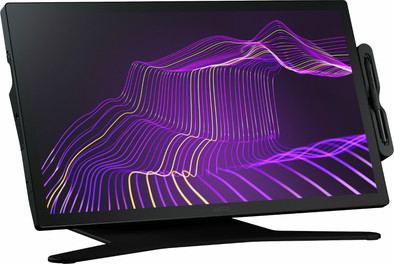
Wacom Cintiq Pro 27 with Stand
Never available again
View alternatives in the sidebar
View alternatives in the sidebar
According to our drawing tablet expert
The Wacom Cintiq Pro 27 with Standard allows you to get the most out of your creativity as a creative professional. You have plenty of workspace and can see to the smallest detail what you draw on the 27-inch 4K screen. The 5080 LPI resolution is also important. While you draw, it feels like you are working on real paper. The included pen has 8192 pressure levels, which is 4 times more than its predecessor. This allows you to decide how thick or thin the lines are. The 8 programmable buttons are customizable to optimize your workflow. The Cintiq Pro 27 connects to your computer with a USB-A or USB-C cable.
Note: this drawing tablet is not a standalone model. You need to connect it to a PC or laptop.
Compatible with operating system | Windows, macOS | |
|---|---|---|
Multi-touch | ||
Connection type | Wired | |
Width | 64 cm | |
Depth | 3 cm |
5 stars
2
4 stars
1
3 stars
0
2 stars
0
1 star
0
By far the best digital drawing experience I've had. The product is beautifully finished and exudes high quality. The panel is great; the colors splashed off. Reminds me of the very expensive Eico monitors I used to use in the studio, but even better. The new pen is also an improvement as I've started using the thinner base and as a result I get less cramps when I draw for a long time. The distance between the pen and the screen is just one step better than the other Wacom screens (which were already great), and the texture of the glass gives it that little bit of resistance that makes drawing enjoyable. The stand that comes with it is also robust and goes from upright to very flat. And last but not least, the 120hz feature is so nice that I never want to be without it.
The screen has smaller bezels than the previous Pro models, which is an advantage for me, but I can also imagine that the bezels were nice for other users. Especially if you use the remote. However, I really like that the screen takes up less space on my desk. There is slight fan noise. Doesn't bother me, because I'm used to it from previous models, but this can be heard when recording in soundproof studios. I hardly use the new quick buttons on the side because I'm used to using my keyboard.
It costs a lot of money, but you get the best drawing experience in return.
Niels Westerneng
26 November 2022
Automatically translated from Dutch
Fantastic screen that you can control with your mouse, a pen or your (clean) fingers.
The really 'heavy' stand makes moving the whole thing very difficult. The 'Y' foot of the stand also makes positioning a keyboard when the screen is close, if you want to draw on it for example... not easy.
Connecting was a 'piece of cake', and installing it on the Mac was also no problem at all.
The supplied pen was much too 'fine' for my hand. Maybe for people with small hands, but my hand quickly cramped up. Fortunately my old Cintiq pen also worked on this screen, because it was simply recognized without any form of programming. The supplied pen holder that you can screw to your screen is a 'joke' in my opinion, because the pen just falls out. For this amount I expected something much better.
Otherwise very happy with it. I had 2 screens, 1 to draw on and the other for 'normal' computer work. Now I have both in 1! Saves the moving and cables on my desk. :)
R.F.
6 November 2024
Automatically translated from Dutch
I am a full-time illustrator and have been using this product for a few weeks since purchasing it. I am very pleased with both the build quality and the drawing experience. The only downside is the stand that the device is mounted on. This is not optimal for a stable and solid work experience. To solve this, I place a glasses case under the screen to better anchor it to my desk. I also use the Cintiq as a monitor, which requires physical adjustment of the stand each time, which is not always convenient.
Despite these minor inconveniences, I am very pleased with the quality of the screen and the drawing experience it offers.
Jonas
28 November 2024
Automatically translated from Dutch
Product number | 915965 | |
|---|---|---|
Manufacturer code | DTH271K0B-ST | |
Brand | Wacom | |
Warranty | 3 years | |
Processing of your defect | Via Coolblue |
Drawing tablet has integrated screen | ||
|---|---|---|
Screen size | 27 inches | |
Resolution height | 2160 pixels | |
Resolution width | 3840 pixels | |
Lines per inch (LPI) | 5080 lpi | |
Response time | 7 ms | |
Brightness | 400 cd/m2 | |
Contrast ratio | 42 | |
Color temperature | 10000 K | |
Color gamut | 99 % | |
Height of active drawing area | 34 cm | |
Width of active drawing area | 60 cm | |
Multi-touch | ||
Number of buttons | 8 | |
Programmable buttons | ||
Tilt sensitive | ||
Tilts | 60 ° | |
Compatible with operating system | Windows, macOS |
Connection type | Wired | |
|---|---|---|
Bluetooth |
Weight | 7 kg | |
|---|---|---|
Width | 64 cm | |
Depth | 3 cm | |
Height | 38 cm |
Power source | ||
|---|---|---|
Power supply type | Power grid | |
Cable length | 2 m |