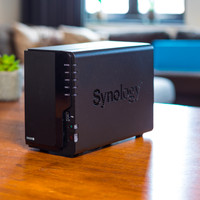
Synology DS224+

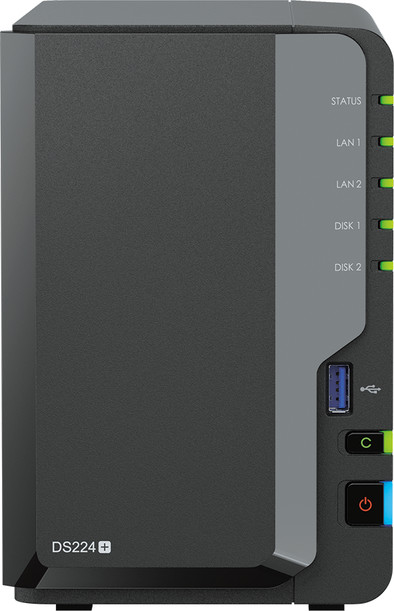
Never available again
View alternatives in the sidebar
Coolblue Extended Warranty for your NAS
With Coolblue Extended Warranty, you are protected against costs due to quality defects of your NAS for the next 4 years. During the entire term, we will reimburse up to the original purchase price. You can easily add the Extended Warranty in your shopping cart.
- During the entire term, we'll refund you up to the original purchase price.
- Receive CoolblueCredit worth the purchase price if a repair or replacement isn't possible
- No deductible or other additional charges
- 30-day return window
€ 17,99
one-timeHow can I buy Extended Warranty?
Add your NAS to your shopping cart. In the next step, you can add the Extended Warranty. You can exchange or return your purchase for free within 30 days.
Want to know more?
Specifications
Product
Product number | 934568 | |
|---|---|---|
Manufacturer code | DS224+ | |
Brand | Synology | |
Warranty | 5 years | |
Processing of your defect | Via Coolblue |
Memory properties
Built-in hard drive | ||
|---|---|---|
Number of hard drive slots | 2 | |
Suitable for hard drive size | 2.5-inch SSD, 3.5-inch HDD | |
RAID | Basic, JBOD, RAID 0, RAID 1, Synology Hybrid RAID | |
Internal RAM | 2 GB | |
Total number of RAM slots | 2 | |
Expandable memory | ||
Maximum internal memory | 6 GB | |
Memory type | SO-DIMM DDR4 |
Connectors and connections
Connection type | Wireless | |
|---|---|---|
LACP Link aggregation | ||
Thunderbolt connector | ||
Bluetooth | ||
Number of Ethernet ports | 2 | |
Number of 10Gbps Ethernet ports | 0 | |
Number of 2.5Gbps Ethernet ports | 0 | |
Number of 1Gb/s Ethernet ports | 2 |
Functions
NAS functions | Backup server, Download server, FTP server, Mail server, Photo server, Surveillance station, Web server, iTunes server | |
|---|---|---|
NAS application center | ||
Maximum number of shared folders | 256 | |
Maximum number of local users` | 2048 | |
Plex support | ||
Type of Plex support | 4K (Ultra HD) (2160p), Full HD (1080p), HD Ready (720p), SD (480p) | |
Number of IP camera licenses included | 2 | |
DLNA | ||
UPnP AV support | ||
FTP server | ||
On/off switch | ||
Automatic switch on/off | ||
Kensington lock | ||
Apple Time Machine support | ||
Chromecast support | ||
Suitable for IFTTT | ||
Recommended for use | Making a backup, Media streaming, Personal cloud |
Processor properties
Processor brand | Intel | |
|---|---|---|
Processor family | Celeron | |
Processor cores | Quad-Core (4) | |
Clock speed | 2 GHz |
Physical properties
Depth | 23,22 cm | |
|---|---|---|
Width | 10,8 cm | |
Height | 16,5 cm | |
Type NAS | Upright | |
Color | Black | |
Weight | 1,3 kg |