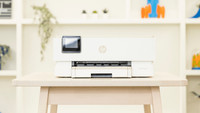
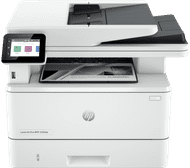
HP LaserJet Pro MFP 4102dw


Choose the better printer that also allows you to print in color

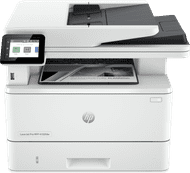
HP Color LaserJet Pro MFP 4302dw
Better model
Similar printers

- Laser
- 4-in-one
- Color printer
Retail price
€ 575,-€ 545,90
Delivered tomorrow

- Laser
- All-in-one
- No color printer
Retail price
€ 529,90€ 440,90
Delivered tomorrow
Coolblue Extended Warranty for your printer
With Coolblue Extended Warranty, you are protected against costs due to quality defects of your printer for the next 4 years. During the entire term, we will reimburse up to the original purchase price. You can easily add the Extended Warranty in your shopping cart.

- During the entire term, we'll refund you up to the original purchase price.
- Receive CoolblueCredit worth the purchase price if a repair or replacement isn't possible
- No deductible or other additional charges
- 30-day return window
€ 49,99
one-timeHow can I buy Extended Warranty?
Add your printer to your shopping cart. In the next step, you can add the Extended Warranty. You can exchange or return your purchase for free within 30 days.
Want to know more?
Specifications
Product
Product number | 935829 | |
|---|---|---|
Manufacturer code | 2Z622F | |
Brand | HP | |
Warranty | 2 years | |
Processing of your defect | Via Coolblue |
Physical properties
Printer size | Large | |
|---|---|---|
Width | 42 cm | |
Depth | 39 cm | |
Height | 32,3 cm | |
Color | White | |
Weight | 12,6 kg |
Printer type
Printer type | All-in-one | |
|---|---|---|
Photo printer | ||
Print quality photos | Low | |
Portable (mobile use) | ||
Recommended for use printers | Business printing |
Print properties
Usage costs for 1 page | 3 eurocents | |
|---|---|---|
Toner cartridge line | HP 149 | |
Print technology | Laser | |
Type of ink | Toner cartridges | |
Number of cartridges/toner cartridges | 1 | |
Color printer | ||
Print speed black (ISO) | 40 ppm | |
First black page ready after | 7 seconds | |
Speed class | Excellent | |
Maximum print resolution height | 1200 dpi | |
Maximum print resolution width | 1200 dpi | |
Maximum print size | A4 | |
Automatic duplex printing | ||
Borderless printing | ||
Maximum print size duplex printing | A4 |
Scan properties
Scan functionality | ||
|---|---|---|
Automatic duplex scanning | ||
Maximum optical scan resolution width | 1200 dpi | |
Maximum optical scan resolution height | 1200 dpi | |
Scanner type | File scanner, Flatbed scanner | |
Maximum scan size | A4 (21x29.7cm) | |
Automatic document feeder (ADF) | ||
Maximum paper size ADF | A4 | |
Scan sizes | A4 | |
Scan speed (PPM) | 29 ppm | |
Color depth output | 24 bpp | |
Scan to | Cloud, Email, Email address, Folder, Image, Network, PDF, USB | |
ADF capacity | 50 | |
OCR |
Copy properties
Copying functionality | ||
|---|---|---|
Copy speed black (ISO) | 38 ppm | |
Copy speed color (ISO) | 0 ppm | |
Maximum copy resolution height | 600 dpi | |
Maximum copy resolution width | 600 dpi |
Fax properties
Fax functionality |
|---|
Screen
Built-in screen | ||
|---|---|---|
Color screen | ||
Touchscreen |
Connectors
Compatible with operating system | Android, ChromeOS, Linux, Windows, Windows Phone, iOS, macOS | |
|---|---|---|
Connection type | Wired, Wireless | |
Apple AirPrint | ||
Email print | ||
WPS (Wireless Protected Setup) | ||
Female standard USB-A port version | 2.0 | |
Ethernet port | ||
Number of Ethernet ports | 1 | |
NFC | ||
Built-in WiFi | ||
WiFi frequency printers | 2.4GHz, 5GHz | |
WiFi direct | ||
Bluetooth | ||
USB port |
Paper tray
Location paper input | Front | |
|---|---|---|
Manual input tray | ||
Photo paper drawer | ||
Output capacity output drawer | 150 | |
Maximum print size standard paper tray | A4 | |
Input capacity standard paper tray | 250 | |
Number of standard paper trays | 2 |
External memory card reader
Memory card reader |
|---|
This is the one