Cricut Maker 4 Starter Bundle
Choose your Cricut machine:
Cricut Maker 4 Starter Bundle










Choose your Cricut machine:
Cricut Maker 4 Starter Bundle
According to our cutting machine expert
You can start your first design right away with the Maker Starter Bundle.
You can use up to 13 tools, so you can also write, fold, engrave, and more.
The Cricut Maker 4 cuts up to 2 times faster than its predecessor.
You have to purchase tools for extra options separately, like engraving or making double folding lines.
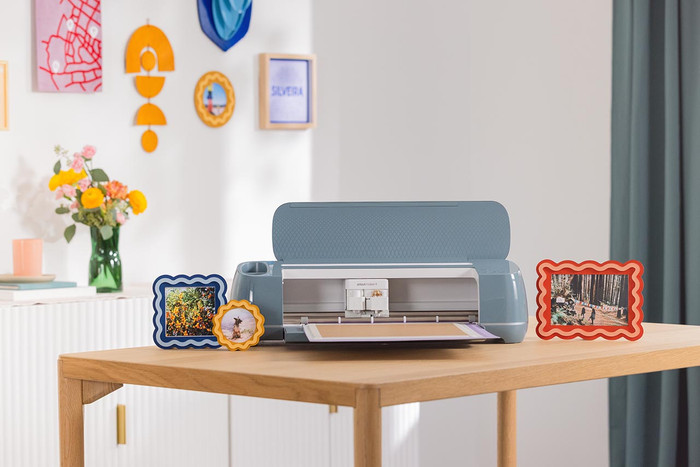
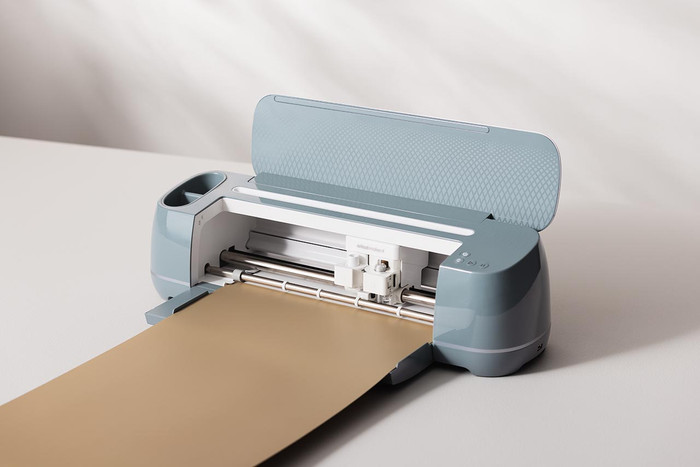
Start your first design right away with the Maker Starter Bundle. With this bundle, you receive the Cricut Maker 4 and the Cricut Starter Bundle for the Maker. With the Maker 4, you can cut quickly and precisely into over 300 materials like vinyl, leather, and Balsa wood. You can create designs up to 3.6m long and 33cm wide, As a result, you can make stickers, cards, or a print on a T-shirt quickly and easily. The Maker 4 cuts up to 2 times faster than its predecessor. With the Starter Bundle, you receive everything in one go: smart vinyl, iron-on, transfer tape, and a weeder. You can use the iron-on to make a print on fabric with an iron or heat press. With the weeder, you can remove small pieces of material. Transfer your design neatly and easily over to different
Cricut Design Space
You can create your designs with the free Design Space software. Cricut Design Space is the design program by Cricut. A couple of ready-made projects are available for free. Do you want access to thousands of ready-made projects, images, and fonts? You need a paid subscription with Cricut Access. Or, upload a free design from the internet. You can use the canvas and create your own design with various shapes. Cricut Design Space guides you through your entire project.
5 stars
10
4 stars
6
3 stars
0
2 stars
0
1 star
1
This is a premium brand, but it's incredibly unstable. I've tested the Cricut software for about 30 hours in two weeks, and I've had 54 crashes while printing or creating vector files/scanning mattes. I can honestly say I've given it a serious try, but it's incredibly unstable.
I bought it for my business that sells old motorcycles, to make non-existent gaskets from thick, oil-based gasket material (2mm to 8mm cardboard-like sheet). I contacted Cricut, and they said, "Swap your machine with Coolblue," but that doesn't really feel like a solution to me. I could, of course, do that, but... I've cut quite a few gaskets with it, but it's just SUPER unstable software; that will never be resolved with a new machine.
I've also done all the troubleshooting, such as: Direct USB-C without an intermediate block, Bluetooth, brand new LOQ laptop (gaming laptop with 24GB of RAM and 1 terabit SSD storage Gforce 4680 video card, so it's certainly not 'the basis' that's the problem!
Cyriel
12 September 2025
Automatically translated from Dutch
Great device, I use the Cricut Maker 4 myself to make stickers, prints for shirts, cards, and prints for glasses/mugs. You can really do anything with it!
I do recommend looking into the extra tools before you buy this device. The cutting tool for cutting paper, fabrics, cardboard, etc. is included, but you have to purchase the engraving tool, folding edge tool, etc. separately; these are also quite expensive.
Calibrating the machine can be a challenge. You need a printer for this (not a laser, but an inkjet); you print an A4 sheet with various lines. The device will cut various lines, and then you indicate in the free Cricut app which of the cuts is mostly in line. This way, the machine knows exactly where to cut, and you can work with super precision. However, this cost me 9 A4 sheets because the machine struggled with it a bit. In the end, it did work, and it really cuts exactly where I want, down to the millimeter! The materials, on the other hand (vinyl, transfer paper, etc.), are really too expensive for their quality from Cricut's own brand. That is why I REALLY recommend ordering a single Cricut instead of the bundle, and putting the money you save into materials from another brand! Brands cannot be mentioned in this review, but if you look it up, some alternatives will appear.
Martine de Pee
2 April 2026
Automatically translated from Dutch
I've had my eye on this one for a while, but haven't bought it yet due to the price. The Bluetooth function works well with my laptop, but I couldn't pair it with my phone. I'm glad I got a bundle, because after setting it up and pairing it, I could get started right away. Be sure to check which mat you get with it, though, as I discovered there were differences in terms of price. All in all, it's a great product, and I'm happy with it.
Sheila
6 January 2026
Automatically translated from Dutch
Product number | 960892 | |
|---|---|---|
Manufacturer code | 2011082 | |
Brand | Cricut | |
Warranty | 2 years | |
Processing of your defect | Via Coolblue |
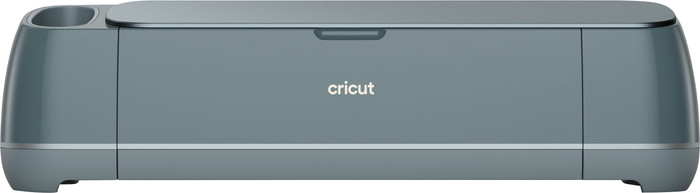
Color | Green | |
|---|---|---|
Height | 24,2 cm | |
Width | 65,1 cm | |
Depth | 26 cm | |
Weight | 9,8 kg | |
Portable (mobile use) | ||
Maximum width of material | 33 cm | |
Maximum thickness of material | 2,4 cm | |
Cutting length | 3,6 m | |
Cutting speed | 358 mm/s | |
Connection type | Wired, Wireless | |
Bluetooth | ||
Controls via app | ||
Compatible with operating system | Android, Windows, iOS, iPadOS, macOS |
Workshops possible | ||
|---|---|---|
Works with card mat | ||
Also works without a cutting mat | ||
Support for smart materials | ||
Number of supported materials | 300 | |
Suitable for material type | Artificial leather, Cardboard, Felt, Foil, Metal, Paper, Plastic, Stickers, Vinyl, Wood | |
Number of tools | 13 | |
Functionality of the tools | Create folding lines, Cutting, Engraving, Foil, Writing |
Included Cricut accessories | Black Fine Point Pen (0.4mm), LightGrip Machine Mat, Sample materials | |
|---|---|---|
EasyPress Mini included | ||
Hat Press included | ||
Spatula included | ||
Mini Weeder included | ||
Weeder included | ||
Small scraper included | ||
Scraper included | ||
Scoring stylus included | ||
Premium Fine-Point blade met casing included | ||
Joy blade with casing included |
Product number | 953744 | |
|---|---|---|
Manufacturer code | 8002452 | |
Brand | Cricut | |
Warranty | 2 years | |
Processing of your defect | Via Coolblue |
Material type for cutting machines | Iron-on, Transfer tape | |
|---|---|---|
Number of sheets | 0 | |
Number of rolls | 8 | |
Quantity | 9 | |
Adhesive surface | ||
Finish material type for cutting machines | No finish | |
Also works without a cutting mat | ||
Suitable for model | Cricut EasyPress 2, Cricut EasyPress 3, Cricut EasyPress Mini, Cricut EasyPress SE, Cricut Explore 3, Cricut Explore 4, Cricut Explore 5, Cricut Maker 3, Cricut Maker 4 |