Welcome to your environment! You can order everything from your assortment with your personal budget here.

You can always return to the normal Coolblue website by clicking here.

Your outstanding budget (incl. VAT) is always visible here, so you know exactly how much you can spend.

Coolblue home

Die Website ist auf Englisch, möchtest du sie auf Deutsch ansehen?

Help with your product
Read all tips here

How do you upgrade from Windows Home to Windows Pro?

You have a laptop or computer with Windows Home and want to upgrade it to Windows Pro. Because you want to use the PC for business, for example. In the step-by-step plan, we'll explain what you need and how to do this installation from start to finish.

How do you turn on the keyboard lighting on your laptop?

Some laptops have a backlit keyboard, but how do you turn on the keyboard backlight? In this article, we'll explain how to turn on the backlight, because every laptop is different.

How do you turn on the keyboard lighting on your laptop?

Some laptops have a backlit keyboard, but how do you turn on the keyboard backlight? In this article, we'll explain how to turn on the backlight, because every laptop is different.
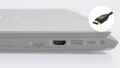
What connectors does a laptop have?

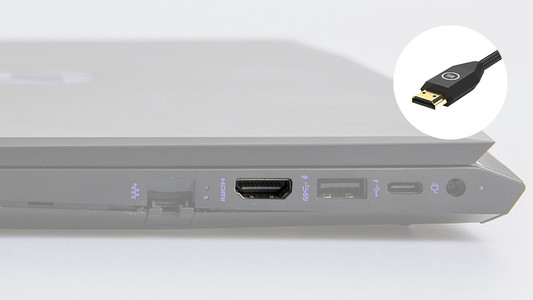
You're looking for a connector on your laptop, but you don't know what it looks like. Or you want to buy a laptop and you want to know what you can use the connectors for. On this page, we'll list the most important connectors for you. This way, you can be sure you have the right connector.

How do you transfer files from a laptop to a new one?

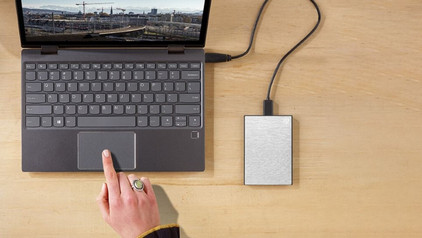
You have a new laptop and want to transfer the files from your old laptop. In this article, you can read how to transfer data from your old laptop to your new laptop.

How do you make your noisy laptop more silent?

Your laptop is making a blowing sound and you want to stop it. There are various reasons why a laptop makes noise, like using video editing programs that are too demanding for the laptop. There are also some issues you can solve that don't have to do with the operating system of your laptop. In this article, you can read 3 tips to make your noisy laptop more silent.

How do you solve connection issues with your monitor and laptop?

You bought a monitor, but you can't get it to connect to your laptop. In this article, you can read how to connect your monitor to your laptop in 4 steps.

How do you clear your search history?

Sometimes, you don't want others to see what you've searched for on the internet. You can easily protect your privacy if you delete your search history. That way, your partner won't find out which gift you just order from us. In this article, you can read how you can delete your search history from the 3 most popular web browsers.

7 tips for when your Windows laptop crashes

Did your laptop crash? You want to solve that as quickly as possible. Luckily, you can easily solve this issue via an update or reset in most cases. In this article, you can read 2 tips to make sure your laptop no longer crashes or turns off.

How do you check whether the battery of your laptop is broken?

You connect the charger to the laptop and plug the power cable into the socket, but it won't charge. Chances are that there's something wrong with your battery or charger. In this article, we'll give you 4 tips to check whether the battery of your laptop is broken. We'll determine what the problem is and how you can solve it.

How do you check whether the battery of your laptop is broken?

You connect the charger to the laptop and plug the power cable into the socket, but it won't charge. Chances are that there's something wrong with your battery or charger. In this article, we'll give you 4 tips to check whether the battery of your laptop is broken. We'll determine what the problem is and how you can solve it.

Connecting your laptop to a WiFi network

You bought a new laptop and want to connect it to the wireless WiFi network. You can easily do this in 3 steps. In this advice article, we'll explain how you can connect your laptop to your WiFi.

Subjects

Didn't find your answer?

Find an answer to your question quickly and easily via our customer service.

Coolblue specialist
Personal chat Digitalk.
You're now chatting with Coolblue customer service
This chat is closed
foo
Oeps File size is larger than 5MB. Upload a smaller file.