Welcome to your environment! You can order everything from your assortment with your personal budget here.

You can always return to the normal Coolblue website by clicking here.

Your outstanding budget (incl. VAT) is always visible here, so you know exactly how much you can spend.

Coolblue home

Die Website ist auf Englisch, möchtest du sie auf Deutsch ansehen?

Help with your product

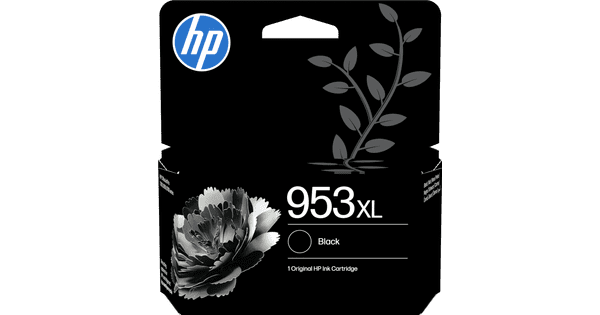
HP 953XL Cartridges 4-color Pack (2 units)

With the HP 953XL Cartridges 4-color Pack (2 units), you can replace all color cartridges for your HP OfficeJet Pro printer in one go. This set includes 8 XL cartridges in the colors black, cyan, magenta, and yellow. With these cartridges you can print up to 3200 pages in color and 4000 pages in black and white. Check below for which printers this ink cartridge is suitable: Suitable printers HP OfficeJet Pro HP OfficeJet Pro 7720 HP OfficeJet Pro 7730 HP OfficeJet Pro 7740 HP OfficeJet Pro 8210 HP OfficeJet Pro 8218 HP OfficeJet Pro 8710 HP OfficeJet Pro 8715 HP OfficeJet Pro 8720 HP OfficeJet Pro 8725 HP OfficeJet Pro 8730 HP OfficeJet Pro 8740

Read all tips here

Which product do you want to see articles about?

How do you install an HP cartridge?

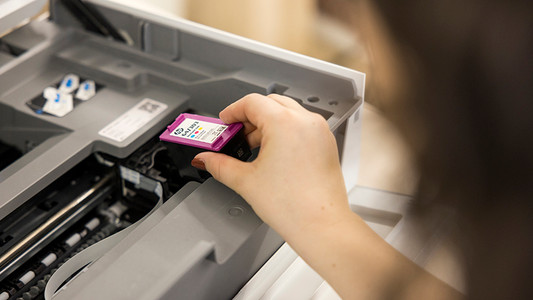
The cartridge of your HP printer is empty and need to be replaced. Replacing your in is easy. In this article, we'll explain how to install an HP cartridge in 3 steps.

How do you install an HP cartridge?

The cartridge of your HP printer is empty and need to be replaced. Replacing your in is easy. In this article, we'll explain how to install an HP cartridge in 3 steps.

How do you install an HP cartridge?

The cartridge of your HP printer is empty and need to be replaced. Replacing your in is easy. In this article, we'll explain how to install an HP cartridge in 3 steps.

How do you install an HP cartridge?

The cartridge of your HP printer is empty and need to be replaced. Replacing your in is easy. In this article, we'll explain how to install an HP cartridge in 3 steps.

How do you install an HP cartridge?

The cartridge of your HP printer is empty and need to be replaced. Replacing your in is easy. In this article, we'll explain how to install an HP cartridge in 3 steps.

Didn't find your answer?

Find an answer to your question quickly and easily via our customer service.

Coolblue specialist
Personal chat Digitalk.
You're now chatting with Coolblue customer service
This chat is closed
foo
Oeps File size is larger than 5MB. Upload a smaller file.