Welcome to your environment! You can order everything from your assortment with your personal budget here.

You can always return to the normal Coolblue website by clicking here.

Your outstanding budget (incl. VAT) is always visible here, so you know exactly how much you can spend.

Coolblue home

Die Website ist auf Englisch, möchtest du sie auf Deutsch ansehen?

Help with your product
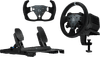
Logitech G RS50 System + Track Wheel PlayStation & PC + RS pedals

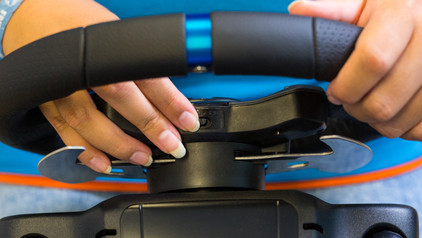
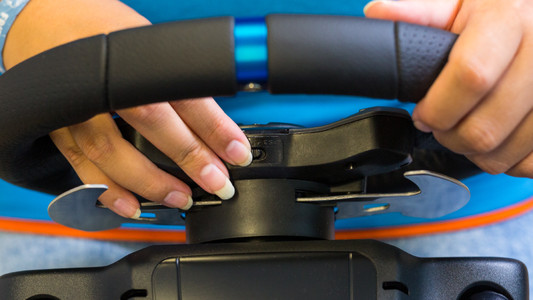
Get ready for your favorite track with the Logitech G RS50 Systeem + Track Wheel PlayStation & PC + RS pedalen. This bundle gets you fully ready for the fastest race. The 3-piece set lets you race with a round steering wheel or a track steering wheel. This steering wheel has force feedback with a maximum torque of 8 newton-meters. As a result, you can feel your in-game actions right in your hands. Thanks to the load cell technology in these pedals, you get good control over your race car and a brake force of up to 75kg of pressure. You can adjust the brake and gas pedals to your liking. This way, you can adjust the distance between the pedals for the most comfort. This pedal set is compatible with the Logitech PRO and R series. If you want to use these pedals with the Logitech G29/G920/G923, you'll need a separately available adapter.

Read all tips here

Which product do you want to see articles about?

How do you connect your Logitech G racing wheel to your console?

You want to play Formula 1, Gran Turismo, or Forza Horizon on your Xbox Series X|S or PlayStation 5 with your Logitech G racing wheel. But, how do you properly connect it? In this article, we'll explain how to connect it to your game console in the right way step by step. Thanks to this, you can get into your racing car as soon as possible.

How do you connect your Logitech G racing wheel to your console?

You want to play Formula 1, Gran Turismo, or Forza Horizon on your Xbox Series X|S or PlayStation 5 with your Logitech G racing wheel. But, how do you properly connect it? In this article, we'll explain how to connect it to your game console in the right way step by step. Thanks to this, you can get into your racing car as soon as possible.

How do I update my drivers using the Logitech Gaming Software?

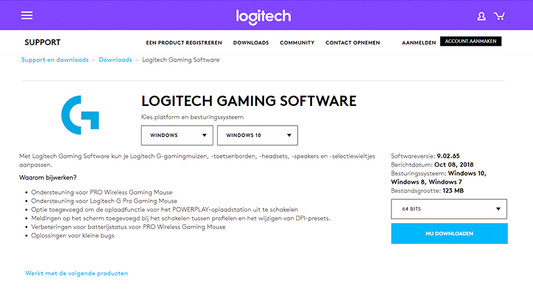
Once you've installed the Logitech Gaming Software, you can get started with the latest drivers, lighting patterns, and other customizable settings on your (new) Logitech gaming gear. On this page, I'll explain how you install the program step by step.

How do I update my drivers using the Logitech Gaming Software?

Once you've installed the Logitech Gaming Software, you can get started with the latest drivers, lighting patterns, and other customizable settings on your (new) Logitech gaming gear. On this page, I'll explain how you install the program step by step.

How do I update my drivers using the Logitech Gaming Software?

Once you've installed the Logitech Gaming Software, you can get started with the latest drivers, lighting patterns, and other customizable settings on your (new) Logitech gaming gear. On this page, I'll explain how you install the program step by step.

How do you connect your Logitech G racing wheel to your console?

You want to play Formula 1, Gran Turismo, or Forza Horizon on your Xbox Series X|S or PlayStation 5 with your Logitech G racing wheel. But, how do you properly connect it? In this article, we'll explain how to connect it to your game console in the right way step by step. Thanks to this, you can get into your racing car as soon as possible.
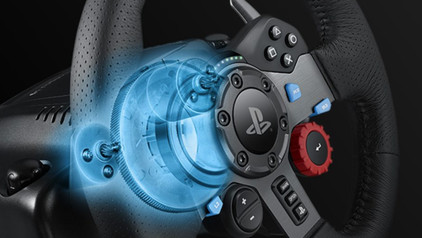
How do you connect your Logitech G racing wheel to your console?

You want to play Formula 1, Gran Turismo, or Forza Horizon on your Xbox Series X|S or PlayStation 5 with your Logitech G racing wheel. But, how do you properly connect it? In this article, we'll explain how to connect it to your game console in the right way step by step. Thanks to this, you can get into your racing car as soon as possible.
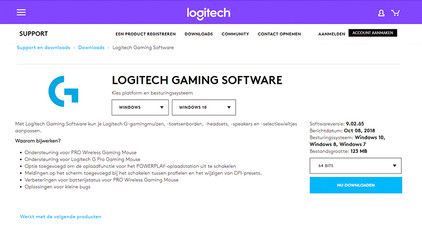
How do I update my drivers using the Logitech Gaming Software?

Once you've installed the Logitech Gaming Software, you can get started with the latest drivers, lighting patterns, and other customizable settings on your (new) Logitech gaming gear. On this page, I'll explain how you install the program step by step.

Didn't find your answer?

Find an answer to your question quickly and easily via our customer service.

Coolblue specialist
Personal chat Digitalk.
You're now chatting with Coolblue customer service
This chat is closed
foo
Oeps File size is larger than 5MB. Upload a smaller file.