Written by Iris
Edited on
23 August 2022
·
12:50
The differences between the apps of sound bars
If you want to purchase a soundbar, you probably have certain requirements. Do you want user-friendliness or sound quality? Or do you want to connect the soundbar to other speakers in your house or your smart home? We'll compare the most important specifications of the 5 most popular brands. That way, you have an overview of which soundbar suits you best.
Comparison
| Sonos | JBL | Samsung | LG | Sony | |
|---|---|---|---|---|---|
| Own app | Yes, for iOS and Android | No | Yes, but only for music via Bluetooth | Yes, for iOS and Android | Yes, for iOS and Android |
| Connect wirelessly to TV | No | No | Only to Samsung TVs | No | No |
| Connect wirelessly to other speakers | Yes, via app | Yes | Yes, via separate app | Yes | Yes |
| Smart home platform | Amazon Alexa, Google Assistant | No | Differs per soundbar | Differs per soundbar | No |
| Stream music via | Spotify Connect, AirPlay, Sonos Net | No | Some via Spotify Connect, Bluetooth | Some via Spotify Connect, Google Cast | Spotify Connect, Google Cast |
| User-friendliness according to expert (1 - 10) | 9 | 7 | 7 | 8 | 7 |
| Equalizer (adjust bass, mids, and treble) | Yes | No | No | Yes | Yes |
Own app
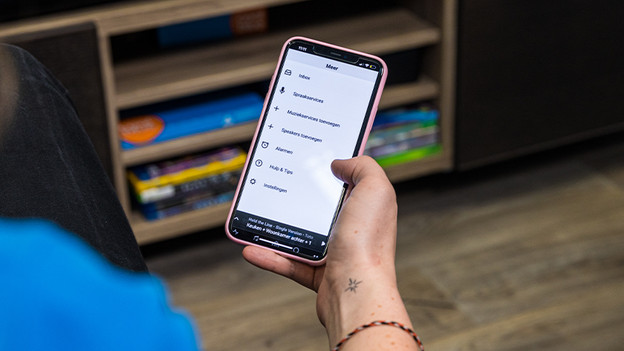
An accompanying app for your soundbar comes in handy, but it's not essential. An accompanying app often gives you access to an equalizer, which we'll discuss in more detail later on. It also makes setting up and adding new speakers easy. If a soundbar doesn't have its own app, you usually set it up via a universal platform like Google Home. Brands like Sonos, LG, and Sony do have their own app.
Connect wirelessly
You can connect your soundbar wirelessly in 2 different ways. You can either connect it to the television or to extra speakers for a surround setup. In 9 out of 10 cases, you can't connect the soundbar to your television wirelessly. Samsung makes this possible for their own products via their own service. When you create a surround setup, you probably don't want cables all over your room. Thanks to a wireless connection, you can connect nearly all soundbar to multiple speakers without using any cables.
Smart home platform
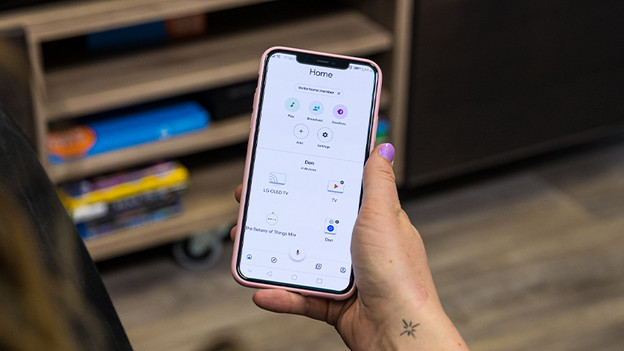
If you want to add your soundbar to your smart home or control it with voice commands, check if and which smart home platform it supports beforehand. The most commonly supported platform in the Netherlands is Google Home. Some soundbars also use Google Home to set up the soundbar and connect it to other speakers. With the Google Assistant, you can control both the soundbar and other smart appliances in your home. Or you can ask it about the weather, traffic, or your calendar.
Streaming service
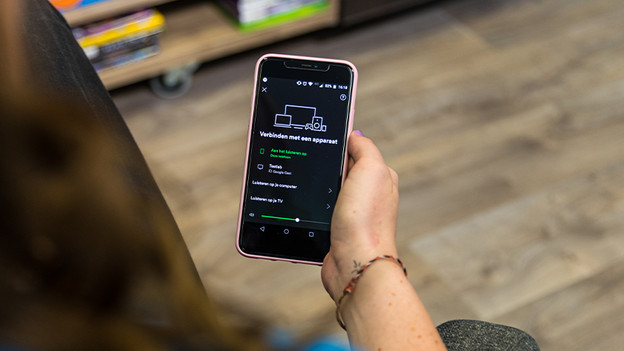
When you've finished your movie or series, you may want to listen to some music via the soundbar. Some soundbars use Bluetooth, but most have an integrated streaming service. For example, Spotify Connect or AirPlay 2. You can easily select the device via your smartphone or tablet and play the music directly via the soundbar.
User-friendliness
User-friendliness means something different for everyone, but you'll definitely notice some differences between the soundbar apps. The Sonos app and Google Home are very easy and clear, for example. On the other hand, Samsung uses different apps and LG doesn't work optimally yet. Keep in mind that you'll figure out all of these apps once you start using them.
Equalizer
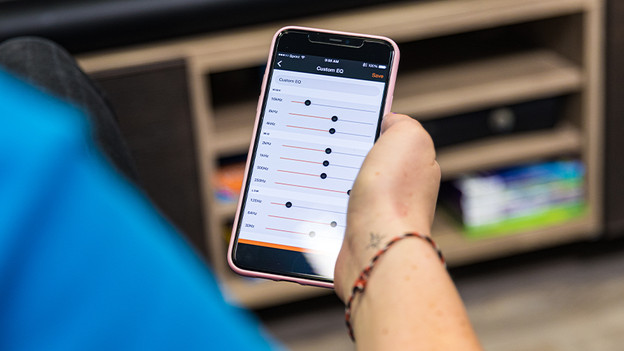
We've mentioned it before, the equalizer. This is a useful function that some soundbars integrate into their app. With an equalizer, you can adjust the sound to your liking. You do this by adjusting the bass, mids, and treble. Some soundbars don't have an equalizer, but they do have a night mode, for example. This automatically reduces the bass, so you don't bother your neighbors or housemates.
Conclusion
Each soundbar and app are different in use. For example, Sonos is already much more innovative, whereas Samsung and LG are still a bit behind. For the most part, you can do the same things with most functions. If you're looking for a specific function, check beforehand if your new soundbar has this feature. Don't know which soundbar to choose or which specifications you want? Ask yourself what you want to use the soundbar for and how it will work in your current situation.
Article by Iris
Audio Expert.