
Written by Lucas
Edited on
9 February 2024
·
15:08
How do I connect my wireless headphones to my TV?
Before you can watch TV with your headphones, you must first connect them to your TV. This article will help you step by step.

Setting up the headphones with transmission station in 4 steps
Connect your headphones with transmission station to the television in 4 steps.
Step 1: Connect the transmission station to the TV or receiver
Step 2: Charge the headphones
Step 3: Connect the headphones to the transmission station
Step 4: Adjust the volume
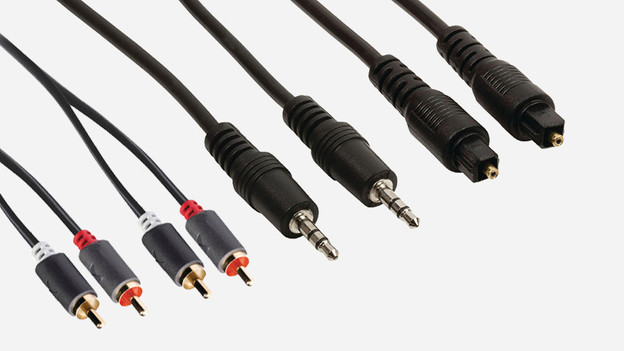
Step 1: connect the transmission station to the TV or receiver
Connect the transmission station to the power outlet and connect it to your TV or receiver. This can be done with an RCA, 3.5mm or optical cable. Carefully check if 1 of these connections is on your television. These inputs are often located on the side or back of the TV. The required cables are not always included.
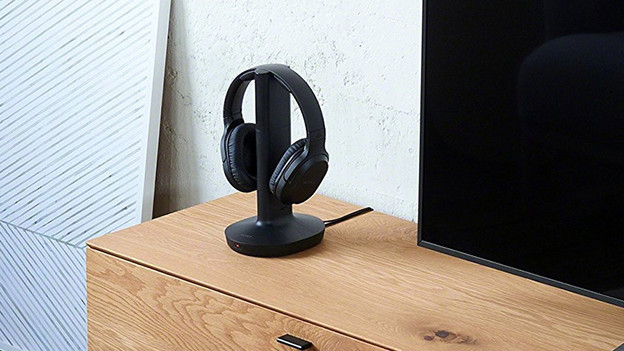
Step 2: charge the headphones
It differs per headphone how you power it. Some models have a built-in battery. You can charge this by placing it on the transmission station. Other headphones come with a rechargeable battery. You have to attach it to the ear cup of the headphones yourself. Twist or click the cushions off your ear cup to insert the batteries into the headphones.

Step 3: Connect the headphones to the transmission station
It differs per headphone how you connect it to the transmission station. Do the headphones have an auto tuning button? Press it and it automatically searches for a connection to the transmission station. If the headphones have a switch, set the switch to the same channel as the transmission station. Headphones with manual frequency adjustment allow you to switch from frequency to frequency until you hear noiseless sound from the TV.
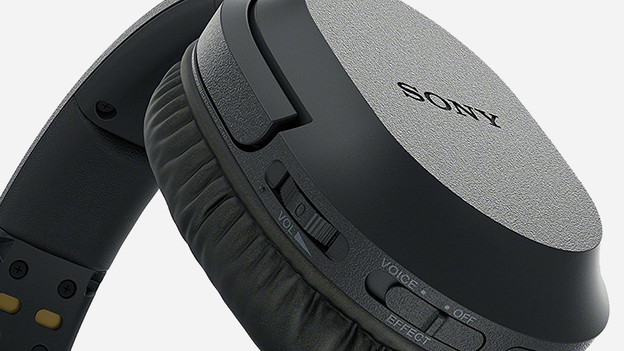
Step 4: adjust the volume
Set the volume of your headphones to the highest level. Next, set the desired volume with your TV remote. Do it in this order, so the TV won't be too loud when you want to watch TV with the speakers on.
Note: there won't be any sound from the speaker of your TV if the transmission station is connected to your TV via an RCA or 3.5mm cable. With an optical connection, you can hear sound from your TV as well as from your headphones.

