
Written by Lucinda
Edited on
13 October 2025
·
14:49
Expert review Apple iPad Mini 5
The Apple iPad Mini 5 is the same compact size as its predecessor. But Apple has given this tablet even more graphic power with the A12 Bionic chip. In addition to that, I can also use this iPad with the Apple Pencil (1st generation), which allows me to navigate my apps and take notes more accurately. I used the Apple iPad Mini 5 for the day and you can read about my findings in this article.
Note: the Apple iPad Mini 5 is retired
With the launch of the newer Apple iPad Mini models, the Apple iPad Mini 5 was discontinue. That means that this model is no longer available. View the latest Apple iPad Mini here, the Apple iPad Mini 6.
First impression
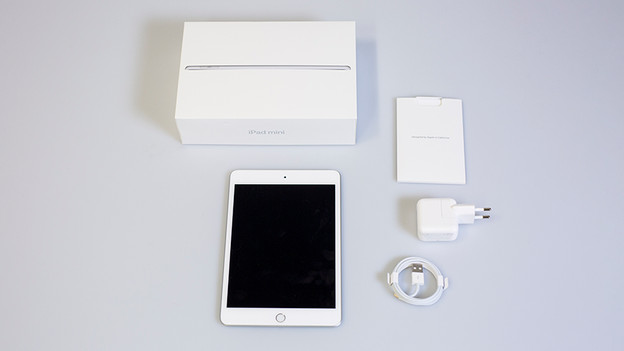
The packaging has the recognizable Apple look and feel. I always enjoy the experience of unpacking a new Apple product and I'm ever curious about the contents of the box. When I open the box, the first thing I see is the device itself. Under it, I find some papers, a Lightning to USB-A cable, and a charger adapter.
The screen
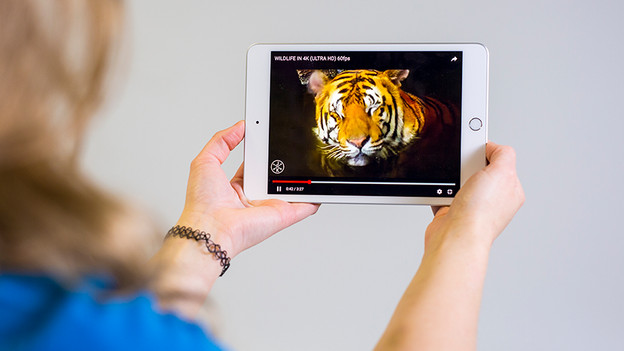
Time to see what the Apple iPad Mini 5 can do! As soon as I start playing a nature film, I'm amazed by the bright colors of the screen. Thanks to True Tone technology, the colors automatically adjust to the ambient light. As I really wanted to test this, I also used the iPad outdoors. The 7.9-inch screen makes the tablet easy to transport. I can imagine, though, that artists who like to sketch might prefer a larger screen.
Performance
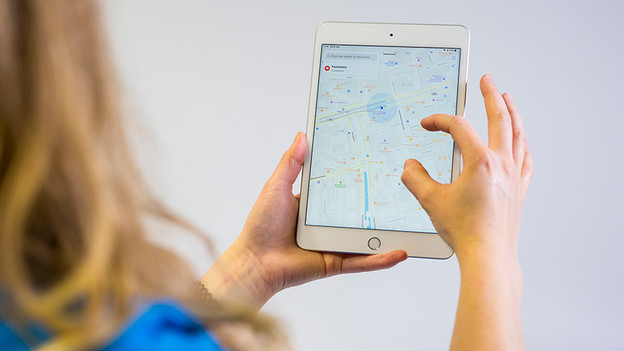
With Apple's latest A12 Bionic chip, the iPad Mini 5 is a real powerhouse. And I notice this right away, because applications load quickly. While I try to locate the office via Google Maps, the images are smoothly displayed on my screen. The Mini 5 loads the app real fast and zooming in and out feels smooth. It performs much better compared to its predecessor in terms of speed, because the iPad Mini 4 only had an A8 chip.
Apple Pencil support
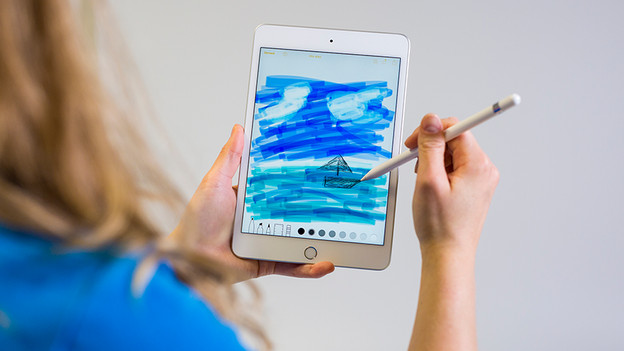
This is exactly what I was hoping for: I can also use the Apple iPad 5 in combination with the Apple Pencil (1st generation). I can use the Apple Pencil by connecting it to the Lightning port of the iPad Mini 5. I enjoy using the Apple Pencil to take notes and to quickly navigate between apps. During these tasks, I switch between using my fingers and the Apple Pencil.
Apple Pencil (1st generation)
- The pressure-sensitive tip allows me to easily draw thin or thick lines.
- Thanks to the Lightning connector, I can quickly charge the Apple Pencil via the Apple iPad.
- I can easily connect the Apple Pencil to the iPad Mini 5 by plugging it into the Lightning port.
- The Apple Pencil (1st generation) isn't included with the Apple iPad Mini 5 by default, so I had to purchase it separately.

€ 119,-

Handy size
Its small size makes sure you can easily take it with you. I can grab it from my purse on the train to quickly make a draft for an article. My hands are fairly small, but I'm able to hold the tablet with one hand only. The design of the iPad Mini 5 is very recognizable; similar to the iPad Mini 4, the screen has bezels, and at the bottom of the tablet, you can find a home button.
Conclusion
Is it useful to switch from the Apple iPad Mini 4 to the Mini 5? If you notice your iPad is becoming slower and you're happy with the rest, it's definitely worth it. I can really tell the difference when it comes speed. The iPad Mini 5 is also a good choice if you want use the Apple Pencil or if you're looking for a compact iPad for on the go. Do you want to watch series on a larger screen or have enough space to draw in detail? An iPad with a larger screen suits you better.
Article by Lucinda
Apple Expert.

