Written by Linde
Edited on
7 October 2025
·
08:14
Expert review of the JBL Tour One M3
The JBL Tour M3 is the successor to the Tour One M2. In addition to a longer battery life, these headphones have 4 extra microphones for true adaptive noise canceling. This way, it reduces ambient noise even more. The headphones also have 360-degree Spatial Sound. This way, I can hear the sound all around me. You can read what I think here.
JBL Tour One M3
- You can barely hear your surroundings thanks to the strong noise canceling.+
With Hi-Res audio, you can enjoy your favorite music in high quality.
- Music sounds like you're actually hearing it live with JBL Spatial 360 audio.
- The battery lasts 40 hours with noise canceling turned on, that's 30 hours shorter than with noise canceling turned on.
€ 270,90

First impression of the JBL Tour One M3
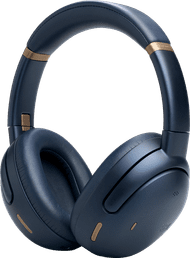
The headphones look a lot like the Tour One M2. The design of the Tour One M3 is a bit sleeker, because it has few details on it. These headphones also have control buttons and a touchpad on the side of the right ear cup. There's a charging cable in the box.

Strong noise canceling
The headphones have strong noise canceling thanks to the 8 microphones that scan for ambient noise. They catch the sound and reduce it. This way, I don't hear much of my surroundings at the office. I don't hear conversations. When someone coughs or sneezes, I can hear it softly. In public transport, I barely hear anything. I like that on a busy train.
Spatial Sound
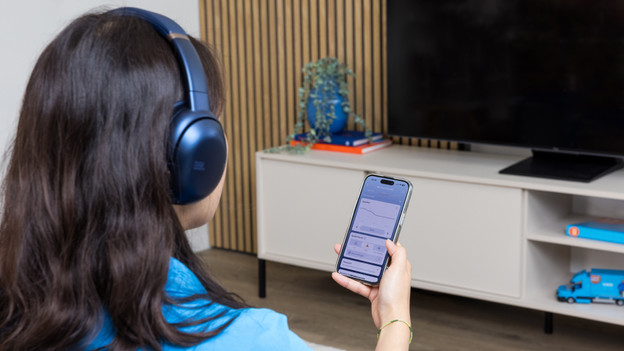
I can choose from 2 different Spatial Sound setting in the JBL Headphones app. With the Fixed mode, the audio sounds like it's playing in an empty room. It gives a light echo effect to the sound, so something sounds farther away. When I turn on Head Tracking, the sound keeps coming from 1 side when I'm moving my head. That way, the sound almost only comes out of the right ear cup when I turn my head to the left. This provides a realistic feeling, as if the music is playing in the room.

Clear sound
Clear and detailed sound comes from the headphones thanks to Hi-Res audio. I also find the sound balanced. Certain tones don't stand out. For example, the bass isn't overpowering. The volume isn't very loud. When I put it at maximum volume, I'm at the volume I want it to be. That means I can't completely immerse myself in the music.

Many options in the JBL Headphones app
In the JBL Headphones app, I can adjust many settings. For example, I can choose noise canceling, Ambient Aware, or TalkThru. This way, I can choose the right setting for various situations. In traffic, I choose Ambient Aware so I can hear what's happening around me. For Audio, I choose a preset equalizer or adjust the sound to my liking with the different settings. I can also choose whether I turn on Spatial Audio or not.
Conclusion
I recommend the JBL Tour One M3 when you want to enjoy balanced sound in peace. Thanks to noise canceling, I can barely hear my surroundings. I like this at the office and in public transport. If I do want to hear ambient noise, I can easily turn noise canceling off in the app. I do find it a bummer that I can't get the sound louder, because I sometimes want to completely immerse myself in the music.
€ 270,90
Article by Linde
Headphones Expert.