
Written by Lucas
Edited on
1 May 2023
·
13:07
Get started with your House of Marley earbuds
With your Mouse of Harley earbuds, you can listen to your favorite songs. In this article, we'll explain what the best way is to get started with your wireless or fully wireless earbuds. So you'll be able to listen to music without any problems.
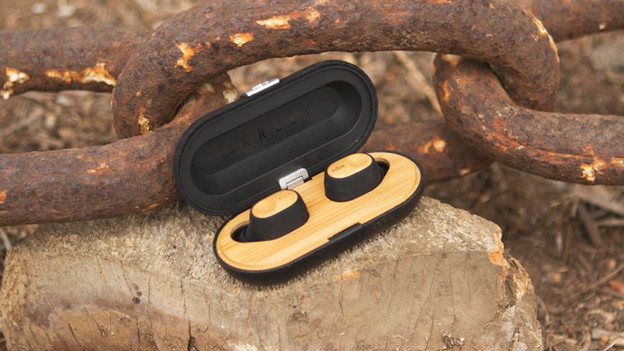
Get started with your House of Marley earbuds
With these3 tips, you'll know how to get started with your House of Marley earbuds as quickly as possible.
Tip 1: connect to your phone
Tip 2: put your earbuds in your ears
Tip 3: make sure you have a good connection

Tip 1: connect to your phone
If you have wireless House of Marley earbuds, you have to connect them to your smartphone via Bluetooth. Read how to do that in the article below.
Tip 2: put in your earbuds
House of Marley has different types of earbuds. Most earbuds go in your ear directly, but some have an ear hook or ear clip. In-ear earbuds go into your ear canal. In-ear earbuds come with ear tip so you always have a ear tip size that fits your ear. You place earbuds in your ear and keep your ear canal open. You can see which wearing method earbuds have per type.
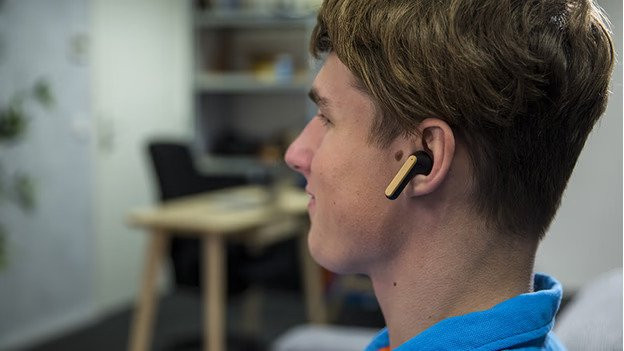
Tip 3: make sure you have a good connection
Does your connection stutter sometimes or doesn't it work properly when you're listening to music? Try the following:
- Turn off Bluetooth devices around you.
- Avoid other signals as much as possible. Appliances like fridges and microwaves affect the Bluetooth signal.
- Don't put your smartphone in your bag or back pocket, but keep it in your hand or front pocket.
- Turn the earbuds off and on again.
Article by Lucas
Audio Expert.

