Written by Charlotte
Edited on
13 October 2025
·
14:47
How do you place the AquaClean water filter in your Philips coffee machine?
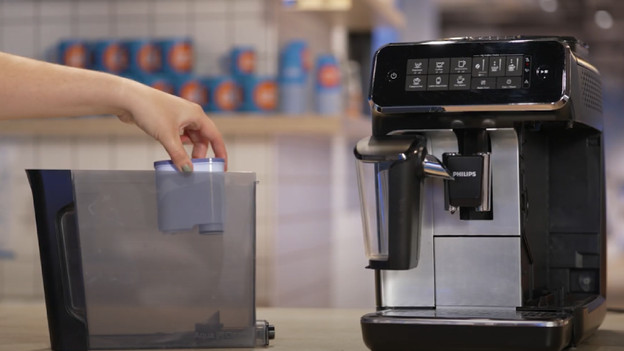
In this article, we'll explain how to place and activate the AquaClean water filter in your Philips coffee machine. We recommend you replace this water filter every 3 months. This way, you prevent limescale buildup in the pipes of the machine. We made a separate video for the Philips 2200 and 3200 with a steam wand and LatteGo system.
Get started with the AquaClean water filter
You'll find the steps you have to follow to replace the AquaClean water filter. There's a video for the Philips coffee machines with a steam wand and with the LatteGo system.
You need:
- An AquaClean water filter
- A container
How often do you replace the AquaClean filter?
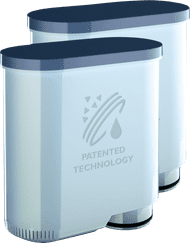
If you replace the water filter once every 3 months, you only have to descale the coffee machine every 1.5 years. The water filter prevents limescale buildup in the pipes of the coffee machine. It's important to replace the water filter, because it increases the lifespan of the coffee machine. Your machine indicates when you have to replace the water filter.
€ 27,95
Replace the water filter of the Philips 2200 and 2300 with steam wand
- Switch on the coffee machine.
- Remove the water tank from the coffee machine and remove the water filter.
- Shake the new water filter for 5 seconds and submerge it upside down in a container with water for 30 seconds.
- Push the water filter down so bubbles come out of the filter.
- Place the water filter in the water tank and push it down.
- Will the water tank with water and put it back in the coffee machine.
- Place a container under the steam wand.
- Press and hold the 'AquaClean' button for 3 seconds, until the light flashes.
- Press the 'Start/stop' button to start the process.
- Hot water comes out of the steam wand.
- When the AquaClean button turns blue, the water filter is activated.
Replace the water filter of the Philips 2200 and 2300 with LatteGo
- Switch on the coffee machine.
- Remove the water tank from the coffee machine and remove the old water filter.
- Grab the new water filter. Move it up and down for 5 seconds. Then, submerge it upside down in a container with water for 30 seconds.
- Push the water filter down so bubbles come out of it.
- Place the water filter in the water tank. Push it down.
- Fill the water tank with water and put it back in the coffee machine.
- Remove the LatteGo system and place a container under the hot water outlet.
- Press and hold the 'AquaClean' button for 3 seconds, until the light flashes.
- Press the 'Start/stop' button to start the process.
- Hot water comes out of the steam wand.
- When the AquaClean button turns blue, the water filter is activated.
- Put the LatteGo system back in the coffee machine.
Get all the maintenance products you need
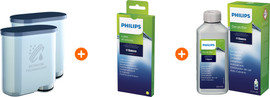
- Philips Saeco Maintenance Pack 0.5 year
Maintain your machine for half a year.
Extends the lifespan and prevents defects.
More affordable to purchase than separate products.
From
€ 48,90
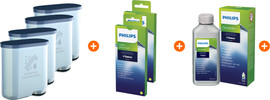
- Philips Saeco Maintenance Pack 1 Year
Maintain your machine for 1 year.
Extends the lifespan and prevents defects.
More affordable then 2 maintenance packs of half a year.
From
€ 78,90