
Written by Giovanni
Edited on
24 July 2024
·
06:58
How do you solve connection issues with your Turtle Beach Stealth Gen 2?
Are you having connection issues with your Turtle Beach Stealth Gen 2 PlayStation gaming headset? Here, we'll explain how to solve this problem. Download the recovery tool and go through the installation process. Read the steps on this page, so you can easily solve problems with the headset.
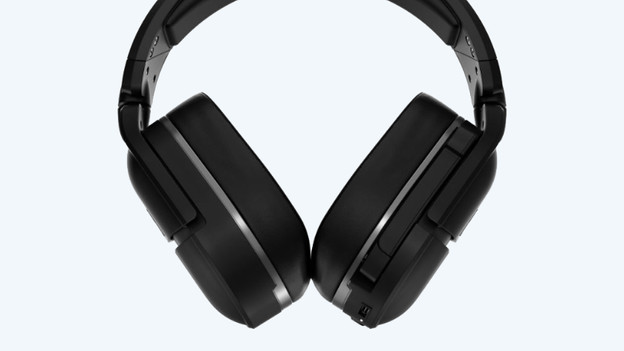
Solve installation problems
Go through the 3 steps to solve problems with your Turtle Beach Stealth Gen 2 PlayStation gaming headset:
- Step 1. Download the recovery tool
- Step 2. Go through the recovery process
- Step 3. Connect the headset to your PlayStation

Step 1: download the recovery tool
First, it's important to download the recovery tool. Go through the following steps and you'll be on the right track.
- Download the Stealth 700 Gen 2 PlayStation recovery tool via the link below.
- Connect the headset to the PC via the included USB-C cable.
- Double-click the tool to start it: “Stealth700_PlayStation_Gen2_Recovery-v2.0.3.EXE”.

Step 2: go through the recovery process
A new tab will appear asking if your gaming headset is connected via the USB cable. Click 'yes'. When Windows Defender asks for permission, you click 'accept'. Go through the recovery process now.
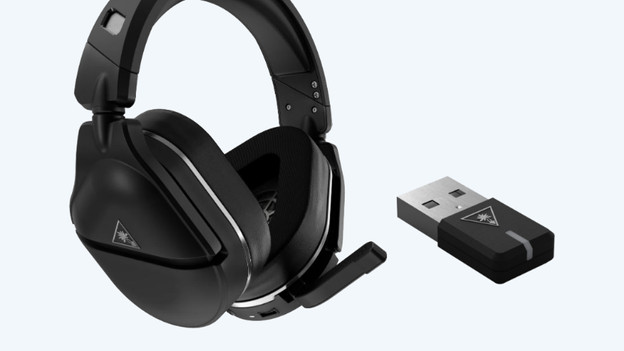
Step 3: connect the headset
After, you disconnect the headset by unplugging the cable from the PC. Go through the following steps to connect your headset to your PlayStation.
- Connect the headset to your PlayStation console via the included USB receiver.
- Turn on the headset and it'll automatically connect to your console. Once the headset is connected, you hear an audio signal and see the LED indicator light up.
You're now ready to use the gaming headset.

