
Written by Mark
Edited on
7 May 2024
·
11:44
How do you connect the Logitech G735 via Bluetooth to your Nintendo Switch?
You can also connect the Logitech G735 to your Nintendo Switch via Bluetooth. This headset doesn't have a Bluetooth buttons, so you don't connect it the regular way. You can read exactly how to connect the Logitech G735 to your Nintendo Switch via Bluetooth in this article.
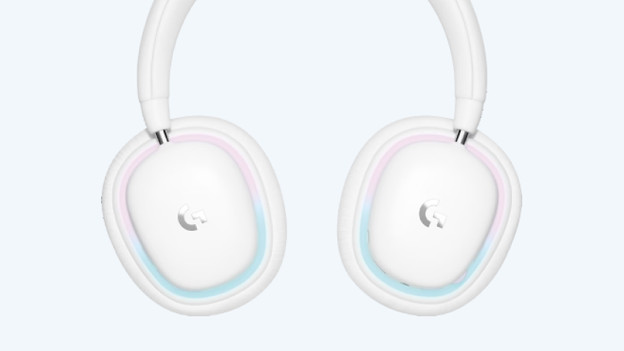
Connect Logitech G735 in 2 steps
Follow these 2 steps and connect the Logitech G735 to your Nintendo Switch via Bluetooth.
Step 1. Turn on Bluetooth
Step 2. Connect to Nintendo Switch

Step 1: turn on Bluetooth
First, set the Logitech G735 to the Bluetooth setting. Follow the steps below and activate the Bluetooth setting.
- Turn on the headset with the 'on' button on the right ear cup.
- Press the 'connectivity' button on the left ear cup.
- Check if the light above the button turns blue.
- Hold the 'connectivity' button for 3 seconds.
You can now connect the Logitech G735 to the device you want.
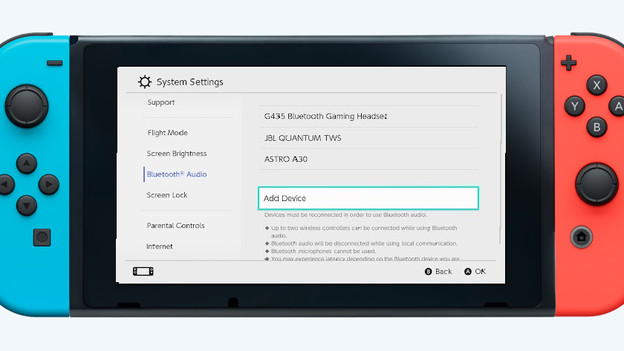
Step 2: connect it to the Nintendo Switch
Follow these steps to connect your Logitech G735 to your Nintendo Switch.
- On your Nintendo Switch, go to 'Bluetooth audio' and select 'Add device'.
- Find the Logitech G735 in the device list and tap 'Connect'.
- Check whether the light on the headset above the 'On' button stopped flashing.
You've now connected the Logitech G735 to your Nintendo Switch.
Article by Mark
Gaming Headset Expert.

