Written by Manon
Edited on
6 October 2025
·
10:38
How do you download the DJI Fly app on your Android smartphone?
The DJI Fly app is no longer available in the Google Play Store. If you want to connect your drone to your smartphone, download the DJI Fly app via the DJI website. We'll tell you how to do this in 3 steps. You need a smartphone with 2 different apps for this.
Download the DJI Fly app on your Android phone in 3 steps
The DJI Fly app is no longer available in the Google Play Store of Android phones. You can still download the app via the DJI website. We'll explain how to do this.
Step 1: download the APK file of the DJI Fly app.
Step 2: download APK Installer
Step 3: download the DJI Fly app on your smartphone
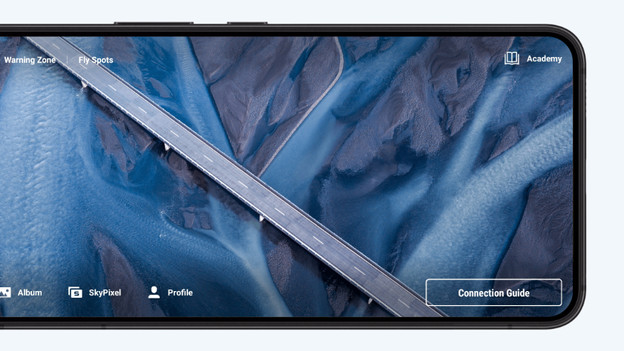

Step 1: download the APK file of the DJI Fly app
Go to the DJI website on your smartphone and click the 3 bars in the top left corner. Here, click 'Support'. Go to 'Download center' and select 'DJI apps'. You'll see a list with all DJI apps now. Click 'DJI Fly'. Once you've done that, you'll see the Android logo. If you click this button, you download the APK version of the DJI Fly app on your Android smartphone.

Step 2: download APK installer on your smartphone
The download from the DJI website won't be installed on your smartphone right away. You need an APK Installer for that. With this, you can install the DJI Fly app on your phone. You'll find the app in the Google Play Store on your smartphone. This doesn't have to be the app we're showing, every APL Installer should work. Search for the downloaded APK file from the DJI Fly app in this app.
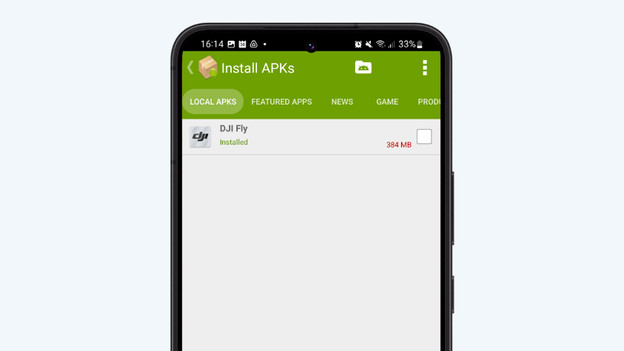
Step 3: install the DJI Fly app
If you go to 'Install APKs', you'll see the DJI Fly app. Check the box next to this app. Note: if you have a different app, this could look different. The APK Installer will now install the DJI Fly app on your phone. Close the APK Installer and go to all your apps. You'll now see a usable version of the DJI Fly app. Open the DJI Fly app and log in with your login information. If you don't have an account yet, create one