Written by Joey
Edited on
7 October 2025
·
10:02
How do you make your Melitta Avanza ready for use?
Before you make your first cup of coffee, you have to get your Melitta Avanza ready for use. We'll explain how to properly set up the machine in 4 steps with a useful instruction video.
Get started with the Melitta Avanza
Before you can make a cup of coffee with your new machine, you have to make it ready for use in 4 steps. We'll go through these steps with you:
- Step 1. Connect the machine
- Step 2. Set the water hardness
- Step 3. Set up the water filter.
- Step 4. Rinse the water filter.
You need:
- Water hardness test strip
- Cup of at least 100ml
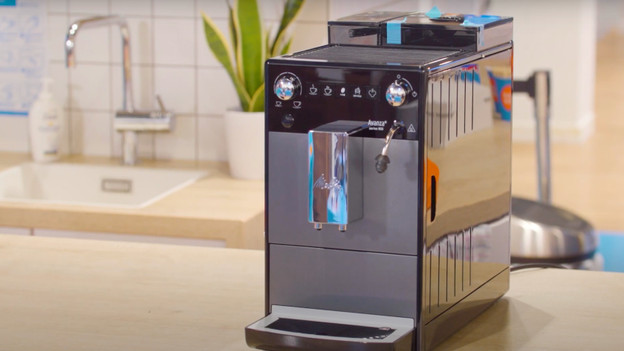
Step 1: connect the coffee machine
- Remove the stickers from the machine and plug the connector into the socket.
- Connect the milk tube with the attachment.
- Slide up the connector of the attachment to the top of the steam wand.
- Place a cup under the milk system and coffee outlet.
- Press the 'on/off' button. The standby button briefly lights up.
- Take the water tank out of the machine.
- Rinse the water tank, fill it with fresh water, and put it back in the machine.
- The steam icon lights up. Turn the steam dial to the right. Hot water runs through the milk system.
- Turn the steam dial to the left so the milk system stops rinsing.
- Now, water comes out of the coffee outlet.
- When no more water comes out of the coffee outlet, remove the cup..
- Fill the bean hopper with coffee beans.

Step 2: adjust the water hardness
- Fill a glass with water and dip the water hardness test strip into it for 5 seconds.
- After 1 minute, check the water hardness. The number of red boxes indicates the water hardness.
- Press and hold the 'service' button for at least 3 seconds.
- Press the 'service' button again.
- Press the button with the bean icon over and over until the you see the desired water hardness. So the number of red boxes should be the same as the number of coffee beans.
- Press and hold the 'service' button again for at least 3 seconds to save the water hardness.
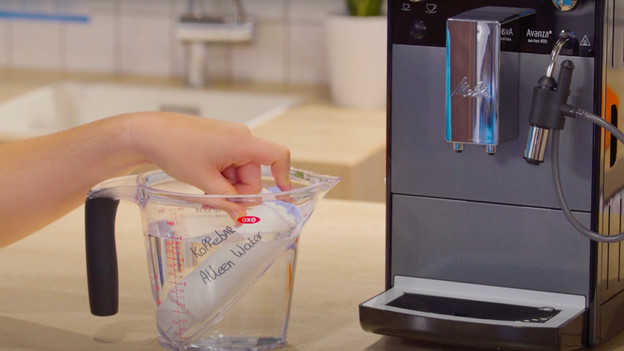
Step 3: set the water filter
- Move up the date wheel of the Melitta water filter 2 months.
- Submerge the water filter in a container with fresh tap water for a couple of minutes.
- Press the 'Service' button for at least 3 seconds to to go the service mode.
- Pres the 'Service' button over and over until you see the icon of the water filter.
- Press and hold the coffee strength button until you see 1 coffee bean on the display.
- Press and hold the 'Service' button for 3 seconds to start the filter program.
- Take the drip tray and coffee grounds container out of the coffee machine and empty them.
- Put the drip tray back in the machine, without the coffee grounds container.
- Place the coffee grounds container under the milk system.
- Take the water filter out of the machine and empty the water tank.
- Attach the water filter to the bottom of the water tank with the screwdriver tool.
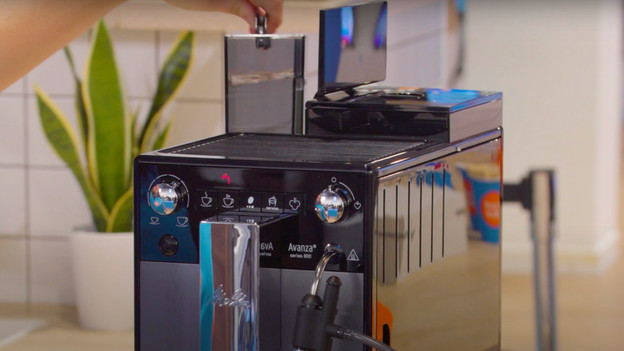
Step 4: rinse the water filter
- Fill the water tank up to the 'Max' mark and put it back in the machine.
- When the steam icon appears, turn the steam dial to the right.
- Turn the steam dial to the left once the machine stops rinsing.
- Remove the coffee grounds container and empty it.
- Place the coffee grounds container in the drip tray and put it back in the coffee machine.
- The machine is now ready for use.
How often should you clean your Melitta coffee machine?
By cleaning your coffee machine on time, you'll prevent blockages and defects. The coffee quality will also remain at its best. So treat your coffee machine hygienically and maintain it as follows:
- Rinse milk system: daily
- Rinse brew group: weekly
- Replace water filter: every 2 months
- Descale: every 3 months

Descaling liquid 250 ml | 4 cleaning tablets | Water filter cartridge | Microfibre cloth | Cleaning brush
€ 44,99