Written by Daniël
Edited on
7 May 2024
·
11:44
How do you replace a radiator knob?
The installation of a new radiator knob can be quite difficult. Do you currently have a radiator knob with digits? You can install it in a few steps. A knob with digits is called a thermal radiator knob. Do you not have a thermal radiator knob? Contact a plumber. In this article, we'll explain how to check whether your radiator knob is suitable for a smart knob and how to replace it.
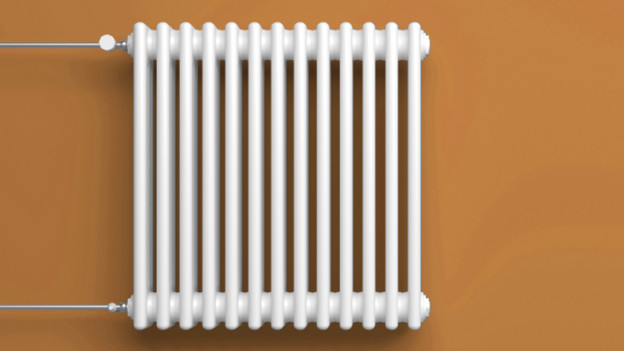
Replace your radiator knob in 4 steps
You want to replace your radiator knob. You need a wrench or cloth, and possibly a screwdriver. After that, all you have to do is go through these 4 steps:
- Step 1: check if your radiator is suitable.
- Step 2: remove the old radiator knob.
- Step 3: activate the smart radiator knob.
- Step 4: install the new radiator knob.

Step 1: check if your radiator is suitable
You can always replace a thermal radiator knob yourself, which you can recognize by the numbers or display on the knob. Do you have a radiator knob without numbers on it? Always have a plumber replace the radiator knob in that case. If you remove the radiator knob in the wrong way, dirty and sometimes hot water comes out of the radiator pipes with a lot of pressure.
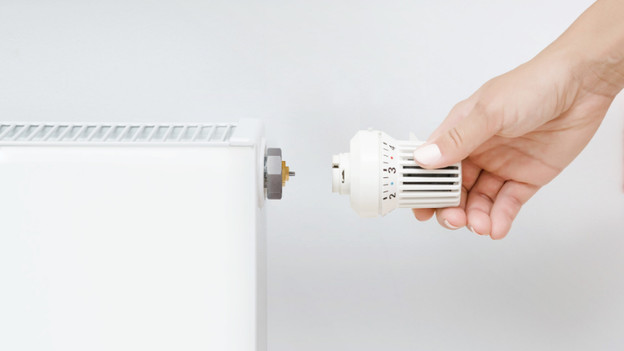
Step 2: remove the old radiator knov
If you have a thermal radiator knob, you can remove it yourself. First, check if the knob is attached with a screw. If so, unscrew it. You can then slide off the old radiator knob. Don't see a screw? Check whether you can remove the radiator knob by pulling it. Sometimes, you have to push the part below the thermostat knob to do to. Didn't that work? Untighten the knob from the valve with a wrench. Make sure that you don't untighten the valve along with it. After that, carefully remove the radiator knob from the radiator.
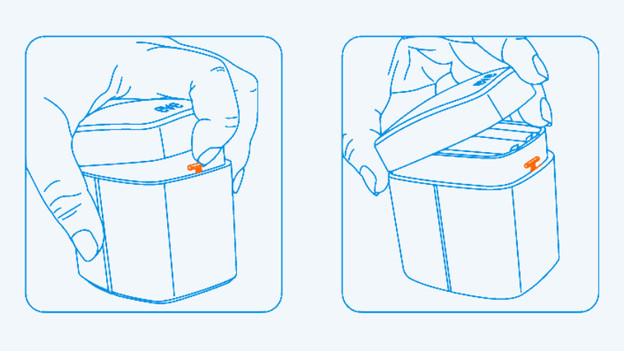
Step 3: activate the smart radiator knob
Before you install the new knob, make sure that the radiator knob is connected to the internet. To do this, open the button to place the batteries or remove the strip next to the batteries to switch on the knob. Download the accompanying app and select the knob you're going to install. Tap 'Pairing' on the thermostat. You'll usually find this button next to the batteries. Follow the instructions in the app if necessary.

Step 4: install the new radiator knob
Check if the knob fits on the radiator. If it doesn't, use the included adapters. Open the app again when you've installed the radiator knob. First, check if the temperature of your radiator knobs differs. After that, set the radiator knobs in that room to a high temperature for a while. You can then set your preferences for each room and won't have to worry about the temperature in your house anymore.