Written by Jorn
Edited on
10 July 2025
·
07:47
How do you set up the game mode of your Sony TV?
Do you like to play fast racing games or exciting shooters? In that case, it's important that your TV responds to the buttons you press as quickly as possible. That way, your opponent is never one step ahead of you. With the Game mode on your Sony television, you make sure your TV works optimally for your gaming experience.
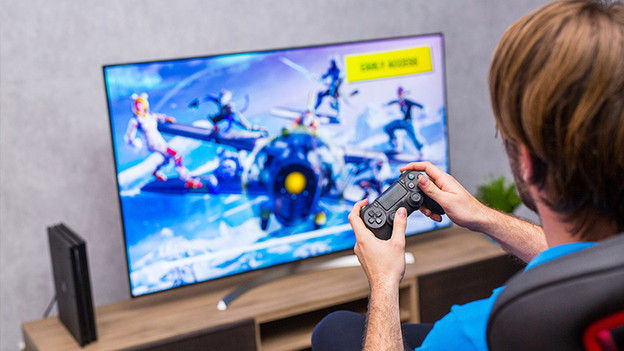
Turn on the picture mode 'Game'
The Game mode ensures that the response time of your TV is as fast as possible. You can select this mode via the settings menu. Follow the steps below for this.
Step 1: open the settings menu
Step 2: go to 'Display & Sound'
Step 3: select the picture mode 'Game'

Step 1: open the settings menu
Press the button with the gear wheel on your remote. You can find this button above the arrow buttons on the right side. This is how you open the settings menu.
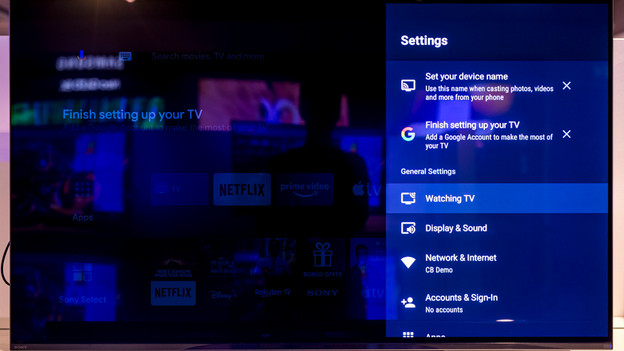
Step 2: go to 'Display & Sound'
Go to 'Display & Sound' in the settings menu and then to 'Picture'. This is how you open the picture settings.

Step 3: select the picture mode 'Game'
In this menu, you can choose from different picture modes. Navigate through the options with the arrow buttons. For the game mode, you select the picture mode 'Game'. If you want to turn the game mode off again, select a different picture mode.
Article by Jorn
Television Expert.