Written by Rowan
Edited on
27 January 2025
·
13:10
How do you fix a Whirlpool dryer error yourself?
If your Whirlpool dryer is malfunctioning, you don't have to call a technician right away. Here, you can read what each Whirlpool dryer error code means and what to do in the case of a malfunction. Perhaps you're getting an error code because the lint trap is full, for example.
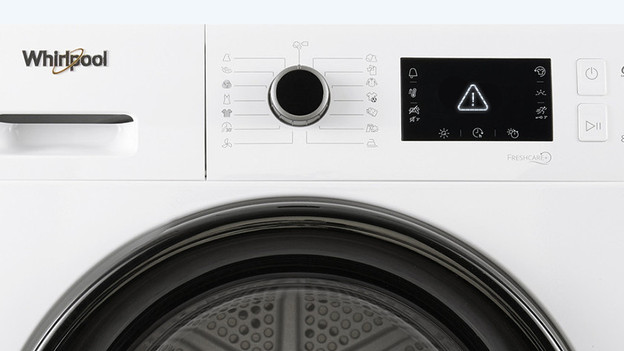
Light with exclamation mark
If your Whirlpool dryer shows a light with an exclamation mark, this can have different causes:
Check if the condenser reservoir is full. Is this the case? Empty it. If the condenser is dirty, clean it. Make sure you empty the lint trap after every dryer cycle.
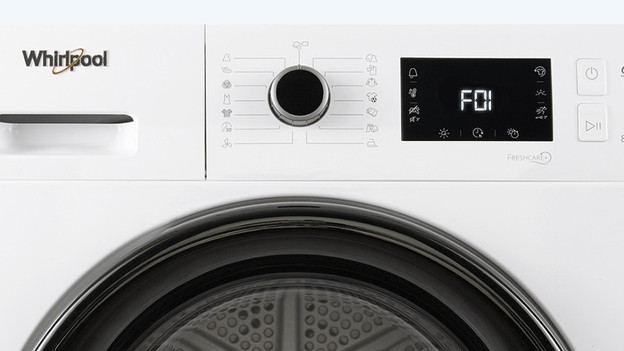
Whirlpool error F01, F02, F03
One of the dryer parts doesn't work:
- Press and hold the power button for at least 3 seconds.
- Restart the dryer cycle after the reset.
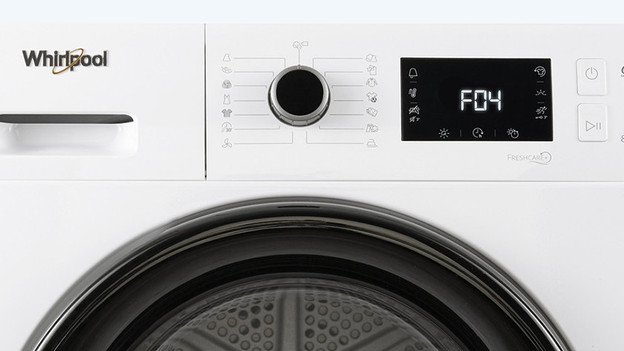
Whirlpool error F04
Important in solving this error is cleaning the condenser:
- Turn off the dryer and unplug it.
- Do you have a condenser dryer? Open the hatch at the bottom.
- Take out the condenser and rinse it under the faucet.
- Put the condenser back in place.
- If you have a heat pump dryer, clean the condenser behind the hatch with a vacuum brush.
- Wait for about 30 minutes and reset the dryer by holding down the power button for at least 3 seconds.
- Restart the dryer cycle.
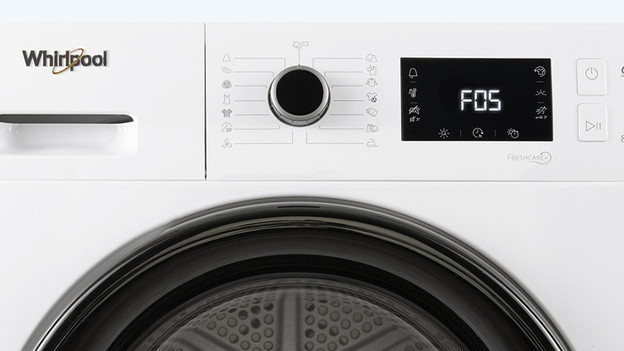
Whirlpool error F05, F06, F07, F08, or F09
One of dryer parts is malfunctioning:
- Turn off the dryer and unplug it.
- Open the door and take out your laundry.
- Wait for about one hour to give the heat time to escape.
- Insert the connector into the socket.
- Put your laundry back in the drum.
- Restart the dryer cycle.
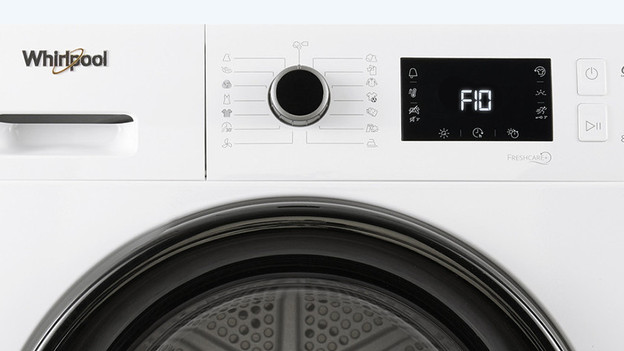
Whirlpool error F10 to F24
These errors also indicate that there's a problem with one of the parts:
- Turn off the dryer and unplug it.
- Wait for about one hour.
- Reinsert the connector and restart the dryer.
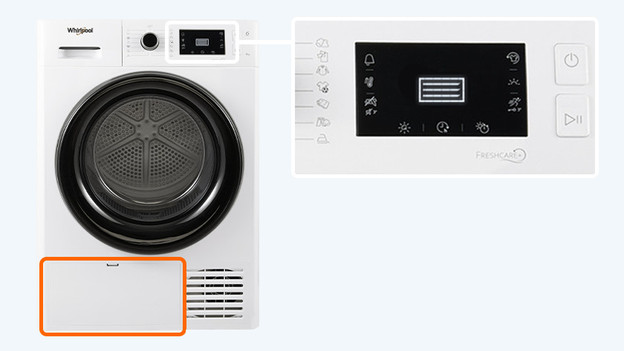
Notification 'change bottom filter' doesn't go away
If the 'clean bottom filter' light doesn't go away, check these things:
- The bottom filter and the lint trap are 2 different parts. The bottom filter is at the bottom of the dryer, behind a closed lid.
- When you clean the bottom filter, also clean the space behind the filter.
- When you're done cleaning the filter and the space behind it, you can start a cycle, and the notification will go away afterwards.
Error 'empty reservoir' appears
When the light for the condenser reservoir comes on, the reservoir is full. Remove the reservoir from the dryer and empty it in the sink. When you put the reservoir back and start the dryer cycle, the notification should disappear. Is your dryer connected to the water drain and do you still see this error? Check the manual to learn how you can manually turn off the light. Also make sure there's no loop in the drain hose. The drain also shouldn't be higher up than 1m.
Error without display
Do you have a Whirlpool dryer without display? You'll recognize an error differently. In case of an error, a combination of lights will light up on the machine. In the manual of your machine, you can find what the combinations mean and how to solve it yourself.

Problem not solved?
It may help to unplug the appliance. Plug it back in after 30 minutes and restart the dryer cycle. If the dryer still indicates an error, you may need a technician. If you purchased your dryer from Coolblue, please contact our customer service. Before you do, check whether your dryer is covered by the warranty. Is the dryer not covered by the warranty? Or did you not buy it from Coolblue? Contact the Whirlpool customer service.
Article by Rowan
Dryer Expert.