Written by Jesper
Edited on
23 November 2023
·
08:13
How do you pay with your mobile phone?
Nowadays, most smartphones are suitable for making contactless payments. That's useful, because it'll save you a lot of hassle with wallets and cards. In this article, we'll explain how contactless payments with your smartphone work and how you can make your mobile phone suitable for this feature.
Make contactless payments with your smartphone
In order to pay with your phone, you need the right smartphone and app. In addition, we'll tell you how contactless payments work at the checkout.
- Smartphone with NFC
- The right payment app
- Payment
- Apple Pay


Smartphone with NFC
If you want to make contactless payments with your mobile phone, you need a smartphone with NFC. This secure chip is also used in your bank card, for example. You can turn on NFC via the settings menu. Open 'Settings' and type 'NFC' into the search bar. Tap the settings for NFC to activate your NFC chip.

The right payment app
If your phone is suitable for making mobile payments, you're not there yet. Your bank has to support making payments with a smartphone. If this is indeed the case, you have to connect your smartphone to your bank account. In the list below, you can check if your bank supports making mobile payments and which app you need.
- ING: ING Bankieren (standard app, free)
- Rabobank: Rabo Wallet of Google Pay (separate apps, both free)
- ASN Bank: ASN Mobiel Betalen (separate app, € 0.50 per month)
- SNS: SNS Mobiel Betalen (separate app, € 0.50 per month)
- ABN AMRO: Google Pay (separate app, free)
- RegioBank: RegioBank Mobiel Betalen (separate app, € 0.50 per month)
- Bunq: bunq - bank of The Free (standard app, works with Bunq Premium)
- Knab: Google Pay (separate app, free)

Payment
Making contactless payments only works with a suitable card reader. These card readers are recognizable by the logo for contactless payments. You can usually find this logo (and the sensor) on the side or screen of the device. Press the standby button on your phone to wake it up. Hold it against the card reader and you'll have paid using NFC. Is the amount more than € 25? You'll have to enter a PIN code first.
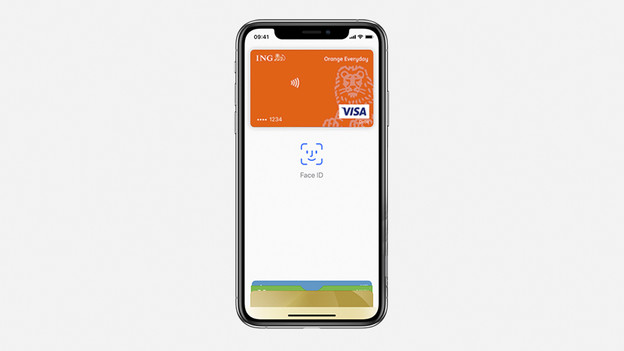
Apple Pay
Do you have an iPhone? You can also make contactless payments with Apple Pay. This works on the iPhone, but also on the iPad and Apple Watch. In our advice article, you can learn how to set up Apple Pay. You'll also find a list of the banks that support this payment method here.
Article by Jesper
Smartphone Expert.