
Written by Bram
Edited on
19 May 2025
·
14:41
This is how you connect your Philips Hue to your smart home
Philips Hue makes your life more comfortable. The smart lighting helps you to wake up or to fall asleep. The right light also helps you to feel comfortable at home. Also consider the security of your home, or automatically adjusting the light during the sunset. In this article, we'll explain how to do this.

What's a smart house?
Electronic devices communicate with each other in a smart home. You can control lighting, heating, and other appliances with your smartphone and tablet. For example, have your smart alarm system turn on all the lights when it detects a burglary. That way, the burglar will be in the spotlights right away. Or set the time you want to be woken up by the light of the Philips Hue smart lights or have the lights turn on when you're almost home. You can create a smart home with a smart assistant like Google Home or Apple HomeKit.
Google Home
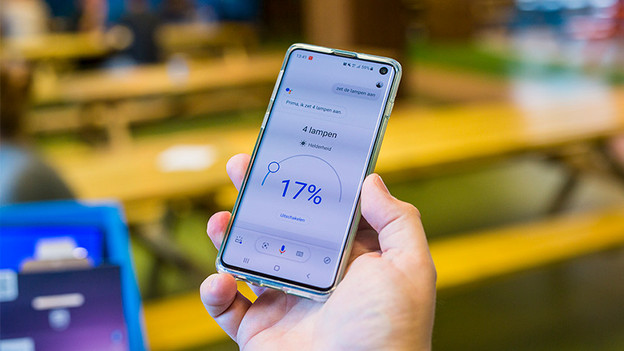
Google Home is a very accessible smart assistant. The installation of the app is just as easy on an Android phone as it is on an iPhone. By saying 'Hey Google', the smart assistant will listen to your command. You can make your house extra smart by placing a Nest Hub in your room. This smart speaker listens to commands, so you don't depend on your phone.

Apple HomeKit
Philips Hue lights work with Apple HomeKit as well. This is a platform you can use to make various smart devices communicate with each other. Connect your Philips Hue lights to the Apple HomeKit and you can control all the lights in your house with your voice. That's because you can give voice commands to Siri via your iPhone. With the HomeKit, you can also create different scenes with other appliances. For example, create a scene with which you automatically turn on all lights and the heating with just 1 command. This is useful for when you get home from work.

IFTTT
IFTTT stands for If This Then That. This platform links events to actions for smart devices in your house. IFTTT works seamlessly together with Philips Hue lights. With IFTTT, you can create 'recipes' that you can turn on or off. For example, make the lights turn blue (then that) if it starts to rain outside (if this). Or have your lights flash twice when the dishwasher is ready. The options are endless with IFTTT.

