
Written by Mark
Edited on
12 March 2024
·
16:01
How do you charge your PlayStation 5 controllers with the BlueBuilt charging dock?
You've purchased a BlueBuilt charging dock for your DualSense controllers. In this article, we'll explain how to connect your charging dock and charge your PlayStation 5 controllers in 2 steps.
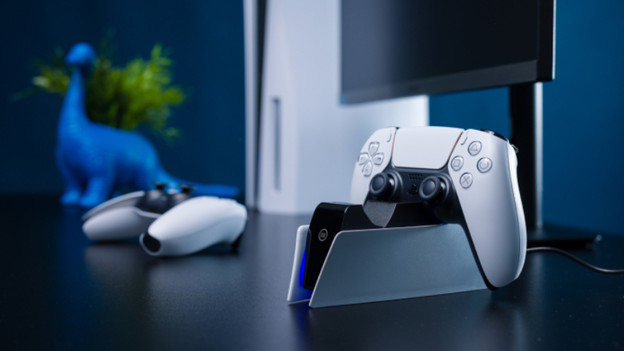
Set up charging dock in 2 steps
In this article, you can read how to set up the BlueBuilt charging dock and charge your PlayStation 5 controllers in 2 steps.
Step 1. Connect the charging dock.
Step 2. Charge your controllers.
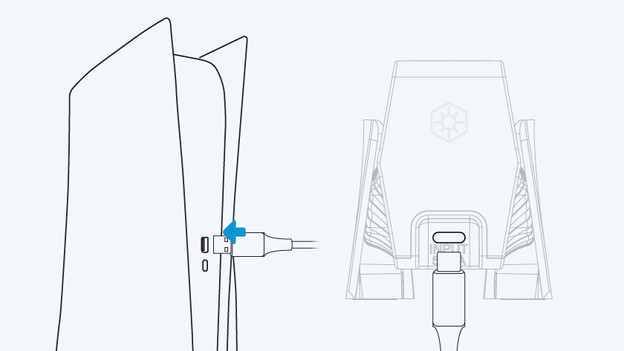
Step 1: connect the charging dock
Connect the BlueBuilt charging dock to the PlayStation 5 with the USB-C cable.
-
Plug the included USB-C cable into the back of the charging dock.
-
Plug the other end of the USB-C cable into the USB-C port of your PlayStation 5.
Your charging dock has now been connected to your PlayStation 5.
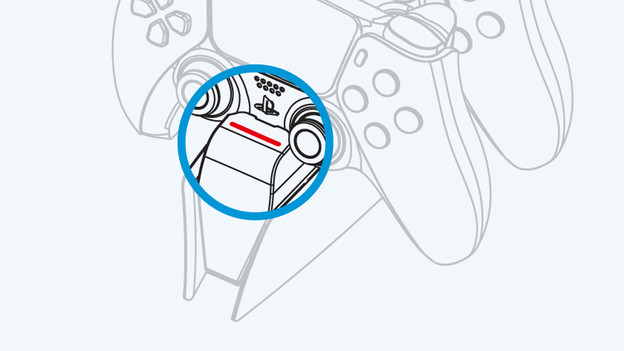
Step 2: charge your controllers
With the steps below, you can charge your DualSense controllers via the charging dock.
Attach the controllers to the charging dock with the touchpad upwards. Check whether the light on the front of the charging dock turns red. This means that your controllers are charging.
Your controllers are fully charged and ready for your next gaming session after 2.5 hours.

