Written by Sem
Edited on
19 August 2026
·
07:31
4 tips for the best F1 25 racing setup
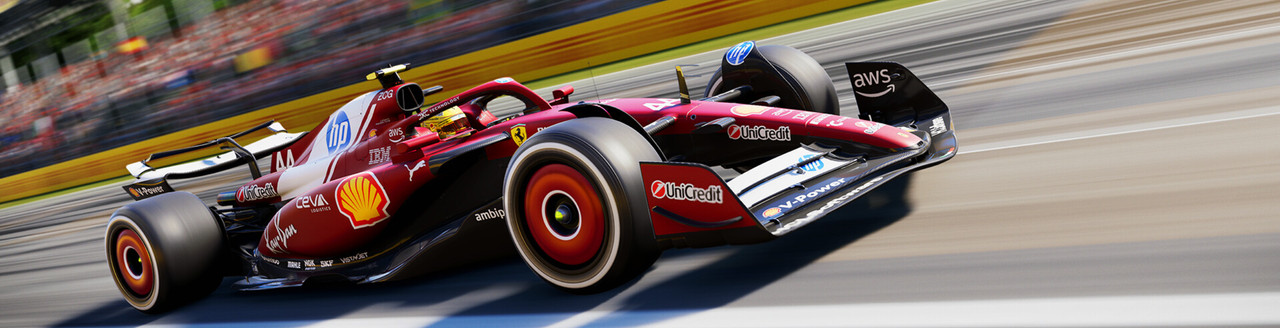
As a real racecar driver, you'll want to get started in F1 25 with a good racing cockpit. For this racing setup, you need certain accessories and the right settings for your game. In this article, we'll explain what you should do to create the best racing setup for F1 2025.
Get started with F1 25
Take on the role of your favorite racing heroes or challenge them with the team you built. Experience the world of Formula 1 from up close and go for the win in your fast racecar. We'll give you some tips to get started with F1 25.
- Tip 1. Adjust your racing wheel settings.
- Tip 2. Choose a racing wheel.
- Tip 3. Choose a racing chair.
- Tip 4. Place your racing wheel on a stand.

Tip 1: adjust your racing wheel settings
Are you racing with a racing wheel? You can adjust extra settings like the force feedback of the racing wheel. Force feedback determines how much resistance the wheel offers when you drift through a curve. You can make it feel as realistic as possible. The racing wheel settings can make or break your career in F1 25. Once you've got the hang of your racing wheel with the right setting, no one can stop you. These settings depend on your personal preference, so feel free to experiment with it. Drive some practice laps before adjusting the settings of your racing wheel again.

Tip 2: choose a racing wheel
The best accessory for your racing setup is a racing wheel. Get an even more realistic F1 25 experience with the Logitech G923 TRUEFORCE. Set the intensity of the force feedback to ensure your virtual ride feels even more lifelike. TRUEFORCE adjusts itself based on the speed, surface, and weather conditions. The pedals are made of durable materials, so they last a long time. With the Logitech software, you can easily adjust the power of the pedals yourself. Connect the racing wheel to your console and get started right away.
Logitech G923 TRUEFORCE - PS4, PS5, and PC
- With this steering wheel and pedals set, you're ready to break your lap record in your virtual racing car right away.
- The steering axle of the G923 is durable, because it's reinforced with steel ball bearings.
- Thanks to the LED lighting, you change gears at the exact right moment and accelerate faster than with the Logitech G920.
- This racing wheel is for experienced racers, due to the intense force feedback.


€ 219,-
Tip 3: choose a racing chair
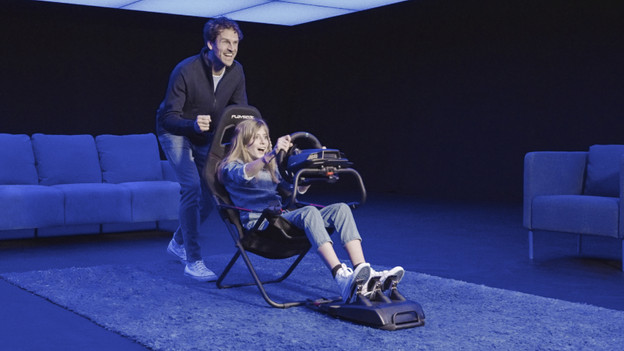
A good racing chair is also important, preferably a comfortable one. The Playseat Challenge is a good starter model for novice racers. This chair is compatible with almost all racing wheels and pedals on the market. Are you done racing? Fold the Playseat Challenge completely. That way, you can easily store the chair without having to remove the wheel and pedals. The Playseat was designed for drivers with a 1.20 to 2.20m height and a weight up to 122kg.
Playseat Challenge
- The new ActiFit material is durable and breathable, which ensures more comfort during long racing sessions.
- Not a single other racing cockpit takes up this little space when it's folded.
- You can fold the chair without having to remove the wheel and pedals.
- You can't adjust the height of the racing wheel, you can only adjust the depth.
- There's no space for a shifter, you need a separately available mount for this.

€ 179,-
Tip 4: place your racing wheel on a stand
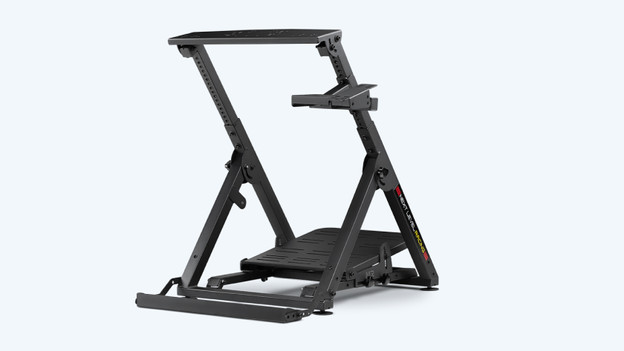
Are you looking for a stand for your racing wheel or servo base? The Next level Racing Wheel Stand 2.0 is suitable for you. With a racing wheel stand, you can get more out of your racing game experience. You can easily place your racing wheel or servo base on the Wheel Stand 2.0 so it stands firmly. This way, you experience the force feedback of your wheel optimally. Racing stands also have a tray for your pedals or a gearbox shifter. This way, you can place all your accessories like you see them in a real racing car.
Next Level Racing Wheel Stand 2.0
- You can fully adjust the position of this stand to your liking, so you can take on a realistic racing or flying position.
- Thanks to the steel construction, the stand is sturdy and can take a hit.
- The seating platform is suitable for almost every sim racing chair.
- The cockpit isn't suitable for every steering wheel brand.
- This frame doesn't include a chair.
€ 197,90
Article by Sem
Gaming Expert.