
Written by Chiara
Edited on
27 January 2025
·
13:10
3 tips when your dishwasher doesn't finish the cycle
You switched on your dishwasher with dirty dishes, but the appliance stops halfway through the cycle. That's a bummer, because your dishes are still dirty. In this advice article, we'll share 3 tips to make sure the dishwasher doesn't stop running mid-cycle.

3 tips when the cycle stops
When the dishwasher stops mid-cycle, try the 3 tips below.
- Tip 1. Clean the dishwasher.
- Tip 2. Connect the dishwasher properly.
- Tip 3. Check the water supply.

Step 1: clean the dishwasher
The reason for the cycle stopping may be a dirty dishwasher. Rinse the spray arm nozzles and filter and wipe off the door seal with a cloth. Check if there any clogs, such as food rests, dirt, or broken dishes.

Step 2: connect the dishwasher properly
If the dishwasher isn't properly connected, it can't drain the water. That's why the cycle stops. Make sure to connect the dishwasher properly. Check our advice article or the manual to install it correctly.
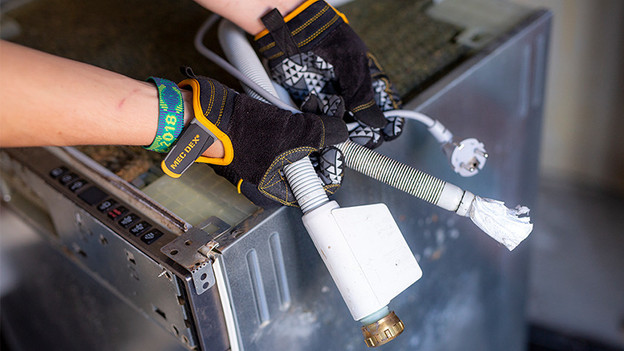
Step 3: check the water supply
There may be a problem with the water. Turn on the water supply under the sink and check the water pressure. Put a bucket underneath the water supply and fully turn it open. Check if there's about 10L of water in the bucket within a minute. If that's not the case, call a plumber. Check the supply and drain hose and remove any kinks.

Problem not solved?
It's possible that a part of the dishwasher is broken, or that there's a technical error. You can find solutions to error codes in our advice articles or in the manual of your appliance. Can't find the solution? Contact the customer service of the dishwasher brand.
Article by Chiara
Dishwasher Expert.

