Written by Steven
Edited on
21 April 2023
·
14:42
What is a Synology surveillance package?
Your home is everything to you. You live there, you keep your belongings there, and your partner and/or children may stay there. That is why you want to protect your house extra well. You can do this with a central security system for your home. But where do you start? Synology offers a solution with ready-to-use NAS surveillance packages. This allows you to easily secure your home with video surveillance.
What is a surveillance package?
A Synology surveillance package has one or more IP cameras, hard drives, and a NAS. You hang the IP cameras on a wall indoors or outdoors, so that you can keep an eye on everything. Your camera then sends the images to your NAS via the internet. The NAS saves the video images on the installed hard drives, so you have them on your own local storage. Your NAS will automatically make a backup and convert the video files to the correct file type.
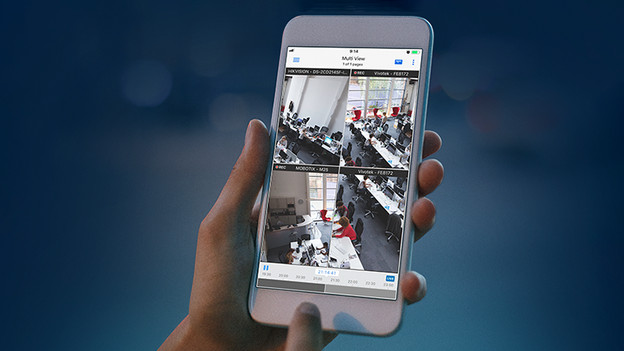

Synology Surveillance Station software
You can easily view this video footage on your smartphone or computer via the Synology Surveillance Station software. You can even do this while the NAS is storing new images. You can also watch real-time on multiple cameras at the same time. Don't feel like constantly monitoring your camera footage? You'll automatically receive a notification on your phone when the camera detects motion. To use this software, you need a license for each camera. Fortunately, you get a complimentary license for the first 2 cameras from Synology.
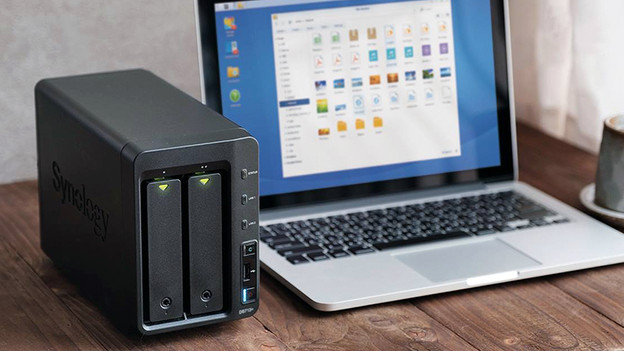
Why a NAS and not an SD card?
Did you use an IP camera with an SD card and is it stolen or destroyed? If so, you've lost all your data. With a NAS, your video images are stored indoors and encrypted, so they're preserved. Another advantage of the NAS is that it can be accessed via WiFi, so it's easy to view, stream, and edit the images. In addition, the largest SD card that fits in your IP camera is often 128 gigabytes, but NAS offers space for dozens of terabytes.

How do I choose a Synology NAS?
A NAS is the heart of your central security system. This means it's important that you choose one that suits your needs. If you only want to store images in low resolution with one camera, an entry-level NAS, like the Synology DS118, is enough. Do you use multiple cameras, save surveillance footage in high resolution, and do you want to stream and make backups at the same time? If so, an extensive NAS like the DS1019+ suits you better.
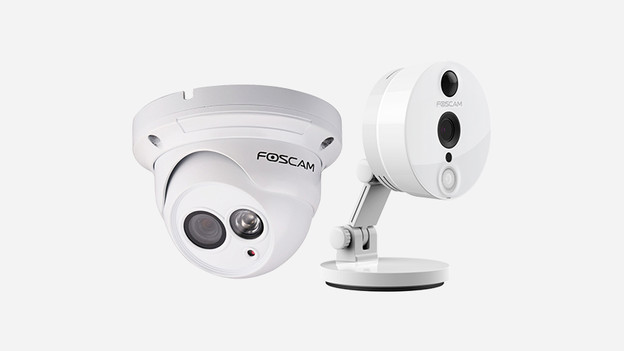
How do I choose an IP camera?
Synology surveillance packages come with different types of IP cameras. The main difference is whether the camera is intended for indoor or outdoor use. For example, an outdoor camera is often waterproof, can zoom in far, and supports Power over Ethernet, so you don't need an outside socket. Do you prefer to use WiFi to send images to your NAS? This is also possible, but it's a less stable method. Particularly keep in mind the maximum resolution if sharp images are important to you.
More than 2 IP cameras
Do you want to install more than 2 IP cameras on your NAS? You need a Synology camera license to do this. You can choose whether you want to install 1 or 4 extra cameras. Keep in mind that you also need a strong internet connection for a large number of cameras.