Written by Rowan
Edited on
10 August 2026
·
10:38
Everything on student discount on laptops
At Coolblue, you receive a temporary student discount when you purchase a new student laptop between 10 August 2026 and 6 September 2026. That way, you can save some extra study costs. In this article, you can read how exactly you get the discount and which laptops are part of the promotion.
Laptops with student discount
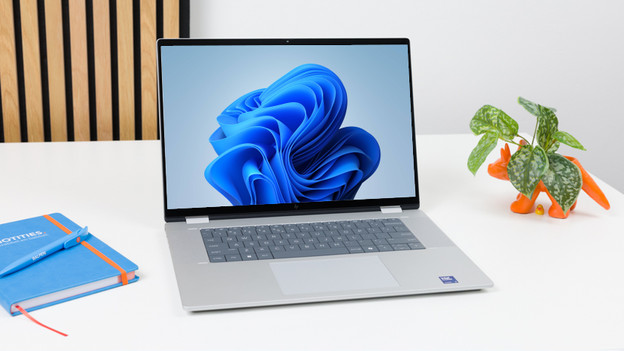
Windows laptops
Between 10 August 2026 and 6 September 2026, you'll receive up to € 100 student discount on selected Windows laptops. This discount is in addition to the other Back to School deals. We recommend a 14-inch Windows laptop if you often bring your laptop with you to school. Depending on the study, you need a more powerful processor. Choose at least 16GB of RAM to smoothly switch between all your products.
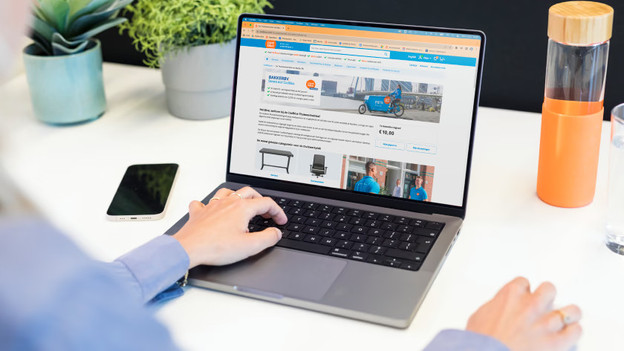
Apple MacBook
Between 10 August 2026 and 6 September 2026, you'll receive up to € 50 student discount on the MacBook Neo and MacBook Pro. This amount is in addition to the other MacBook deals. With the MacBook Pro, even the most demanding school tasks won't be a problem. You can create 3D models, program apps, or edit photos and videos. Choose the MacBook Neo if you mostly write reports and do research. You can't expand the RAM and storage capacity of your MacBook later on. So if you're not sure, always choose more.

Chromebooks
If you choose a Chromebook between 10 August 2026 and 6 September 2026, you'll receive a € 25 student discount. This discount is in addition to the other promotions. A Chromebook is useful for primary school, high school, or vocational education. Chromebooks operate differently than Windows laptops or the Apple MacBook. You often work in the browser and write many reports. Do you often switch between tabs or text documents? Choose 8GB of RAM.

How do you receive the student discount?
Of course, we have to be sure you're really studying. This is how you receive the student discount:
- Open the form and log in with your student email address.
- We'll send a code to this email address. Enter the code in the form.
- Within a few minutes, you'll receive a confirmation.
- Add your new laptop to your shopping cart.
- The student discount is automatically added during checkout.

What are the requirements?
A few conditions apply to this promotion. We've listed them for you:
- You have a student email, student ID, or proof of registration for the upcoming academic year.
- We have the same process in our stores and online, where we'll ask students to verify online via their phone.
- The promotion runs between 10 August 2026 and 6 September 2026.
- You receive the discount on selected laptops.