
Written by Deanne
Edited on
3 December 2024
·
15:08
What's the Google eco system and what can you use it for?
With the Google ecosystem, all your Google devices work together. For example, you can check your calendar or photos on your Pixel Tablet, smartphone, Chromebook, and Nest hub. You can control your smart devices via Google Home as well. And, listen to the same music and watch the same movies. In this article, you can read what the Google system has to offer.

What's the Google ecosystem?
The Google ecosystem includes various products and online programs. The ecosystem has various apps and physical products. Online products are programs like Gmail, Google Calendar, and Google Drive or Google Home. Physical products include the Chromebook and the Google Pixel Tablet or other Android devices. You can log in and easily share information with all these devices via your Google account.
Stream music and videos to all your devices
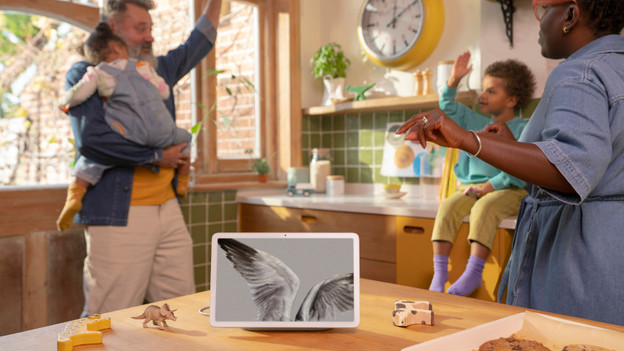
With Google products, you can watch the same videos and listen to the same music on all your devices. You can also easily share movies and series via all your Google devices. For example, you can cast apps to your Chromebook and Pixel Tablet from your smartphone. Thanks to this, you can continue where you left off. You can cast your favorite series from your tablet or smartphone to your smart TV with Android or Google TV.

View various Google apps
You can install the various Google apps on all your Google devices. Log in to all your devices and apps with the same Google account for the best cooperation. For example, this allows you to see your appointment in Google Calendar on every device. You can also view all your photos via Google Photos on every device. And, store the passwords of various apps and websites in your Google account. That way, you can easily log in on any device.

Store images via Google Drive
With Google Photos and Google Drive, you can easily share photos and files between devices. For example, you can view the photos you take with your smartphone on your tablet or laptop as well. Via Google One, you can manage the storage of your Google apps and make backups from your devices. When you purchase a new smartphone, you can easily transfer your information from your old device.
Easily control all your Google Home products
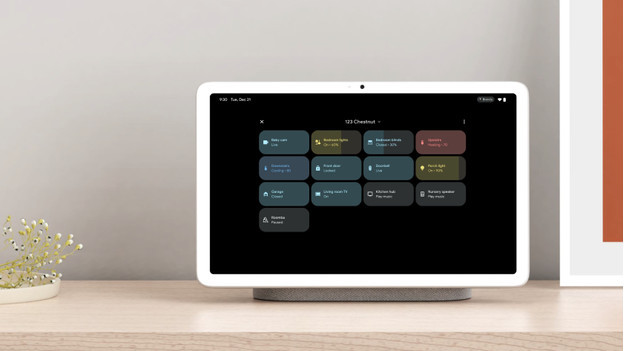
Via your Nest hubs and Pixel devices, you can control all your Google Home devices. For example, your Google thermostat, Google doorbell, and Hue smart lights. This means you can view the images of your smart doorbell via all your screens when someone rings the door. You can adjust the temperature at home via your Google Nest thermostat and control the light per light via all your Google devices. And with your Google Home Hubs, you can control all devices with voice commands too.

What are the benefits for you?
The main advantage of the Google ecosystem is that all of your Google products work seamlessly together. You can quickly synchronize data with your smartphone, tablet, and laptop. This allows you to easily share photos from your smartphone with your Chromebook and see all your tasks in 1 overview on all your devices. You can also store your files in the cloud, so you can open them from every device.
Article by Deanne
Google Expert.

