
Written by Daniel
Edited on
7 June 2024
·
08:36
What's WiFi 7?
With WiFi 7, you can go online as quickly as possible with all your devices without your WiFi slowing down. WiFi 7 is much faster than WiFi 6 and 6E. The new standard has a maximum speed of 46Gbps total. That way, these new routers can fully use the new 6GHz band. In this article, we'll explain how WiFi 7 can benefit you.

How fast is WiFi 7?
WiFi 7 is a WiFi standard with a maximum speed of 46Gbps. The fastest available WiFi 7 router has a total speed of 19Gbps. WiFi 6E routers aren't faster than 11Gbps. In this article, we'll explain how the new WiFi standard can already help you with a faster connection at home. We'll go over advantages and questions:
- WiFi 7 is suitable for the most demanding tasks .
- Always use the full power of your router.
- WiFi 7 routers process data even faster.
- Which devices support WiFi 7?
Compare WiFi 7 to WiFi 6 and WiFi 6E
| WiFi 7 | Wifi 6E | WiFi 6 | |
|---|---|---|---|
| Channel width | Up to 320MHz | Up to 160MHz | Up to 160MHz |
| Frequency bands | 2.4GHz, 5GHz, and 6GHz | 2.4GHz, 5GHz, and 6GHz | 2.4GHz and 5GHz |
| Data packet | 4096 bytes per packet | 1024 bytes per packet | 1024 bytes per packet |
| MU-MIMO | Connect 16 devices at the same time | Connect 8 devices at the same time | Connect 8 devices at the same time |
| Resource units | Multiple types of resource units | 1 type of resource unit | 1 type of resource unit |

WiFi 7 is suitable for the most demanding tasks
Routers with WiFi 7 can handle the most demanding tasks. To do so, they use channels with a 320MHz bandwidth. Before WiFi 6E, data streams had a bandwidth of up to 160MHz. Your router fills the wider channels with larger data packets. A WiFi 7 router sends packets with a 12-bit speed, which it does in one of 4096 ways. That's why this technology is called 4096-QAM. WiFi 6 used to send packets with a 10-bit speed, which your router could make 1024 combinations with. The larger data packets make demanding tasks much easier for your network.

Always use the full power of your router
WiFi 6E and WiFi 7 both use 3 frequencies. The WiFi versions use a 2.4GHz frequency for devices that don't transfer a lot of data. The 5GHz and 6GHz frequencies are used for more demanding devices. WiFi 6E has to switch between these frequencies when you walk away from your router with your device. That's because te 6GHz frequency is faster, but also has a smaller range. WiFi 7 routers connect your devices to the 2 frequencies at the same time. When some channels of a frequency aren't working or are blocked, your router automatically switches to the channels that do work. This is called preamble puncturing.
WiFi 7 routers process data even faster
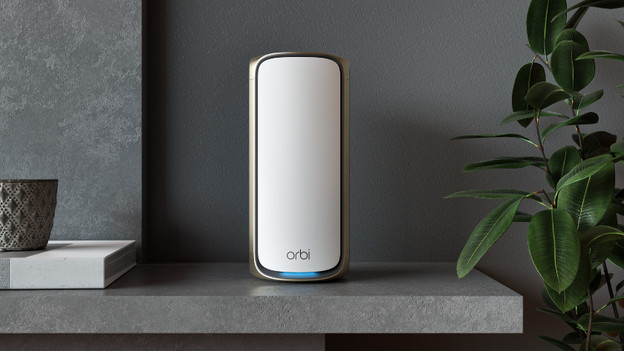
You can connect up to 16 devices to a WiFi 7 router at the same time. Even when all of those devices request data at the same time, you won't notice any delay. That's because a WiFi 7 router has 16 antennas that work at the same time. This technology is called 16x16 MU-MIMO. Your router distributes data through multiple channels, and WiFi 7 routers distribute data via small portions of each channel. As a result, devices don't take up an entire channel.

Which devices are suitable for WiFi 7?
At this time, only smartphones work with WiFi 7. You can choose from the OnePlus 11 or the new Samsung Galaxy S23 models. There are more and more routers that work with WiFi 7. These routers are also back-compatible with devices that only support older WiFi standards.
Article by Daniel
Network Expert.

