The BlueBuilt Imperium Wireless Ergonomic Bluetooth Mouse is a handy mouse that I can easily connect to 3 devices. The ergonomic design means my wrist is less likely to bother me.
First impression
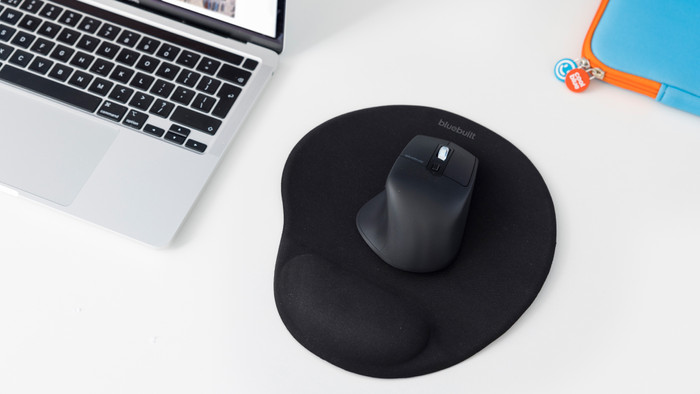
The BlueBuilt Imperium comes in a cardboard box. On the back of the box there is a QR code that sends me directly to a useful article that explains how to connect the mouse. The box also contains a manual, a charging cable and the mouse itself. I really like the feel of the mouse because it is made of soft plastic. The appearance of the mouse is simple, but sleek. It's also not heavy, which makes it easy for me to take with me from home to work.
Large, but comfortable
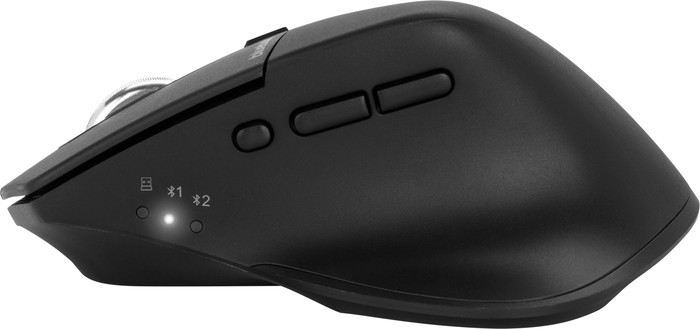
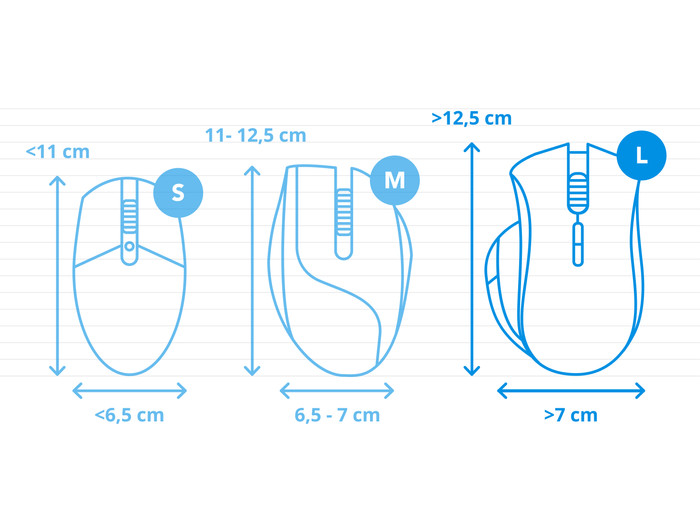
What strikes me is that the mouse is quite large, but fits comfortably in the hand. I have smaller hands and I work with a smaller mouse, so I had to get used to the larger size. The BlueBuilt mouse has an ergonomic shape. This way I can easily rest my thumb on the mouse. It also has a handy grip, so I don't have to twist my hand much to hold it properly.
Connection to multiple devices
I connect the mouse to my laptop in different ways. I choose to connect it via the USB receiver. This means the mouse is immediately connected and I can get started right away. You also connect the mouse via Bluetooth. In total you connect the mouse to 3 devices, which I find useful. This way, I don't have to switch between different mice after work when I start working on my personal laptop. Via the lights on the side I can quickly see which laptop the mouse is connected to.
Just click
The mouse clicks nicely. It has a softer clicking sound, which I like. The scroll wheel does make a little more noise when I scroll. I quickly navigate my screens with this mouse. With the DPI button I can easily choose which speed of the mouse I like. There are 4 speeds, but the third speed setting is my personal preference. Unfortunately, this BlueBuilt mouse does not have a horizontal scroll function. The mouse also has two thumb buttons near the thumb. I'm not used to this, because my old mouse doesn't have that. Still, I find it useful and I notice that I will use it more often.