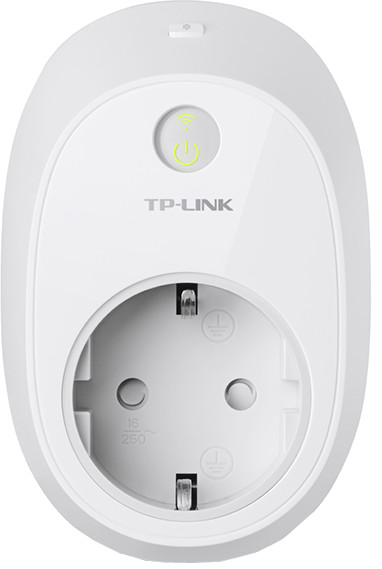
TP-Link HS110 Smart Plug Energy Monitoring

Never available again
View alternatives in the sidebar
View alternatives in the sidebar
Product number | 700286 | |
|---|---|---|
Manufacturer code | HS110 | |
Brand | TP-Link | |
Warranty | 2 years | |
Processing of your defect | Carry-in warranty |
Measures energy consumption | ||
|---|---|---|
Number of smart plugs | 1 | |
Controls via app | ||
Controlled via Apple app | ||
Controlled via Android app | ||
Smart home platform | Homey | |
Signal range | 30 m | |
Including remote | ||
Protocol | WiFi | |
Bridge required for WiFi connection |
Height | 10 cm | |
|---|---|---|
Width | 7,7 cm | |
Depth | 6,6 cm |
anything for a smile
According to our power plug expert
With this smart plug, you can also measure the energy consumption of a connected device.
Thanks to the WiFi connection, the plug can also be operated remotely, even from abroad.
It's possible to set schedules for switching the smart plug on and off.
To operate the smart connector remotely with the app, you need a stable WiFi network at home.
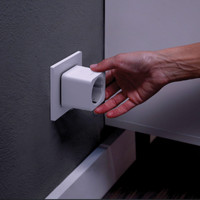
Due to its dimensions, the connector overlaps both sockets of a double wall contact.
Switch electric devices on and off from a distance, with the TP-Link HS110 Smart Plug Energy Monitoring. With this TP-Link smart plus, you can make every device smart. Thanks to the timer function, you can automatically switch off flammable devices like an iron, hair straightener, or coffee machine. Set a weekly schedule to turn the lights on and off, for instance to ward off burglars or because you'd rather not have to look for the light switch in the dark. Via the app, you can measure and analyze how much energy you're consuming, and how you can save energy.
5 stars
123
4 stars
38
3 stars
7
2 stars
1
1 star
3
This smart plug is somewhat more expensive than, for example, that of the Klik Aan Klik Uit (KAKU) system. However, on the other hand, he always does it. He won't let you know if, for example, you have 2 right next to each other.
You can operate the device via your smartphone, which is a matter of downloading and configuring the app. You do not need an additional device for this, something like a bridge which you do need, for example, with the KAKU system. The system uses your WiFi network. Then you can operate it indoors and outdoors. If you do not trust that, you can indicate that it may not be operated outside your home (outside your WiFi network). You can set this per smart plug. For example, you connect one to your refrigerator to measure the power consumption, then you can indicate that it may not be turned off outside the home. Also useful to prevent you from setting the wrong one yourself.
There is also a button on the device with which you can also turn it on and off.
Of course you can also program schedule. You can also have the power switched on when the sun goes down. Handy then you don't have to adjust the schedule yourself. This is also possible with the KAKU system, they have a separate sensor available for this that you then have to purchase.
The device can therefore measure the power consumption of the current moment, the last 7 days and the last 30 days.
And if you like programming you can use Python scripts cq. create programs to read consumption and switch it on and off. You can then run this on your Raspberry, for example.
Dirk Postma
11 January 2018
Automatically translated from Nederlands
The installation is done via the app and is very simple. The app looks good. Everything works fine. I have this plug as well as the plug without Energy monitoring. But this is useful to see exactly how much some devices 'slurp'.
Peter Knipper
23 March 2016
Automatically translated from Nederlands
The switch/energy meter is extremely easy to install. It was arranged within 2 minutes. The app is very clear and user-friendly.
With regard to the function to measure energy consumption, I find the statistics very sparse. The current consumption, average consumption of the last 7 days and the average consumption of the last 30 days are displayed. I miss the consumption of the previous day and per year and possibly a display in a graph. Hopefully this will be added to the app with an update over time.
DaanNL
27 February 2019
Automatically translated from Nederlands