Never available again
View alternatives in the sidebar
View alternatives in the sidebar
With Coolblue Extended Warranty, you are protected against costs due to quality defects of your solid state drive (SSD) for the next 4 years. During the entire term, we will reimburse up to the original purchase price. You can easily add the Extended Warranty in your shopping cart.

€ 14,99
one-timeAdd your solid state drive (SSD) to your shopping cart. In the next step, you can add the Extended Warranty. You can exchange or return your purchase for free within 30 days.
Product number | 801986 | |
|---|---|---|
Manufacturer code | MZ-N6E1T0BW | |
Brand | Samsung | |
Warranty | 2 years | |
Processing of your defect | Carry-in warranty |
Total storage capacity | 1 TB | |
|---|---|---|
Type of SSD | M.2 SATA | |
SSD-controller | Samsung | |
Memory type (SSD) | Multi Level Cell (MLC) |
M.2 SSD connector type | B+M | |
|---|---|---|
Compatible with product type | Desktop, Laptop | |
With heatsink |
Depth | 2,215 cm | |
|---|---|---|
Height | 0,328 cm | |
Width | 8,15 cm | |
Color | Black |
Speed class M.2 SSD | Mid-range | |
|---|---|---|
Cache memory | 1024 MB | |
Maximum read speed | 550 MB/s | |
Maximum write speed | 520 MB/s | |
Output operations per second (IOPS) | 98000 | |
Input operations per second (IOPS) | 90000 | |
Mean Time Between Failure (MTBF) | 1500000 hours |
Energy-efficient | ||
|---|---|---|
Durability class | Mid-range |
anything for a smile
Total storage capacity | 1 TB | |
|---|---|---|
Type of SSD | M.2 SATA | |
Maximum read speed | 550 MB/s | |
Maximum write speed | 520 MB/s | |
With heatsink |
According to our solid state drive (SSD) expert
This SSD writes your files 10MB/s faster than the previous Samsung 850 EVO series.
Because this SSD has a B and M key, it fits into any M.2 input.
Keep your data secure thanks to the AES 256-bit hardware encryption.
This SSD doesn't support the faster PCIe 3.0 and NVMe.
Note: this M.2 SSD has a PCI Express (NVMe) interface and will only work if your system supports PCIe/NVMe. Make sure to check this in the manual of your laptop or motherboard.
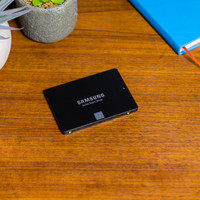
The Samsung 860 EVO 1TB M.2 is an internal SSD for your ultrabook or desktop PC. This M.2 card lets you expand your computer's storage space and gives your computer's performance a speed boost. The SSD has been developed with 64 layers of V-NAND technology. This makes the Samsung 860 EVO 250GB up to 25% more energy-efficient than its predecessor. This way, you can save energy with your desktop computer and your laptop will last longer on a fully-charged battery. Thanks to a write speed of 520MB/s, you can transfer large files such as HD movies and high-resolution photo collections in a few seconds. You can transfer a file of 5GB in under 10 seconds and the AES 256-bit encryption protects your data, so all your files remain unchanged.
5 stars
21
4 stars
11
3 stars
0
2 stars
0
1 star
0
Fast delivery, even on Sundays! This SSD is easy to install and worked within 5 minutes. Fast data transfer, load games in an instant! This SSD is highly recommended to install as extra data storage. I am very satisfied with it.
Jan van der Grift
12 November 2019
Automatically translated from Nederlands
A very good quality M.2 SATA SSD! It is more difficult for people without knowledge about hardware and software to install since you also have to assign the device its place on the computer yourself. Well, I'm fairly technical, but someone without those skills could also try it with a tutorial or have it installed by a pro. Otherwise very satisfied!
Jonathan
7 March 2021
Automatically translated from Nederlands
It is more the computer where it has to come in that makes the installation more difficult or easier. In my case, I had to unscrew quite a bit before I could do justice to the old card. After that it was a piece of cake in terms of hardware. The drive itself works like a charm. Make sure you make an exact copy of your old drive with, for example, a USB with Linux on it and a separate other drive (I still had a 1TB hard drive in my PC with enough space). After that, you have to spend some time trying to get the restore partition at the end of the new disk (also via Linux), otherwise your new nice big disk won't be of any use.
Saskia Frankena
25 May 2020
Automatically translated from Nederlands