

anything for a smile

€ 73,90
Delivered tomorrow
Performances
Energy consumption
Price-quality ratio
It's great quality and very quiet, but you should turn off your error messages in your bios if you have an asus motherboard!
Patrick Van de Putte
18 June 2020
Automatically translated from Nederlands
The PC had started making the sound of a vacuum cleaner. After having replaced it with the Noctua, it is very quiet. The temperature has also dropped from about 60°C (at 2750 RPM) to 34°C (at 1100 RPM).
Kenny D'haeseleer
7 November 2020
Automatically translated from Nederlands
I have it built into a Dell G5 Desktop. The standard cooler that Dell supplies is not able to sufficiently cool the processor under load. With this noctua cooler the temperatures have dropped by 25% to acceptable levels. I do find that the color scheme of the fan is not very attractive. Fortunately, you can't see the fan in my housing, otherwise I would have opted for a black one.
One more note, if you can fit a bigger cooler, do it! This cooler is fine if you have limited space in your housing. But for the same money you can buy larger coolers with a better cooling capacity.
Stefan
5 May 2021
Automatically translated from Nederlands
Product number | 831349 | |
|---|---|---|
Manufacturer code | NH-U9S | |
Brand | Noctua | |
Warranty | 2 years | |
Processing of your defect | Carry-in warranty |
Cooling method | Air | |
|---|---|---|
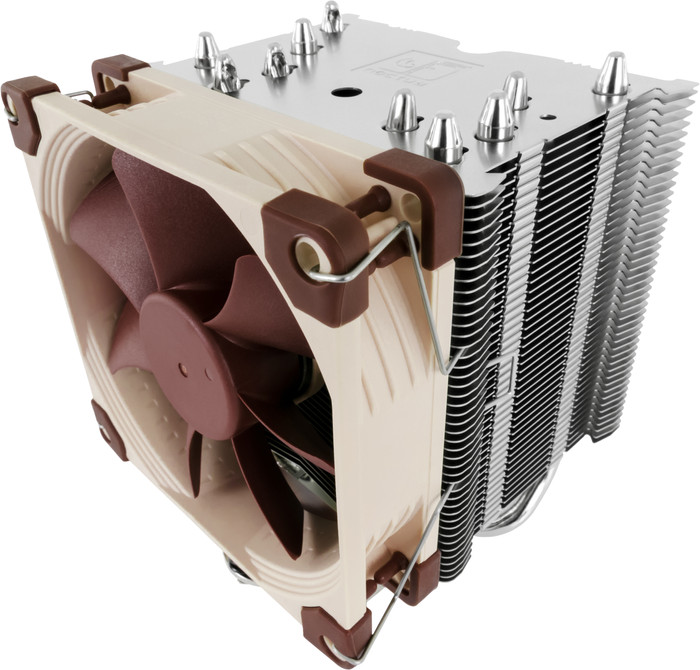
Heat pipes | 5 | |
Maximum rotation speed | 2000 rpm | |
Minimum rotation speed | 400 rpm | |
Fan diameter | 92 mm |
Socket (CPU) | 1150, 1151, 1155, 1156, 1200, AMD AM4, AMD AM5, Intel LGA 1700, Intel LGA 1851 | |
|---|---|---|
Minimum noise level | 16,3 dB | |
Maximum noise level | 22,8 dB | |
Width | 9,5 cm | |
Depth | 9,5 cm | |
Height | 12,5 cm | |
Weight | 0,62 kg | |
Color | Silver |
1150, 1151, 1155, 1156, 1200, AMD AM4, AMD AM5, Intel LGA 1700, Intel LGA 1851
1150, 1151, 1155, 1156, 1200, AMD AM4, AMD AM5, Intel LGA 1700, Intel LGA 1851
1150, 1151, 1155, 1156, 1200, AMD AM4, AMD AM5, Intel LGA 1700, Intel LGA 1851
1150, 1151, 1155, 1200, AMD AM4, AMD AM5, Intel LGA 1700, Intel LGA 1851
92 mm
140 mm
140 mm
135 mm
Air
Air
Air
Air
Cooling method | Air | |
|---|---|---|
Socket (CPU) | 1150, 1151, 1155, 1156, 1200, AMD AM4, AMD AM5, Intel LGA 1700, Intel LGA 1851 | |
Fan diameter | 92 mm |
According to our processor cooler expert
Also for modern PCs: this cooler also fits on modern motherboards.
Easy to install: you can easily place the air cooler on the processor.
Little noise at full speed: work with focus without being bothered by noise thanks to the low 22.8-decibel noise level.
Less suitable for heat spikes: an air cooler handles sudden spikes in temperature less well than a water cooler.
€ 73,90
Delivered tomorrow
€ 73,90
Retail price
€ 109,-€ 108,90
Retail price
€ 129,-€ 118,90
Retail price
€ 104,90€ 90,90