SwitchBot Smart Curtain Motor - U Rail 2 - Black
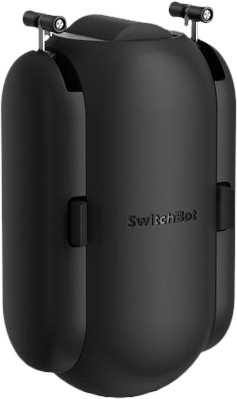
Never available again
View alternatives in the sidebar
View alternatives in the sidebar
Product number | 902049 | |
|---|---|---|
Manufacturer code | W0701600 -UB | |
Brand | Switchbot | |
Warranty | 2 years | |
Processing of your defect | Via Coolblue |
Color | Black | |
|---|---|---|
Protocol | Bluetooth | |
Supporting curtain types | Horizontal curtains | |
Supporting curtain systems | Cable system, Curtain systems with curves, Straight rod system | |
Supporting curtain system | Double asymmetrical curtain, Double symmetrical curtain, More than 2 curtains on a rod, Single curtain on a rail | |
Maximum length curtain rails | 300 cm | |
Minimum length curtain rails | 0 cm | |
Power supply type | Rechargeable battery | |
Rechargeable battery |
Compatible with smartphone / apps | ||
|---|---|---|
Controls via app | ||
Controlled via Android app | ||
Controlled via Apple app |
Height | 11 cm | |
|---|---|---|
Width | 4,2 cm | |
Depth | 5,1 cm | |
Weight | 135 g |
anything for a smile
According to our curtain motor expert
With this curtain motor, you can make your curtains smart.
You can set routines in the app, so your curtains open automatically in the morning.
The setup is easy, so you can do it without tools.
You can't control the curtains outdoors, because the motor works with Bluetooth.
The motor of the SwitchBot can open curtains with a maximum weight of 8kg.
Installation ease
Build quality
Connectivity
Waking up to sunlight is much nicer than the loud sound I need from my alarm clock. Closing the curtains manually is a bit stiff, but that is solved in no time. The curtains now close when I turn off my smart lights in the same room.
Installation
The installation took 4 minutes. You hook the wheels into the rails, then you turn them over. You repeat this for both sides of the engine. Then click on both sides. I opened the Switchbot app and was able to open my curtain without verification. I even found this a little too easy. My installation took 4 minutes because my curtain rails of 4 centimeters wide were almost too narrow. So pay close attention to the dimensions of your rails.
Automate
Switchbot offers time schedules in the app. Your curtains will then open and close at fixed times. My sleep rhythm is not that consistent, so I found another solution. You can pair your curtain with the 'IFTTT' app. For example, my curtains now close when I turn off my smart lights. The curtains open again just before my alarm goes off. The 'light sensing' option did not work for me. This option opens the curtain when it detects light and this sensor also counts the large lamppost in front of my window as light. Switchbot says they are improving this feature soon.
Types of curtains
The first time I used the curtain, it didn't open all the way. You can set in the app that the motor runs longer when it activates. You can also make the engine work a little harder with the 'power mode'. The motor makes a lot of noise, so I don't use this mode. I have 2 curtains that both only open outwards. I therefore needed 2 motors to open my curtain completely.
Open manually
The curtains are around the engine, so you can't close them right away. The engine will help you with this. You have to pull the curtain a bit for this and the motor opens the curtain further. This didn't work for me the first time. I had to pull the curtain high, after which the motor received the signal smoothly. It takes some practice, but the 'Touch and Go' function works.
Daniël van der Velden
10 June 2022
Automatically translated from Nederlands
Good product, but clearly made for the US market. Doesn't really work well with Dutch rails, and our curtains with the many hooks are also a bit heavy for him. But, if you get several, or if you like small pieces too (like when you just want to be woken up), then this is definitely the smart curtain motor for you!
Christiaan
7 May 2022
Automatically translated from Nederlands
The idea is great, but the execution too light. I have curtains with 3 meters wide with a u rails this distance is too much for the switchbot because the motor is too weak to move the curtains and just stops. While the curtains are easy to operate by hand. Too bad she would have liked it otherwise. Unfortunately sent back.
Willem van den Dungen
9 May 2022
Automatically translated from Nederlands


