Samsung USB-C Flash Drive 256GB

Choose your USB flash drive
256 GB
- Be the first to know when this product is in stock


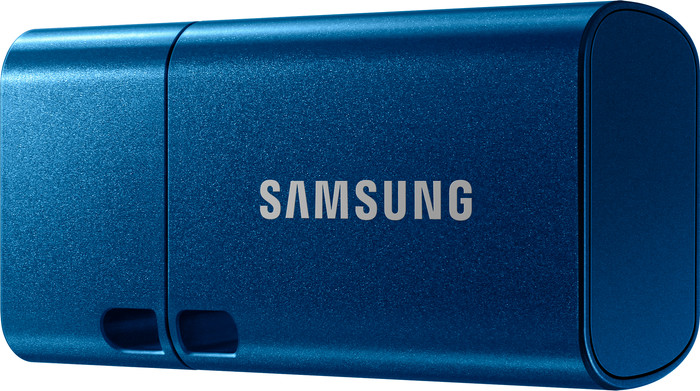

256 GB
Product number | 905702 | |
|---|---|---|
Manufacturer code | MUF-256DA/APC | |
Brand | Samsung | |
Warranty | 5 years | |
Processing of your defect | Carry-in warranty |
Total storage capacity | 256 GB | |
|---|---|---|
Maximum write speed | 110 MB/s | |
Maximum read speed | 400 MB/s | |
USB version | USB 3.2 Gen 2 | |
Backup feature | ||
Protected memory (USB) |
Type of USB port | USB-C | |
|---|---|---|
Size USB flash drive | Small | |
Casing USB flash drive | With protective cover | |
Depth | 3,3 cm | |
Width | 1,8 cm | |
Height | 0,8 cm | |
Weight | 3,4 g | |
Keychain attachment | ||
Color | Blue | |
Material | Metal | |
Compatible with product type | Desktop, Laptop, Smartphone, Tablet | |
Water-resistant | ||
Water-repellent coating | ||
Waterproofness certification | Not certified | |
Water resistance | Waterproof | |
Dustproof | ||
Shockproof |

anything for a smile
Current product

Retail price
€ 122,99€ 76,90
Retail price
€ 85,29€ 78,90
Retail price
€ 122,99€ 69,90
Retail price
€ 85,29€ 76,90
USB-C
USB-C
Standard USB-A
USB-C
USB 3.2 Gen 2
USB 3.2 Gen 2x2
USB 3.2 Gen 2
USB 3.2 Gen 2x2
400 MB/s
150 MB/s
300 MB/s
150 MB/s
With protective cover
With protective cover
Without protective cover
With protective cover
Type of USB port | USB-C | |
|---|---|---|
Total storage capacity | 256 GB | |
USB version | USB 3.2 Gen 2 | |
Maximum read speed | 400 MB/s | |
Maximum write speed | 110 MB/s | |
Casing USB flash drive | With protective cover |
According to our USB flash drive expert
You can use the USB flash drive with many different devices that have a USB-C port, like your smartphone or tablet.
You can store lots of photos and videos on the 256GB storage.
You can quickly transfer small files like photos or text documents thanks to the average write speed.
You need more storage space when you want to save a lot of large or heavy files.
If you want to quickly transfer large files like spreadsheets or 4K and 8K media, you’ll need a higher write speed.
I used it for my S23, at first it wouldn't transfer files larger than 4GB, I looked on youtube and that's how I found how to solve that. Put the flash drive in the samsung and then go to the my files app from samsung and you can fix that there, you have to convert and then it should be okay. Attention, make sure the flash drive is still empty before formatting. Below in the link you can see how to do it. https://www.youtube.com/watch?v=d2zEhIeLXrE&ab_channel=HowtoSolutions
I've been transferring quite a few movies I made at Tomorrowland in the meantime because I didn't have enough space on the smartphone, unfortunately, this flash drive solved my problem. Keep in mind that this does drain battery. So if you are away from home for a long time, make sure you have an external battery with you, just give it as a tip.
I haven't experienced any problems yet. The speed I achieved was 67 mb/s write speed. The 100 mb/s is theory, the practice is a bit less but still pretty fast I must say.
Even if you want to remove the flash drive from the smartphone, the best and safest thing to do is first tap on the 3 bollekes via the app itself, definitely recommended to always do this.
Definitely worth the money.
Andy
30 July 2023
Automatically translated from Nederlands
Does what it's supposed to do quickly and at a fair price
HG
28 July 2022
Automatically translated from Nederlands
Nice solid USB stick that is nice and small.
Hielko
25 August 2023
Automatically translated from Nederlands