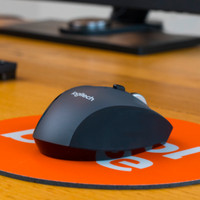
Logitech MX Master 3S for Mac Space Gray
Never available again
View alternatives in the sidebar
Choose your mouse:
Dark gray
Choose the faster mouse with more functions
Color: Dark gray
View alternatives in the sidebar
Choose your mouse:
Dark gray
Color: Dark gray
According to our mouse expert
The Logitech MX master 3S for Mac Space Gray is the improved version of the successful MX Master 3 and is made for macOS and iPadOS. This mouse is 90% more silent than its predecessor. It has multiple thumb buttons, a horizontal scroll wheel, and the famous MagSpeed scroll wheel, just like the MX Master 3. With the button on the top of the mouse, you can adjust the speed of the cursor up to 8000DPI. This way, the mouse is more sensitive and you can work more accurately. The MX Master 3S has the Darkfield sensor, so you can use the mouse on any surface. Connect it via a USB receiver or via Bluetooth, and get started right away. With Logitech Flow, you can use the mouse on multiple devices at the same time, and switch between them with a push of a button.
Connection type | Wireless | |
Mouse model | Standard | |
Left or right-handed | Right-handed | |
Ergonomic design | ||
Suitable for gaming | ||
Bluetooth | ||
Silent mouse | ||
Depth | 12,49 cm |
5 stars
41
4 stars
10
3 stars
2
2 stars
0
1 star
0
Connection options
Ergonomics
Accuracy
Size
Design
This is the third MX Master I have (first destroyed by accident, second disconnected after a few years). Never had a better mouse. Feels great in the hand, scroll wheel is fantastic. The main (left/right) mouse buttons on this model click just a little softer than on the previous model, a little more subtle, so to speak, so that they are also a bit quieter, which is an improvement in my opinion. The installation on the Mac was a bit rough... at one point I had 3 logitech apps on the Mac, and at a certain point the mouse was in it twice and I couldn't remove one (but duplication disappeared in the long run ). You can now set per app what you want to use the different buttons for... I can't remember that so I won't use that but for the enthusiast... In theory you could also perform a firmware update via bluetooth, but that did not work.
Remco Horchner
6 November 2022
Automatically translated from Dutch
I found it incredibly expensive for a mouse. But this one is very excellent. For me it was so nice that no dongle had to occupy the USB port.
Joris
23 August 2023
Automatically translated from Dutch
Never bought a "more expensive" mouse before, but what a difference from the previous "mice". Absolutely "silent as a mouse", you can adjust the movement speed yourself.
Frank Coulier
17 October 2023
Automatically translated from Dutch
Product number | 915843 |
Manufacturer code | 910-006571 |
Brand | Logitech |
Warranty | 2 years |
Processing of your defect | Via Coolblue |
Mouse model | Standard | |
Input | Laser | |
Number of buttons | 7 | |
Ergonomic design | ||
Left or right-handed | Right-handed | |
Maximum dots per inch (DPI) | 8000 dpi | |
Adjustable DPI | ||
Mouse controls | Buttons, Scroll wheel | |
Suitable for gaming | ||
Scroll fast | ||
Rechargeable | ||
Programmable buttons | ||
Number of programmable buttons | 3 | |
Lighting peripherals | ||
Silent mouse | ||
Horizontal scrolling | ||
Mouse surface | Any surface |
Connection type | Wireless | |
Type of USB port | USB-C | |
Nano receiver | ||
Bluetooth | ||
Bluetooth version | 5.0 | |
Number of devices that can be paired | 1 - 3 |
Plug and Play | ||
Compatible with operating system | ChromeOS, macOS |
Power supply type | Rechargeable battery | |
Battery level indicator | ||
Battery included |
Color | Gray | |
Width | 8,4 cm | |
Height | 5,1 cm | |
Depth | 12,49 cm | |
Material | Plastic | |
Finish | Matte |