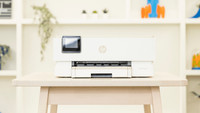
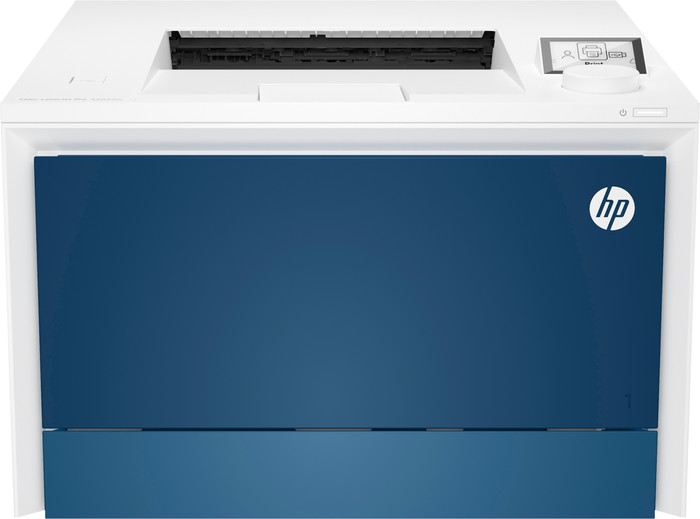
HP Color LaserJet Pro 4202dw
Choose your printer:
No extra toner cartridge
Choose the better printer with which you can also scan and copy
HP Color LaserJet Pro MFP 4302dw
Better model
Choose your printer:
No extra toner cartridge
Better model
According to our printer expert
5 stars
3
4 stars
1
3 stars
0
2 stars
0
1 star
0
With the HP Color LaserJet Pro 4202dw I have a fast single function printer with its own WiFi network. The printer does not copy or scan.
Installation and ease of use I install the printer at the office, which is quite easy. The toners are already placed in the printer, which saves me work. This allowed me to install the printer in no time. I operate the printer with a dial located under the screen. This button takes some getting used to. I especially notice this when I search for a setting or enter the WiFi password.
Link You connect to the printer in different ways. This can be done via the WiFi network of my own printer or via the office WiFi network. In addition, the printer comes with a handy USB cable, which I can also use for wired printing. I connect the cable to my printer and laptop, and my documents print immediately. I prefer to connect to WiFi direct, the printer's own WiFi network. This way I have a stable connection between my laptop and the printer and I can send my print jobs from a distance.
High speed I only print with Color LaserJet Pro 4202dw. Scanning or copying is therefore not possible with this printer. I tested the promised print speed of 33 pages per minute. Printing a 30-page file takes me less than a minute. Double-sided printing takes longer because the printer has to turn the paper over. Because of this speed, I recommend this printer for small offices. This also includes the recommended print volume of 750 to 4,000 pages per month. If you print more than 4,000 pages per month, look for a printer with a higher recommended print volume.
Double-sided printing and space for paper This printer automatically prints on both sides. This way I halve my paper consumption. This is not only environmentally friendly, but also saves costs. I store a total of 850 sheets of paper in the 2 paper drawers. When one tray is empty, the Color LaserJet 4202dw automatically switches to the other tray. This printer also prints in color. The colors come across strongly on the paper, which means my graphs print neatly.
Kayleigh. Printer specialist.
30 January 2024
Automatically translated from Dutch
Installation went very smoothly. I can understand that this may be more difficult for some because the scroll wheel and navigating through the selection menu require some skill. But when I printed the first page I noticed that there was a line on the page. A foam roll inside had a defect. So unfortunately I had to return it... Otherwise I was very satisfied. In the meantime, I returned it very quickly and received a new printer. Design: the size of the printer is not too bad. It is quite heavy. But once it's in place, it can't hurt. Ease of use: great! You can connect all types of devices (mobile phone, laptop, tablet,...) in different ways (cable, WiFi and Bluetooth). Prints very quickly and warms up quickly. I haven't really needed a touch screen yet, but I think it is useful. Quality: I can't fault it. Very pure. It's also handy that you can print double-sided. Now we have to wait and see how long the toner will last. I have already taken a look and it seems that the cartridges are easily replaceable. So I am very satisfied with my purchase!
Ilja D'haese
2 February 2024
Automatically translated from Dutch
And yes, we have finally switched from a black and white to a color laser printer. One that is also an automatic double-sided printer. Talk about an upgrade! But does the compact thing do its job as I expect? Yes, this definitely does it! After a quick look at the 'installation brochure', starting up is actually child's play. Fast and quiet device. It is important not to have too much disturbing noise in an environment if you want to print. The first findings are good, more later!
Laurent
1 February 2024
Automatically translated from Dutch
With Coolblue Extended Warranty, you are protected against costs due to quality defects of your printer for the next 4 years. During the entire term, we will reimburse up to the original purchase price. You can easily add the Extended Warranty in your shopping cart.
€ 49,99
one-timeAdd your printer to your shopping cart. In the next step, you can add the Extended Warranty. You can exchange or return your purchase for free within 30 days.
Product number | 935956 | |
|---|---|---|
Manufacturer code | 4RA88F | |
Brand | HP | |
Warranty | 2 years | |
Processing of your defect | Carry-in warranty |
Width | 42,1 cm | |
|---|---|---|
Depth | 42,7 cm | |
Height | 28,8 cm | |
Color | Blue | |
Weight | 16,33 kg |
Printer type | Printing only | |
|---|---|---|
Photo printer | ||
Print quality photos | Mediocre | |
Portable (mobile use) | ||
Recommended for use printers | Business printing |
Usage costs for 1 page | 2 eurocents | |
|---|---|---|
Toner cartridge line | HP 220 | |
Print technology | Laser | |
Type of ink | Toner cartridges | |
Number of cartridges/toner cartridges | 4 | |
Color printer | ||
Print speed black (ISO) | 33 ppm | |
Print speed color (ISO) | 33 ppm | |
First black page ready after | 9,5 seconds | |
Speed class | Excellent | |
Maximum print resolution height | 600 dpi | |
Maximum print resolution width | 600 dpi | |
Maximum print size | A4 | |
Automatic duplex printing | ||
Borderless printing | ||
Maximum print size duplex printing | A4 |
Scan functionality | ||
|---|---|---|
Automatic duplex scanning | ||
OCR |
Copying functionality |
|---|
Fax functionality |
|---|
Built-in screen | ||
|---|---|---|
Color screen | ||
Touchscreen |
Compatible with operating system | Android, ChromeOS, Linux, Windows, Windows Phone, iOS, macOS | |
|---|---|---|
Connection type | Wired, Wireless | |
Apple AirPrint | ||
Email print | ||
WPS (Wireless Protected Setup) | ||
Female standard USB-A port version | 2.0 | |
Ethernet port | ||
NFC | ||
Built-in WiFi | ||
WiFi frequency printers | 2.4GHz, 5GHz | |
Bluetooth | ||
WiFi direct | ||
USB port |
Manual input tray | ||
|---|---|---|
Photo paper drawer | ||
Output capacity output drawer | 50 | |
Maximum print size standard paper tray | A4 | |
Input capacity standard paper tray | 250 | |
Number of standard paper trays | 1 |
Memory card reader |
|---|