Tom by TomTom





anything for a smile

Retail price
€ 79,99€ 72,90
Delivered on Monday
Navigation quality
Design
Options
With Tom, I can focus more on the road, be well-prepared for traffic situations, and avoid fines. It's rechargeable and works without a subscription with the free TomTom app.
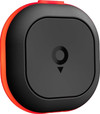
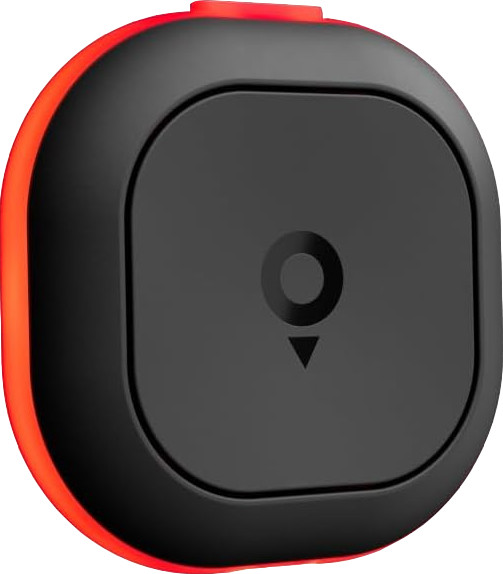
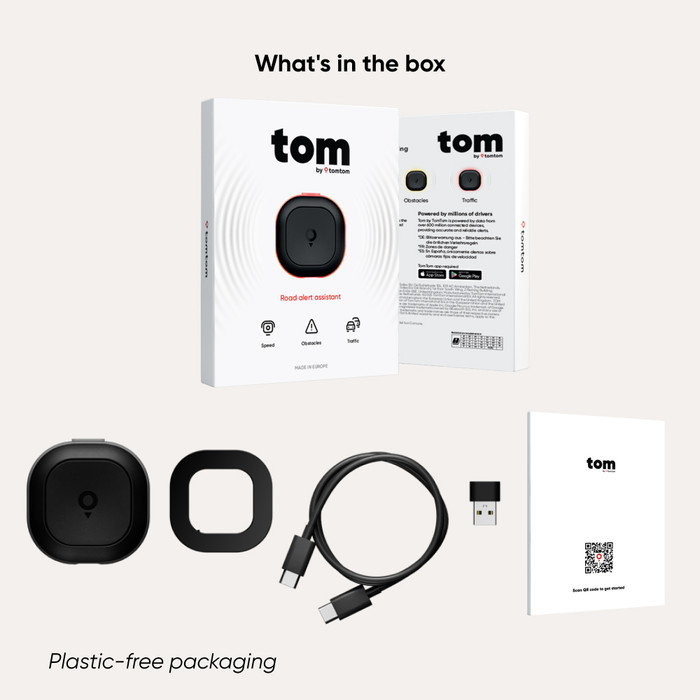
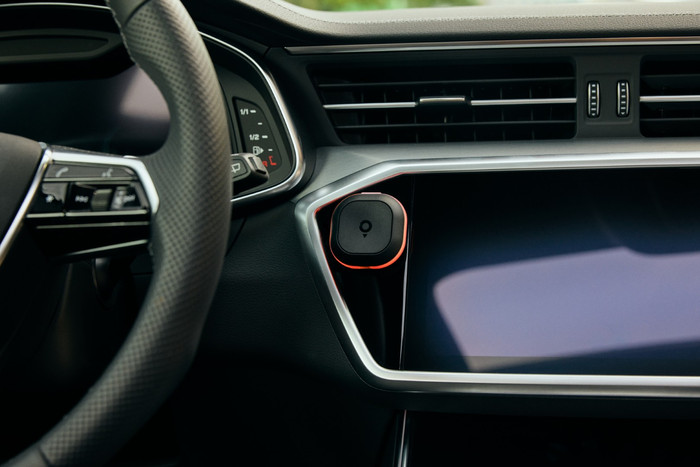
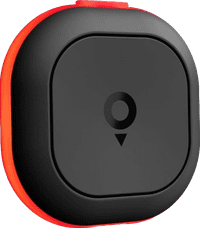
Small and rechargeable device The traffic report is compact. It's about the size of a dental floss box. There's a large button on the front, which I use to report situations. On the back, there's a mount that I attach to my dashboard with an adhesive strip. Tom attaches magnetically to the mount, so I can take it with me out of the car. However, it doesn't come with a mount for the air vent. A USB-C cable is included for charging the report, so no hassle with batteries.
Easy installation Installation is quick and easy. I pair the device via the settings in the TomTom app on my smartphone. I turn the device on, and the app automatically detects it. I'm ready to go. Tom works without a subscription with the free TomTom app. It's available in the Apple App Store and Google Play Store.
Works instantly and doesn't distract. I don't have to pair the notification when I get in the car, because that happens automatically. I receive a notification on my smartphone when Tom is paired. So I don't have to use the app to get traffic alerts. This is handy for short or familiar trips. Of course, I always have to have my smartphone with me. Tom's notifications are short and don't distract me from the road.
Notifications for speed cameras, average speed checks, and more. Tom alerts me in a timely manner, for example, about a speed camera. Well before a speed camera, the device lights up blue and I hear a beep. I also had a situation with unexpectedly stopped traffic, and then it lit up red. I also receive a notification if I'm driving too fast; I see an orange light. I can check if a speed camera is correct by pressing the large button in the center once. If there's an obstruction on the road, I hold the button until Tom flashes yellow.
Evany. Navigatie specialist.
5 December 2025
Automatically translated from Nederlands
The Tom by TomTom is easy to use and install via the free app. The free app is also an excellent alternative to the well-known navigation apps. The product itself works perfectly; all road closures, speed cameras, and speed limits are up to date and clearly displayed with a sound and a light signal. The downside is that the Tom works by pairing with your smartphone via Bluetooth and automatically launching the TomTom app when you get in the car. So you do need to have your smartphone with you and your Bluetooth enabled. So, you mainly use the Tom for short trips where you don't have your phone's navigation or CarPlay/Auto activated.
J. van Sommeren
24 October 2025
Automatically translated from Nederlands
A really handy device for the car; it clearly indicates when a speed camera is approaching or a dangerous situation is present. You can also easily indicate whether a speed camera is present. The device is easy to mount on the dashboard, and during my car rides, it subtly reminds me when I need to slow down a bit.
Anneloes
17 October 2025
Automatically translated from Nederlands
Our digital expert will help you, but it can sometimes make mistakes, like humans do.
According to our car navigation expert
You'll never miss a speed camera or traffic jam every again, because you'll be warned beforehand.
It works as soon as you drive off, because the device connect to your smartphone independently.
Thanks to its compact size, Tom fits on every dashboard.
You can't navigate with it and you don't receive notifications from smartphone messages.
With Tom by TomTom, you'll never miss a speed camera, traffic jam, or dangerous situation again. You attach this traffic alert to your dashboard. You can hear and see if a speed camera is approaching via light and sound. The device will light up blue, and you'll hear three short beeps. Use the various buttons on the device to indicate whether the situation is still accurate and to report new situations. You don't need a subscription because this device works with the free 'TomTom - Maps and Navigation' app. You can download it from the Apple App Store or Google Play Store. Tom works automatically when you get in your car after installation, but you must have your smartphone with you or have Apple CarPlay or Android Auto. You can attach the included mount to your dashboard. The device attaches magnetically. With a fully-charged battery, Tom lasts for 30 days. You charge it with the included USB-C cable.
Note: Note: if you're driving in Germany, you must disable speed cameras warnings in the TomTom app. This'll prevent you from receiving a fine.
Retail price
€ 79,99€ 72,90
Delivered on Monday
Product number | 970193 | |
|---|---|---|
Manufacturer code | 1TA0.002.00 | |
Brand | TomTom | |
Warranty | 2 years | |
Processing of your defect | Via Coolblue |
Width | 4,8 cm | |
|---|---|---|
Height | 4,8 cm | |
Depth | 1,47 cm | |
Weight | 23 g | |
Color | Black | |
Integrated dash cam | ||
Maximum battery life | 30 days |
Period of free map updates | Lifespan of device |
|---|
Navigation for vehicle type | Camper/Caravan, Car | |
|---|---|---|
Traffic updates via | Smartphone (GPRS) | |
Speed camera alert | ||
Period of speed camera alert | Lifespan of device | |
Traffic alert device | Yes |
Connection type | Wireless | |
|---|---|---|
Bluetooth | ||
Type of USB port | USB-C |
Hands-free calls | ||
|---|---|---|
Shows smartphone messages | ||
GPRS | Via mobile phone |
Memory card reader |
|---|
Coolblue takes care of everything, from taking out an insurance to repairs
For almost all accidents
More coverage in case of damage than your standard warranty
No deductible
First, add your car navigation to your shopping cart. On the next page, choose the Protection Plan below. You always have a 30-day return window and pay no deductible in case of damage.
2-year Protection Plan
€ 7,99
one-time3-year Protection Plan
€ 8,99
one-time