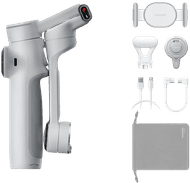
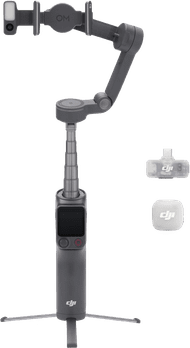
Insta360 Flow 2 Pro AI Tracker Bundle Summit White
Choose your gimbal
Tracking module
|
White
Choose your gimbal
Color: White
- Be the first to know when this product is in stock


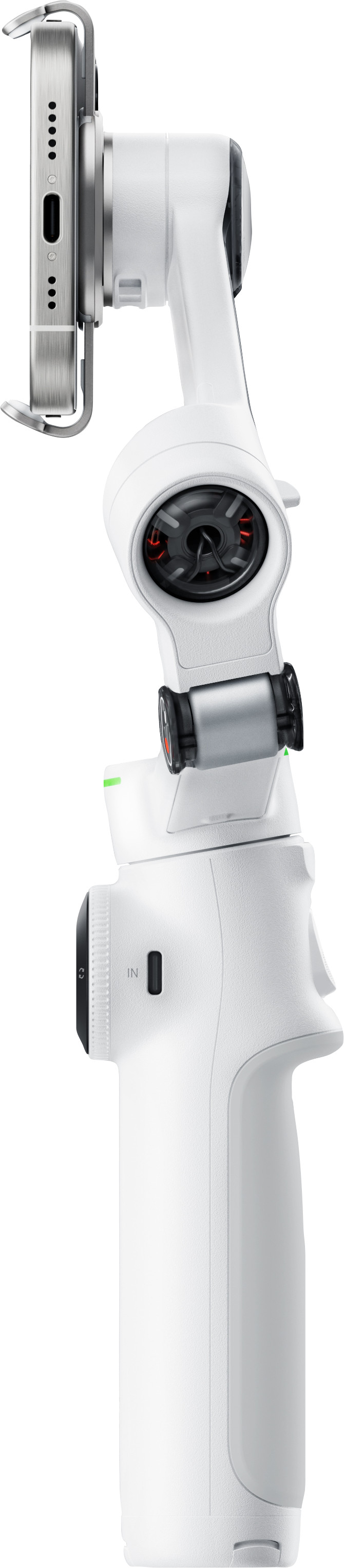


Tracking module
|
White
Color: White

anything for a smile
Current product

Retail price
€ 199,99€ 189,99
€ 199,99
€ 199,99
Retail price
€ 219,-€ 206,90
€ 169,99
0,382 kg
0,382 kg
0,382 kg
0,408 kg
0,382 kg
135 - 231 °
135 - 231 °
135 - 231 °
-224 - 100 °
99 - 231 °
300 g
300 g
300 g
300 g
300 g
Maximum load capacity | 300 g | |
|---|---|---|
Weight | 0,382 kg | |
Controlled via buttons on device | ||
Tilt range | 135 - 231 ° |
According to our gimbal expert
Thanks to the included AI tracker, the gimbal automatically follows every movement.
You can turn and tilt the gimbal every way and record everything around you.
Thanks to the built-in legs, you can put your smartphone down firmly.
You have to balance the gimbal yourself, so recording is harder.
Enjoy a smart gimbal that tracks you automatically with the Insta360 Flow 2 Pro AI Tracker Bundle Summit White. You get a smart AI tracker in this bundle. It tracks your movements and always ensures the sharpest image this way. The tracker also has a built-in lamp that lights up automatically when the image is too dark. That way, you can feel free record social media content at any time of the day. The gimbal has a 360-degree turning radius and can be tilted 99 degrees. You can see everything around this and won't miss any moments this way. You can move your smartphone in every direction. The gimbal also has built-in legs, so you can hold on to your smartphone and put it down firmly.
With the Insta360 Flow 2 Pro I take my videos to the next level. I record smooth videos by hand. It does take a while before I can operate it smoothly.
Easy mounting The gimbal feels sturdy. I open it, which is a bit stiff. I clamp my phone in the supplied clip and click it onto the gimbal. This is very easy via the magnetic mounting. The clip can only be attached to the gimbal in one way. There are control buttons on the handle of the gimbal. I move my phone with the large round joystick on the front. If I want to switch between portrait mode and landscape, I use the arrow to the right. There is a button on the back with which I can easily center the gimbal. When I press this button, my phone goes back to the starting position after I have made several movements.
Smooth recordings It takes a while before I have the gimbal completely under control, but my videos look smooth right away. I find it an indispensable accessory if you often record videos with your phone. My videos look a lot more professional. I record by moving the gimbal back and forth myself, but I can also use the joystick. I find the movements a bit more precise with the joystick. I rotate my phone 360 degrees.
Useful functions in the Insta360 app In the Insta360 app I connect my phone to the gimbal. When I am connected, I get explanations of various functions and control buttons. For example, I see how the tracking function works. I like this function when I film myself. I don't have to worry about walking out of frame, because the gimbal follows me accurately. I also choose from a number of creative recording modes, such as 360 degree panorama or TimeShift, a kind of moving timelapse. I see on my phone screen what I have to do for these recordings.
Possibilities of the gimbal At the bottom of the handle are extendable tripod legs. I find the legs quite thin, which means they don't feel super sturdy. But I don't have the idea that the gimbal will just fall over. I find it handy that I can extend the gimbal. This also allows me to take selfies with a larger group, for example. The gimbal is very small, which makes it easy to take with me when traveling. This is fun, for example, to make a video compilation of a city trip. The advantage is that I also use the gimbal as a power bank. Is my phone empty on the road? Then I charge it with the gimbal.
Manon. camera specialist.
4 February 2025
Automatically translated from Nederlands
With the Insta360 Flow 2 Pro I take my videos to the next level. I record smooth videos by hand. It does take a while before I can operate it smoothly.
Easy mounting The gimbal feels sturdy. I open it, which is a bit stiff. I clamp my phone in the supplied clip and click it onto the gimbal. This is very easy via the magnetic mounting. The clip can only be attached to the gimbal in one way. There are control buttons on the handle of the gimbal. I move my phone with the large round joystick on the front. If I want to switch between portrait mode and landscape, I use the arrow to the right. There is a button on the back with which I can easily center the gimbal. When I press this button, my phone goes back to the starting position after I have made several movements.
Smooth recordings It takes a while before I have the gimbal completely under control, but my videos look smooth right away. I find it an indispensable accessory if you often record videos with your phone. My videos look a lot more professional. I record by moving the gimbal back and forth myself, but I can also use the joystick. I find the movements a bit more precise with the joystick. I rotate my phone 360 degrees.
Useful functions in the Insta360 app In the Insta360 app I connect my phone to the gimbal. When I am connected, I get explanations of various functions and control buttons. For example, I see how the tracking function works. I like this function when I film myself. I don't have to worry about walking out of frame, because the gimbal follows me accurately. I also choose from a number of creative recording modes, such as 360 degree panorama or TimeShift, a kind of moving timelapse. I see on my phone screen what I have to do for these recordings.
Possibilities of the gimbal At the bottom of the handle are extendable tripod legs. I find the legs quite thin, which means they don't feel super sturdy. But I don't have the idea that the gimbal will just fall over. I find it handy that I can extend the gimbal. This also allows me to take selfies with a larger group, for example. The gimbal is very small, which makes it easy to take with me when traveling. This is fun, for example, to make a video compilation of a city trip. The advantage is that I also use the gimbal as a power bank. Is my phone empty on the road? Then I charge it with the gimbal.
Manon. camera specialist.
5 February 2025
Automatically translated from Nederlands
I expected a gimbal that was very good at stabilization but it can do so much more. Just look at the YouTube videos that are there Not a second of regret about the purchase
Paul
26 June 2025
Automatically translated from Nederlands
Product number | 972235 | |
|---|---|---|
Manufacturer code | 2007162950 | |
Brand | Insta360 | |
Warranty | 2 years | |
Processing of your defect | Via Coolblue |
Material | Plastic | |
|---|---|---|
Weight | 0,382 kg | |
Color | White | |
Bundle contains | Tracking module | |
Tripod legs | ||
Compatible with product type | Smartphone | |
Maximum load capacity present | ||
Maximum load capacity | 300 g |
Image stabilization type | 3-axis | |
|---|---|---|
Number of gimbal axes | 3 | |
Type of gimbal handle | Single handle | |
Controlled via buttons on device | ||
Pan range | 360 ° | |
Tilt range | 135 - 231 ° | |
Type tracking | Separate tracking module, Tracking via app |
Power supply type | Rechargeable battery | |
|---|---|---|
Integrated power bank |