Welcome to your environment! You can order everything from your assortment with your personal budget here.

You can always return to the normal Coolblue website by clicking here.

Your outstanding budget (incl. VAT) is always visible here, so you know exactly how much you can spend.

Coolblue home

Die Website ist auf Englisch, möchtest du sie auf Deutsch ansehen?

Help with your product

Microsoft Surface Pro 7 - i5 - 8GB - 256GB + Type Cover
0 reviews

With the combination of the Microsoft Surface Pro 7 tablets and a suitable type cover, you get a tablet and a powerful laptop in one. On the high resolution 12.3-inch touchscreen of the Microsoft Surface Pro 7 - i5 - 8GB - 256GB, you can edit even the smallest details in photos. With the Microsoft Surface Go 2 type cover, you can label your designs. Thanks to the magnetic cover, you turn your tablet into a laptop. The tablet has an i5 processor and 8GB RAM, so you can effortlessly work in various programs without slowing down your laptop. Yet, the tablet is thin and lightweight, so it's easy to put it in your bag. The type cover protects it from scratches. While you're on the train, you can place it on the tablet and quickly log in to your laptop via the webcam with your face and Windows Hello. Busy working until late at night? Thanks to the 10-hour battery life, this won't be a problem. You can find each key on the backlit keyboard in the dark. If you close the tablet display with the cover, the tablet switches off automatically. Advice from our experts Internet, email, and text processing: suitable Watching movies and series: suitable Photo editing: suitable Video editing: suitable Gaming: unsuitable, you need at least a GTX 1050 video card You'll receive a personal voucher code for 1 free year of Norton 360 Deluxe Antivirus.

Read all tips here

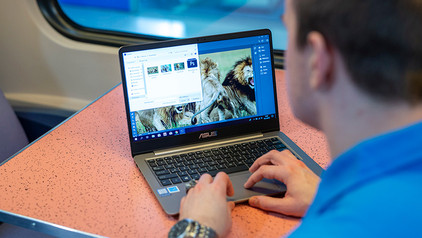
How do you upgrade to Windows 11 with end of support of Windows 10?

On 14 October 2025, Microsoft will stop supporting Windows 10. We call that end of support, which means there will no longer be technical support and security updates for Windows 10. That's why we recommend switching to Windows 11. You can update Windows 10 to Windows 11 or get a new PC. In this article, we'll explain what to do with end of support for Windows 10.

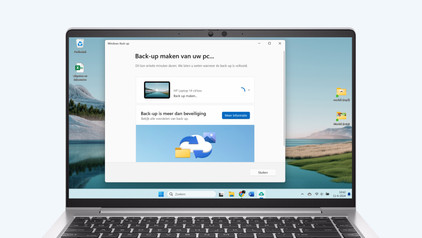
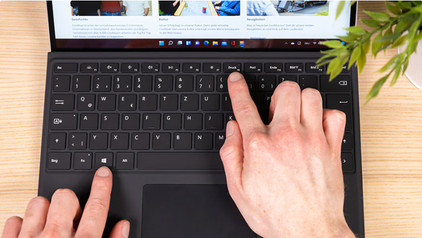
How do you make a backup in Windows?

Store your files securely and make a backup on your laptop. That way, you keep all your files if your laptop suddenly doesn't work anymore or if you accidentally delete files. In this article, you can read how to make a backup in 2 different ways.

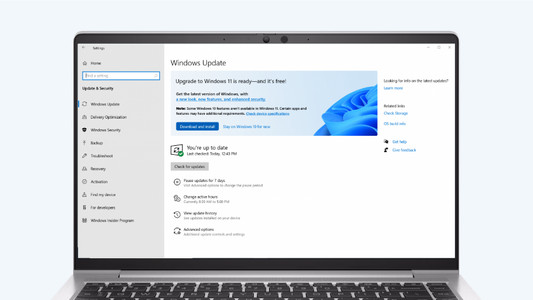
How do you upgrade to Windows 11?

Do you want to upgrade Windows 10 to Windows 11, but don't know how that works? In this article, we'll help you out. You can update many Windows 10 laptops and desktops to Windows 11 for free. This is the latest Windows version. You can easily install the Windows 11 upgrade in 4 steps.

How do you delete programs in Windows?

You want to delete a program in Windows, but you need some help. In this article, you'll find 3 tips to help you delete programs.

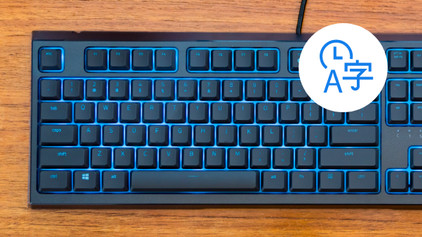
How do you turn on the keyboard lighting on your laptop?

Some laptops have a backlit keyboard, but how do you turn on the keyboard backlight? In this article, we'll explain how to turn on the backlight, because every laptop is different.

How do you upgrade to Windows 11 with end of support of Windows 10?

On 14 October 2025, Microsoft will stop supporting Windows 10. We call that end of support, which means there will no longer be technical support and security updates for Windows 10. That's why we recommend switching to Windows 11. You can update Windows 10 to Windows 11 or get a new PC. In this article, we'll explain what to do with end of support for Windows 10.

How do you make a backup in Windows?

Store your files securely and make a backup on your laptop. That way, you keep all your files if your laptop suddenly doesn't work anymore or if you accidentally delete files. In this article, you can read how to make a backup in 2 different ways.

How do you upgrade to Windows 11?

Do you want to upgrade Windows 10 to Windows 11, but don't know how that works? In this article, we'll help you out. You can update many Windows 10 laptops and desktops to Windows 11 for free. This is the latest Windows version. You can easily install the Windows 11 upgrade in 4 steps.

How do you delete programs in Windows?

You want to delete a program in Windows, but you need some help. In this article, you'll find 3 tips to help you delete programs.

How do you turn on the keyboard lighting on your laptop?

Some laptops have a backlit keyboard, but how do you turn on the keyboard backlight? In this article, we'll explain how to turn on the backlight, because every laptop is different.

Subjects

Didn't find your answer?

Find an answer to your question quickly and easily via our customer service.

Coolblue specialist
Personal chat Digitalk.
You're now chatting with Coolblue customer service
This chat is closed
foo
Oeps File size is larger than 5MB. Upload a smaller file.