Welcome to your environment! You can order everything from your assortment with your personal budget here.

You can always return to the normal Coolblue website by clicking here.

Your outstanding budget (incl. VAT) is always visible here, so you know exactly how much you can spend.

Coolblue home

Die Website ist auf Englisch, möchtest du sie auf Deutsch ansehen?

Help with your product
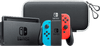
Nintendo Switch OLED Blue Red + Travel Case
0 reviews

Take your Nintendo Switch with you safely and easily in the Nintendo Switch OLED model Travel Case with Screen Protector. While the sturdy exterior offers fall and impact protection, the lining prevents damage to the screen of your Switch. With the double zipper, you can safely close the case. To additionally protect the screen of your Switch, you receive a screen protector along with this case. This way, your Switch is optimally protected. With the Nintendo Switch OLED, you can experience Nintendo games on a larger screen with more intense colors. The 7-inch OLED screen is larger than that of the regular Switch. OLED ensures that colors look richer and that there's more contrast on the screen. In addition, the Nintendo Switch OLED has a wide adjustable stand, so you can easily place the console on a table or desk. The Switch OLED also has a new holder with a LAN connector to ensure a stable online experience. This way, your online gaming session won't be interrupted by a bad WiFi connection. With 64GB storage, you can store more game updates and add more games to your game collection. Thanks to the built-in speakers with improved audio for the handheld and table mode, you don't need a headset for a relaxing game night. Do you play with a headset? You can easily pair it via the 3.5mm audio port or wirelessly via Bluetooth. Just like with the Nintendo Switch, you can play on the TV and share the Joy-Con controllers to play with the Nintendo Switch OLED together.

Read all tips here

How do you reset your Nintendo Switch?

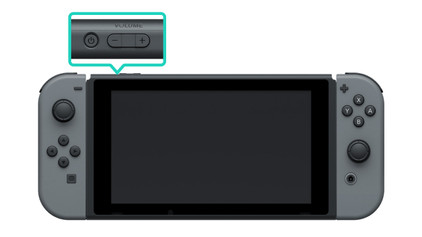
Does your Nintendo Switch crash or do you have other problems? A reset often helps. You can reset your Nintendo Switch in 3 ways. In this article, you can read which way will solve your problem. That way, you can game on your Nintendo Switch soon again.

How do you reset your Nintendo Switch?

Does your Nintendo Switch crash or do you have other problems? A reset often helps. You can reset your Nintendo Switch in 3 ways. In this article, you can read which way will solve your problem. That way, you can game on your Nintendo Switch soon again.
Didn't find your answer?

Find an answer to your question quickly and easily via our customer service.

Coolblue specialist
Personal chat Digitalk.
You're now chatting with Coolblue customer service
This chat is closed
foo
Oeps File size is larger than 5MB. Upload a smaller file.