Written by Bob
Edited on
15 September 2026
·
07:28
How do you choose a power bank with the right capacity?
The capacity of your power bank determines how often you can charge your smartphone, tablet, or laptop. Due to energy loss and voltage conversion, the actual capacity of a power bank is about 2/3 of the indicated capacity. That makes choosing more difficult. We'll help you choose a power bank with the right capacity.
Choose a power bank with the right capacity
How much capacity a power bank needs depends on the devices you want to charge. It's also important to think about how you want to charge your device. We've listed all power banks for you:
- 5000mAh: charge your smartphone once
- 10,000mAh: charge your smartphone once or twice
- 20,000mAh: charge your tablet or laptop once or twice
- 27,000mAh: charge multiple devices
Number of times you can charge your device
| Smartphone | Tablet | Laptop | |
|---|---|---|---|
| 5000mAh | 0.5 to 1 time | ||
| 10,000 mAh | 1.5 to 2 times | 0.5 to 1 time | |
| 20,000mAh | 3 to 4 times | 1 to 2 times | 1 time |
| 27,000mAh | 5 to 6 times | 2 to 3 times | 1 time |
Compare the power banks
- BlueBuilt Power Bank 10,000mAh
Charge your smartphone 1.5 to 2 times.
Take it with you in your pocket.
You can't charge tablets or laptops.
Retail price€ 34,99From
€ 19,99
- BlueBuilt Power Bank 20,000mAh
Charge your smartphone 3 or 4 times.
Take it with you in your bag or backpack, but not in your pocket.
You can also charge your tablet.
Retail price€ 49,99From
€ 19,99
- BlueBuilt 27,000mAh Laptop Power Bank
Charge your smartphone 5 to 6 times.
Take it with you in your backpack or suitcase, but not in your pocket.
Also charge your tablet and laptop
Retail price€ 78,99From
€ 44,99
- BlueBuilt 5000mAh MagSafe Power Bank
Charge your smartphone 0.5 to 1 time.
Attach the power bank magnetically and easily take it with you.
You can't charge tablets or laptops.
From
€ 29,99
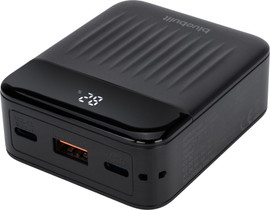
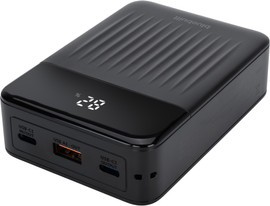
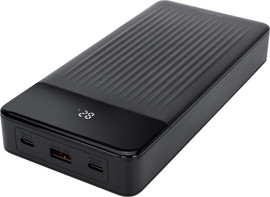
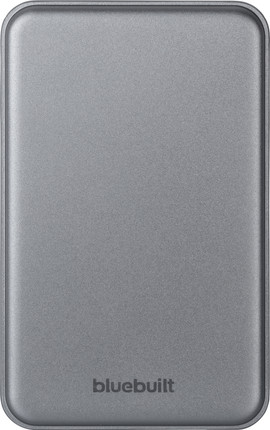
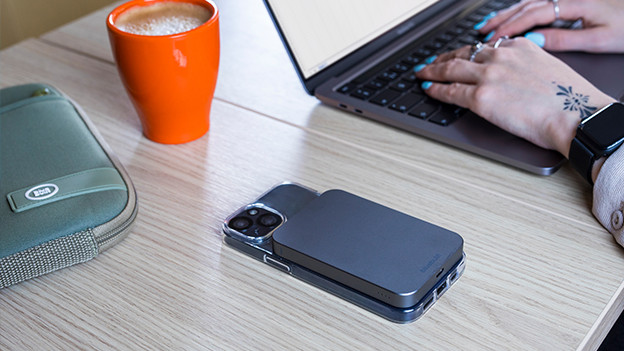
5000mAh: charge your smartphone 1 time
Want to know how often you can charge your smartphone with a 5000mAh power bank? Check how high the actual capacity is. It's 2/3 of 5000mAh, which is about 3330mAh. For example, you can fully charge the 3150mAh battery of the iPhone Air. Large models like the iPhone 17 Pro Max (5100mAh) don't charge all the way. You can charge Android smartphones like the Samsung Galaxy S26 and S26 Ultra (4000 to 5000mAh) for about 65 to 80%. This power bank is ideal for on the go, as it fits in your pocket or bag.

10,000mAh: charge your smartphone 1 to 2 times
With a 10,000mAh power bank (actual capacity: 6660mAh), you can charge most smartphones once or twice. The size of a smartphone battery differs per device. Many iPhone models have a battery of about 3500mAh, while other devices like the Galaxy S26 Ultra run up to 500mAh. Make sure to check how large your battery is. A 10,000mAh power bank is compact enough for in your pant pocket and suitable for a day out. Do you want to charge other devices in addition to your smartphone, such as earbuds, an e-reader, or a second smartphone? Choose a power bank with a capacity of at least 15,000mAh.

20,000mAh: also charge laptops and tablets
For laptops and tablets, you should choose a power bank with at least a 20,000mAh capacity. Tablet batteries have a capacity between 6000mAh (iPad mini) and 11,000mAh (iPad Pro). With a 20,000mAh power bank (actual capacity: 13,300mAh), you can charge your tablets and laptops at least 1 time. You can even charge small tablets 2 times. For a small laptop like a Chromebook, you need at least 45W power. For large laptops, like a 14 or 16-inch MacBook Pro, you need a 27,000mAh power bank.

27,000mAh: multiple devices
With a large 27,000mAh power bank (actual capacity: 18,000mAh), you can charge multiple devices. That's useful if you want to charge your laptop, work smartphone, and private device. You need 60 to 65W power for laptops, and even 100 to 140W for advanced models like a gaming laptop. These large power banks always have multiple USB ports. That means you can charge your devices at the same time. If you only want to charge your smartphone, you can do that 4 to 6 times. That way, you can charge your device every day during a weekend of camping or a festival. Good to know: 27,000mAh is the maximum capacity that you can take on an airplane without permission.

How long does it take to charge your smartphone?
How quickly your power bank can charge your phone, depends on the power in watt (W). All new iPhone models support fast charging via USB-C Power Delivery. With a power bank that charges with a speed of 20W or more, your iPhone is charged for 50% in half an hour. Do you have a Samsung Galaxy S25 or S26? You can charge the fastest with Super Fast Charging. The Samsung Galaxy S26 Ultra even gets 75% battery in half an hour with a power bank with a charging speed of 60W or more.

And charge wirelessly?
Do you have an iPhone from the iPhone 12 or an Android device with a magnetic cover? You can charge wirelessly with a MagSafe or Qi2 power bank. These magnetically attach to the back of your phone. That's useful, as you won't need a cable. Newer devices like the iPhone 17 or Samsung Galaxy S26 Ultra charge wirelessly with 25W via Qi 2.2. Keep in mind that wireless charging is a bit slower than with a cable.

How much mAh can you get out of your power bank?
The technical side of it is complicated, but the rule is simple. The actual capacity of a power bank is about 2/3 of the capacity indicated. The rest disappears due to voltage conversion or is lost during charging, especially as heat. This means that power banks with a 10,000 or 20,000mAh battery actually have a capacity of only 6660 or 13,330mAh. With modern power banks with USB-C Power Delivery like the latest BlueBuilt models, this loss is smaller.
Article by Bob
Power Bank Expert.