Written by Stefan
Edited on
25 September 2026
·
11:10
How do you choose an Apple MacBook for social or economic studies?
Are you studying a social or economics program, such as economics or psychology? Then you don't need a very powerful laptop. With the right MacBook, you can be sure you get the most out of your studies. You'll be writing reports, conducting online research, or analyzing data. In this article, we'll help you choose the best MacBook for your social or economics program.

Do you recognize yourself in this study profile?
You're pursuing a social science degree specializing in Economics, Retail Management, or Finance. Or you're studying to eventually work as, for example, a psychologist, social worker, or teacher. You attend lectures, work on case studies, or analyze large amounts of data. You also sometimes complete internships. You use programs such as Word or PowerPoint, but also SPSS and Excel.
Aanbevolen specificaties
| Minimum specification | Explanation | |
|---|---|---|
| Processor | Apple A18 Pro | With the fast Apple A18 Pro processor, you open all your apps and files smoothly. |
| RAM | At least 8GB | With 8GB RAM, you can easily open multiple apps or tabs and switch between them quickly. |
| Storage capacity | At least 512GB | Choose at least 512GB to ensure that you always have your important files at hand. |
| Screen size | 13 inches / 15 inches | You can take a small 13-inch screen with you more easily on the go. On a 15-inch screen, you see more details, and multitasking is more pleasant. |
Ons voorstel
- With the Apple MacBook Neo, you can smoothly perform light daily tasks and work in most apps.
- With the Apple A18 Pro chip, you can browse the internet, keep up with your email, and connect one extra screen.
- Thanks to the small 13-inch screen, this model fits easily in your bag.
- If you want to work in heavy apps and files without lag, you need the MacBook Air.


Processor en werkgeheugen
For a social or economics degree, you don't need a very powerful processor. Choose at least a MacBook Neo with an A18 Pro processor to work smoothly in your reports and apps. With at least 8GB RAM, you can easily open multiple files at the same time. You can then easily write a report while conducting online research. Choose at least 512GB storage capacity to ensure that you always have important files at hand.
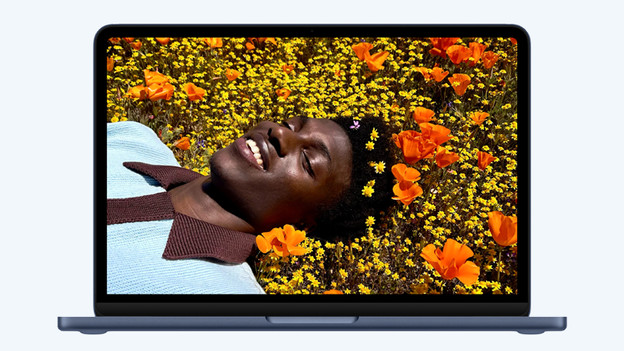
Beeldscherm
Which screen size you choose depends mainly on your personal preferences. Choose a smaller 13-inch screen to work easily on the go, for example on the train. You'll see less of your files on this small screen and multitasking is more difficult. On a larger 15-inch screen, you see more of your files and can comfortably open multiple files side by side. Due to its larger size, this MacBook is less easy to carry around in your bag.